Whether you’re a developer debugging an application or on the DevOps team monitoring applications across several production clusters, logs are the lifeblood of the IT organization. And if you run on top of Google Kubernetes Engine (GKE), you can use Cloud Logging, one of the many services integrated into GKE, to find that useful information. Cloud Logging, and its companion tool Cloud Monitoring, are full featured products that are both deeply integrated into GKE.
Out of the box monitoring solutions are getting more and more difficult to implement. In addition, they may not have the features you need, and they’re always becoming more expensive. It’s no wonder you’re trying to create a cost-effective solution via infrastructure monitoring cost management on your own by using a combination of your on-site development talent and a few open-source libraries.
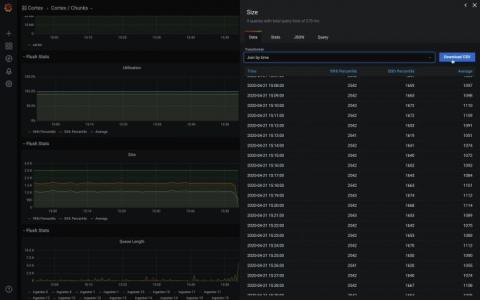
Grafana v7.0 is coming soon! Here’s another sneak peek of one of its features: the inspect drawer. The inspect drawer is a feature that every panel will support, including internal as well as external community plugins. In this new drawer, you will be able to view the raw data in a table format, apply some predefined transformations, and download as CSV. “Download as CSV” previously only existed as a custom feature for the Graph & Table panel.
Logs are an invaluable source of information, as they provide insights into the severity and possible root causes of problems in your system. But it can be hard to get the right level of visibility from your logs while keeping costs to a minimum. Systems that process large volumes of logs consume more resources and therefore make up a higher percentage of your overall monitoring budget. Further, log throughput can be highly variable, creating unexpected resource usage and financial costs.
If you're reading this, you're probably wondering how to get data from various Microsoft Azure services into Splunk. With the growing list of Azure services and various data access methods, it can be a little cloudy (pun intended) on what data is available and how to get all that data into Splunk. In this blog post, I'm going go over how Microsoft makes Azure data available, how to access the data, and out-of-the-box Splunk Add-Ons that can consume this data. So let's dive right in.
Subkeying is a way to group a set of crashes at some level other than the top level of the call stack. Subkeying is a way to group a set of crashes at some level other than the top level of the call stack. At BugSplat, crashes are grouped by a stack key and groups of crashes can be found on the Summary page. By Default, BugSplat groups crashes using the topmost level of a call stack. A subkey is created when crashes are grouped at a level other than the top level of a call stack.
Web applications like knockout.js help you to reach out to your audience and customers. And as your customer base increases, your web-application evolves so that you can cater to their varying needs. But the more features you introduce in your application, the more requests and responses need to be handled by your applications. That, coupled with design (CSS) can make your web applications pretty bulky. You must be thinking, “So what!
As Covid-19 restrictions and predictions march on unabatedly, people are starting to think about what may be long-lasting changes to industries. The tech industry is a mixed bag: it all depends on your perspective. Layoffs are becoming commonplace, especially in BtoC tech startups: Lyft and AirBnB recently announced massive cuts. The giants-- which include the usual suspects Amazon, Microsoft, Facebook, Google, Apple, Netflix--are faring remarkably well, as discussed in a recent New York Times op-ed.