Operations | Monitoring | ITSM | DevOps | Cloud

Build vs. Buy Your Crash Reporting Tool

We wrote up the general framework we use for build-vs-buy decisions here - how we think about the real costs, the six questions we ask, and why these decisions are harder to evaluate honestly than they look. This post is about what happens when you apply that thinking to crash reporting specifically. Because crash reporting has a few things that make the build-vs-buy tradeoff especially deceptive. The first 20% of the problem is easy enough to make you think you can do the whole thing. You usually can't.

What was the Great Video Game Crash of 1983?

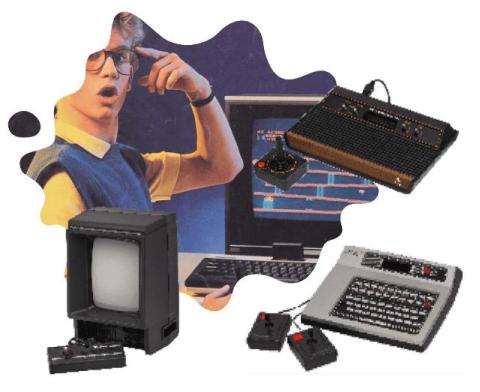
At BugSplat, we spend our days helping teams stop software and video game crashes. But not every crash is a bug in the code. Some are the kind that take down a whole industry. In the early 80s, video games were booming in North America. Home consoles had gotten cheap, demand for new games was spiking, and everybody wanted in. Companies scrambled to feed the frenzy. The stage was set for the most famous crash in gaming history. In 1983, the bottom fell out.

When to Add Crash Reporting to Your Game (Earlier Than You Think)

There's a wrong time to add crash reporting, and it's the time most teams pick: after a rough launch, when the reviews are already in and you're reverse-engineering what went wrong from a pile of angry Discord messages. By then the crashes have already cost you, in players, in reviews, in the days you'll now spend chasing bugs you could have seen coming. The fix is to start earlier than most teams do.

Adding Crash Reporting Before You Ship on Steam

A Steam launch is a deadline you can't move and an audience you can't preview. The day the page goes live, your game runs on hardware you've never seen, in configurations you never tested, in front of more players in twenty-four hours than touched it in the whole beta. If something crashes at scale, you find out from reviews. Crash reporting is the thing that turns that first wave from a guessing game into a ranked to-do list.

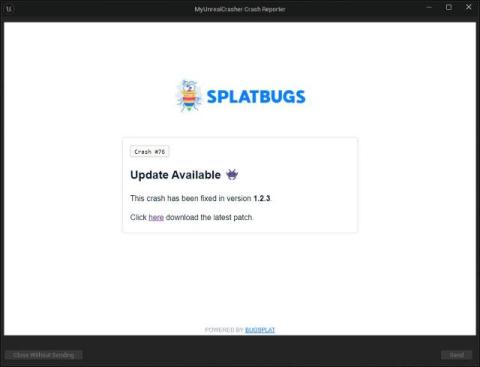
Bringing Custom Crash Responses to Unreal Engine

Show a customized, crash-specific message when your game crashes. Locked in an intense battle, hanging on for dear life, on the verge of nigh-impossible victory and then… boom! Positively, absolutely, unquestionably, no one wants a crash to interrupt their favorite game. Crashes are a frustrating yet inevitable part of gaming, and the only thing worse than being on the receiving end of a crash is being on the receiving end of the same crash repeatedly.

You, Me, and BugSplat's MCP

Let's face it - from an experienced developer's perspective, most software trends are, put lightly, incredibly annoying. The last thing a grizzled, old, technical wizard wants to hear is some half-brained junior developer telling them to switch their SQL server to MongoDB, replace the PHP EC2 with serverless Python, or rewrite their entire front-end with HTMX. The hype-train is so intense that even watching TV feels risky, as you might see something as absurd as an ad for AI toothpaste.

A Short 2024 Recap

With almost all of 2025 out in front of us, we wanted to make sure that you saw all of the great progress and useful features that got pushed live in 2024! Last year was a year of big strides forward, meaningful conversations with our community, and exciting updates to our product. Before we dive into all the exciting things ahead in 2025, let’s take a moment to celebrate the progress we made this past year.

Why Early Crash Reporting Saves Time and Prevents Costly Bugs

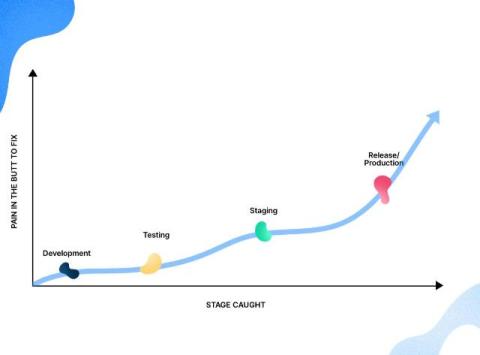
At BugSplat, we always advocate for teams to introduce crash reporting and establish a bug-tracking/bug-fixing workflow early in their development process. So you can imagine my excitement when I found myself at Denver Startup Week chatting with the founder of a startup that has several projects in flight. He mentioned they’d just kicked off development of a new application, and things were moving quickly.