Operations | Monitoring | ITSM | DevOps | Cloud

Featured Post

We've Never Shipped Code This Fast. Understanding It Hasn't Kept Up.

Ask anyone where dev ends and ops begins and they'll struggle to draw the line. That's the point of the last decade of DevOps: the two disciplines merged so completely that the boundary stopped mattering. But ask where building ends and understanding begins, and everyone answers instantly. Right after deploy.
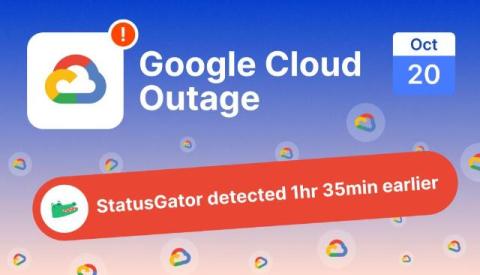
Google Cloud outage on October 20, 2026: a europe-west2 power event and 171 possibly affected services

A power event in Google’s europe-west2-b (London) zone triggered a wide Google Cloud outage on October 20, 2026, taking down dozens of services including Cloud SQL, BigQuery, Compute Engine, and Kubernetes for customers across the UK and beyond. StatusGator sent an Early Warning Signal at 07:02 UTC, 1 hour and 35 minutes before Google Cloud publicly acknowledged the incident at 08:37 UTC. The ripple effect was wide: StatusGator tracked 171 other services showing signs of impact during the outage.

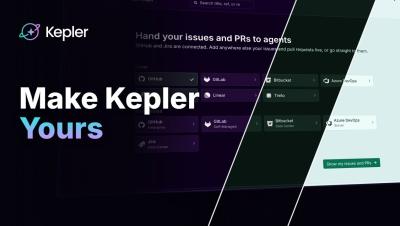
Make Kepler Yours: Create a Theme and Share It in the Gallery

In Kepler ADE by GitKraken, you can make your own theme. Describe the look you want in plain words, and an agent builds it for you. How it works: Open Settings, go to Appearance, and click Create a theme Type the look you want. In this video I asked for gold and maroon The agent drafts the theme and checks every color for contrast before it saves. Then pick your new theme under Your themes Keep your theme for yourself, or share it with a pull request to gitkraken/kepler-themes so it can join the public gallery.

AI cost per customer: measure it and protect your margins

AI cost per customer is each customer's attributed share of your AI spend: API tokens, inference infrastructure, and per-seat AI tools, measured against that customer's revenue. It matters because AI usage is wildly uneven across customers, so healthy blended margins can hide individual customers you serve at a loss. It's cost to serve, not acquisition cost. Cost per customer is the metric CloudZero was built around.

Shipped: Log and track Insights from your AI assistant

Insights are how your team tracks interesting observations, analysis and optimization work in CloudZero. Each one records the opportunity and its status, so the work gets sized, assigned, and closed out. Teams now do a lot of this work in an AI assistant. For example, you can ask Claude which instances sat idle last month, and it will tell you. But if you have to switch to CloudZero and fill out a form to log that finding, some findings won’t get logged.

Five things you can do with Sentry's Agent Tracing

AI-powered apps are hard to debug without observability. From one run to another, AI produces different results, goes down different paths, and you’re none the wiser as to why it’s happening. Agent Tracing bridges the gap between prompt, tool calls and final output, all within the context of your app. If things break (it always does at some point, we know from experience), you get everything in one complete trace.

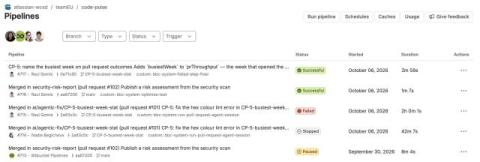
A fresh look for Bitbucket Pipelines

We’re refreshing the Bitbucket Pipelines experience to make it easier to read logs, find the steps you need, and navigate a pipeline run. The update focuses on the Pipelines list and Pipeline result pages. This is a visual refresh only. Your pipeline configurations, builds, data, runners, variables, deployments, and integrations stay as they are. It’s the same Bitbucket Pipelines underneath, with a cleaner, more focused view.