Operations | Monitoring | ITSM | DevOps | Cloud

AI Dev Tools: What 100K Engineers at Google Really Taught Us

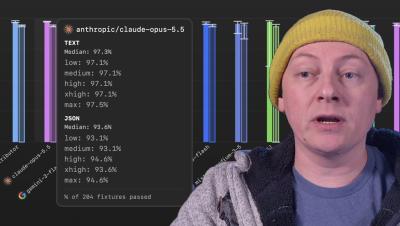
AI developer productivity, agentic workflows, and the lessons learned running engineering tools for 100,000+ software engineers at Google. John Montgomery, CCO at GitKraken, sits down with Asim Hussain, co-founder of Alterion AI and former Google VP of Engineering Productivity, to get real about what AI actually changes for engineering teams in 2025.

Are AI Tools Actually Improving Developer Experience? (Experts Cut Through the Hype)

AI tools are spreading across the entire software development lifecycle - but are they actually making developers more productive, or just adding noise? In this panel from Context Conference, Najla Elmachtoub (Squadformers) moderates a sharp, no-fluff conversation with Nathen Harvey (Google, DORA program), Bill Harding (GitClear), and Jeremy Castile (GitKraken) on what's really working when it comes to AI and developer experience.

10 Privacy-First Engineering Intelligence Platforms 2026

Engineering leaders need more than raw metrics, they need actionable insights they can trust with their data. When evaluating engineering intelligence platforms, privacy controls and centralized repository oversight should top your criteria list. The platforms on this list each offer distinct approaches to tracking DORA metrics, developer productivity, and code quality while keeping your data secure.

Healthy PR Lifecycle Time: Benchmarks & Targets (2026)

Your pull request has been open for three days. Your reviewer hasn’t commented. You’re starting to wonder if anyone will ever look at it—and whether the code you wrote on Monday still makes sense on Thursday. This feeling is common. PR lifecycle time—the duration from first commit to merged code—directly impacts how quickly you ship features, how fresh your code stays, and how engaged your reviewers remain.

How to Use Git Blame in Your Editor in 6 Steps (2026)

Tracking down who made a specific change in your codebase can feel like detective work. Whether you’re debugging an issue or trying to understand why a particular piece of logic exists, knowing the history behind each line is invaluable. GitKraken makes this process simple with tools like GitLens for VS Code and GitKraken Desktop, which bring blame annotations directly into your workflow.

Preview launch: the Agent Impact Leaderboard and the Business Impact & ROI Dashboard

The Agent Impact Leaderboard and the Business Impact & ROI Dashboard are live in preview inside GitKraken Insights today. We built them because the questions engineering leaders are getting asked about AI shifted faster than the tools to answer them. Here’s what shipped and how to get access.

The 5 Hats We Wear During Code Review

If you are a software developer or engineer, you most likely have to do code review. At the bare minimum, you probably have had your pull requests reviewed. If you haven’t, then you are probably curious about how the rest of the world deals with the process. In general, we use code review to make sure we are shipping high quality code that does what it’s supposed to and is easy to maintain. That’s the goal, at least. In practice, code review can get messy.

AI Dev Tools: What 100K Engineers at Google Really Taught Us

AI developer productivity, agentic workflows, and the lessons learned running engineering tools for 100,000+ software engineers at Google. John Montgomery, CCO at GitKraken, sits down with Asim Hussain, co-founder of Alterion AI and former Google VP of Engineering Productivity, to get real about what AI actually changes for engineering teams in 2025.

GitLens vs VS Code Git Graph Ranked for Solo Devs

Choosing the right Git extension for your VS Code setup can make the difference between a smooth workflow and hours lost hunting for context. GitLens, developed by GitKraken, and VS Code Git Graph both aim to enhance your Git experience, but they approach the problem differently. This article ranks both extensions across key workflow scenarios – merge conflicts, commit history, code review, debugging, UX, and performance – so you can pick the right tool for how you work.