Operations | Monitoring | ITSM | DevOps | Cloud

DNS Monitoring: What to Track and Where to Watch It From

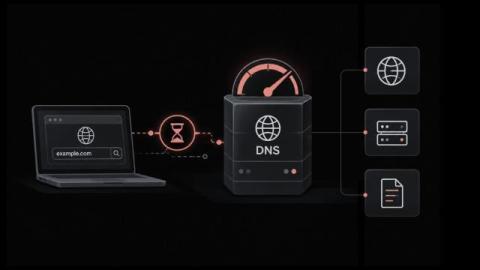
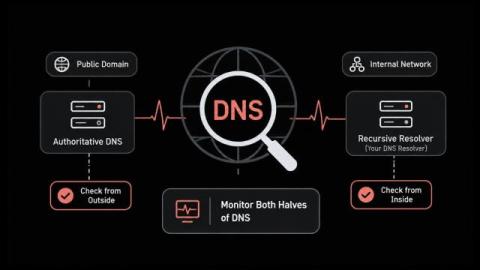
DNS monitoring asks your name servers the same question on a timer and checks the answer that comes back. Most teams aim it at their public domain and stop there. That covers half the problem. Your public domain and your internal resolver fail in different ways. A check from outside the building never sees the second one. In this blog, you'll see: By the end you'll know which half of your DNS nobody is watching. A DNS check sends a query and reads the reply. The reply can fail three ways.
What's taking DNS-PERSIST-01 so long?

In February, Let’s Encrypt announced that DNS-PERSIST-01 was coming, “some time in Q2 2026.” It’s October, and it’s nowhere close to ready. We’ve been waiting for DNS-PERSIST-01 since January, along with every other ACME client and lots of organizations. DNS-PERSIST-01 promised to simplify domain validation and make automation easier, but we had to wait on Let’s Encrypt. Let’s Encrypt is waiting on a redesign, a standards body, and maybe one more vote.

How to Fix Slow DNS Lookups Across Clients, Resolvers and Networks

Why does every page, login and business application hesitate before anything loads, even when bandwidth graphs look healthy? That pause usually comes from name resolution: no connection starts until its hostname has been translated into an IP address, and whatever time that translation takes is added to the request. Slow DNS seldom shows up as a clear error.

Best DNS Monitoring Tools in 2026 [24 Analyzed]

The best DNS monitoring tools are Hyperping for fast DNS checks with on-call and a status page, Oh Dear for authoritative nameserver comparison and change history, Site24x7 for DNSSEC and global locations inside a suite, UptimeRobot for inexpensive DNS checks next to HTTP, and DNS Spy for dedicated DNS security and WHOIS. I analyzed 24 current products and shortlisted five. Every tool below can query DNS on a schedule and alert when the answer is missing or wrong.

How to Fix DNS Server Not Responding Errors and Keep Users Online

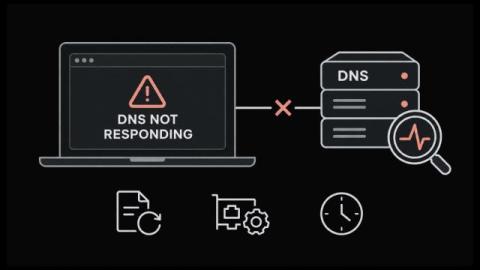
Has your service desk ever filled with "the internet is down" tickets while every switch, firewall and uplink is reporting normal? The connection is usually fine. What has failed is name resolution, and the message your users see says the DNS server is not responding.

Moving Your Business Website: How to Avoid Email and Hosting Disruption

Website migration from one host to another is more than copying a few files to another server. A website might depend on databases, e-mail accounts, DNS records, SSL certificates, sub-domains, and other external applications that should continue to function after migration. Proper planning ensures the safety of the information and eliminates any risk of losing access to emails or having people visit a partially transferred website. This can be achieved by preparing the new hosting in advance.