Operations | Monitoring | ITSM | DevOps | Cloud

The latest News and Information on DevOps, CI/CD, Automation and related technologies.

Configure and manage Oracle Cloud Infrastructure components with Puppet

As many Oracle customers plan their migration to Oracle Cloud Infrastructure or OCI, proper tools should be considered in order to make a smooth transition. We’re excited to share that Enterprise Modules, a key contributor to the Puppet ecosystem, has recently created a module that extends the Puppet language to contain types needed to create and manage the lifecycle of objects within your Oracle Cloud Infrastructure.

Introducing template variable saved views for dashboards

Datadog dashboards provide immediate visibility and insight into your environments. Setting template variables enables you to filter your dashboard graphs on the fly to visualize specific sets of tagged objects. Now, with saved views, you can save sets of frequently used template variables in order to easily find the data you most care about with just a few clicks.

Live Kubernetes Debugging with the Elastic Stack

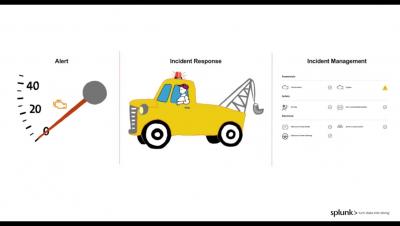
Your Kubernetes app is down. Your users start ranting on Twitter. Your boss is standing right behind you. What do you do? We are using the Elastic Stack in this demo with a special focus on its Kubernetes integration with metadata enrichment and autodiscovery in combination with APM / tracing, metrics, logs, and health checks.

Using the Beacon API

Users are so annoying! There they go, leaving the page before we can save the data to the API. Back in the old days, we would attach a `window.unload` handler and try to send an AJAX request, but this was slow and unreliable. Enter the Beacon API to give us a better way. The Beacon provides a reliable way to send a small amount of data *after* the page has been unloaded. It's not bound to the lifetime of the page and it doesn't slow down the user.

JFrog CLI Completes You

JFrog CLI now supports autocomplete for both bash and zsh, allowing you to get your work done faster. With this functionality, you can now simply start typing your Bash and zsh commands and the CLI client will provide you with possible options to use. You can scroll through the options using tab. JFrog CLI helps simplify your automation work with the JFrog solutions. For example, using CLI with JFrog Distribution workflows to manage your software releases in a centralized platform.

How to implement log management policies with your teams

Logs are an invaluable source of information, as they provide insights into the severity and possible root causes of problems in your system. But it can be hard to get the right level of visibility from your logs while keeping costs to a minimum. Systems that process large volumes of logs consume more resources and therefore make up a higher percentage of your overall monitoring budget. Further, log throughput can be highly variable, creating unexpected resource usage and financial costs.