Operations | Monitoring | ITSM | DevOps | Cloud

Docker Monitoring Tutorial - How to Monitor Docker with Telegraf and InfluxDB

This article was priginally published on the CNF blog and is written by Cameron Pavey. Scroll down for the author’s bio. Docker is an increasingly popular choice for businesses dealing with containerized applications. However, as with any new technology, Docker introduces complexities that need to be managed. Some of these complexities relate to infrastructure and application monitoring.

Why You Need an Integrated APM to Monitor Operating Costs

Application performance monitoring (APM) solutions are essential for any business looking to manage its operations efficiently. By providing real-time insights into the performance of your applications, APM solutions can help you quickly identify areas that need improvement and prevent costly mistakes from occurring in the future. But with so many different types of APM solutions on the market today, how do you know which one is right for your company?

Maximizing cloud savings: Strategies to optimize your cloud costs

Public cloud users continue to get stung by unexpected costs due to the challenges faced when working with or moving workloads into the cloud. When organizations see this surge in their costs, it typically requires the process of cloud cost optimization to tackle the problem. Cloud cost optimization is the task of minimizing cloud spending by enforcing best practices and appropriate cost-efficient resources.

Azure Managed Grafana users can now upgrade to Grafana Enterprise

In November 2021, we announced a strategic partnership with Microsoft to develop a Microsoft Azure managed service that lets customers run Grafana natively within their Azure cloud platform. Azure Managed Grafana, which became generally available in August 2022, makes it simple for Azure customers to deploy secure and scalable Grafana instances and connect to open source, cloud, and third-party data sources for visualization and analysis.

10 Alternatives to SEO Site Checkup (Free SEO Analyzers)

In this blog post, we address different websites that will provide all the benefits that were provided by SEO Site Checkup to you with a single click. One of the best free SEO tools, SEO Site Checkup, is no longer offering free website analysis. Isn’t it bad news? But don’t be worried, as there are 10 good alternatives where you can run analysis without paying or even registering. Let’s dive into the detail.

The Role of Traffic Replay in Production Traffic Replication

Testing in production is one of the most effective—and risky—ways of testing. The ability to use real-world conditions ensures reliability of tests, as no bugs can appear as a result of misconfigurations of the environment. However, using the same environment as your users also has an obvious downside: any bugs discovered by testing will immediately affect users.

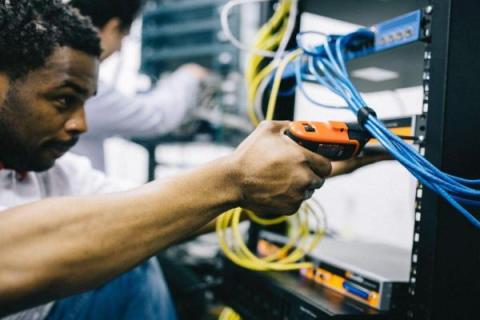
How Augmented Reality Can Change Physical Repair

Augmented Reality for Industry Repair When augmented reality emerged onto the scene, most people anticipated that it would primarily change consumer industries, like gaming. This idea was seemingly confirmed with the explosive popularity of Pokémon Go, the 2016 AR game that saw gamers capture virtual pokemon out in the real world, using only their phone. But some of the most powerful applications of augmented reality are in industry.

3 Easy Ways to Get Started With Distributed Tracing

Not to put too fine a point on it, but we think distributed tracing gets a very bad rap for being too complicated and labor-intensive. We’re here to show you three ways you can jumpstart a distributed tracing effort, starting small and expanding as it makes sense. These examples involve only a little code and perhaps a bit of a mindset change. Starting small with distributed tracing can even be fun, because who doesn’t like getting customized results without much work?

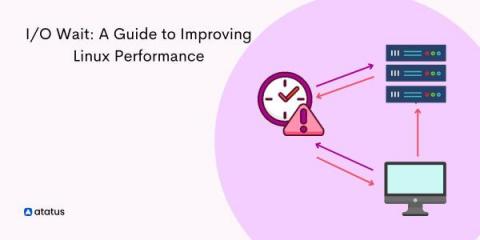
I/O Wait Time: A Guide to Improving Linux Performance

I/O wait is a plaguing issue in Linux. Speaking in layman terms, I/O wait is the time taken by the processor (here, CPU) to complete an input service request. Ideally, our CPU doesn't seem to do any work when it is processing one input request at a time, thus the duration between your input and the output provided by the system can be treated as the I/O wait time.