Operations | Monitoring | ITSM | DevOps | Cloud

Sponsored Post

Error monitoring and exception handling in large-scale software projects

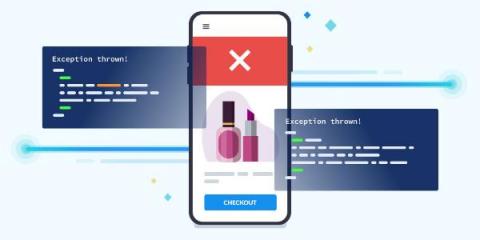
Large-scale software projects don't care how many unit tests you put into your code. Or how sophisticated your CI/CD pipeline is. Or how robustly you run blue-green deployments to ease into newly-deployed code. These projects will inevitably find themselves subjected to your users, who will uncover bugs your team didn't catch and didn't even think to test for.

Sponsored Post

Golden Signals - Monitoring from first principles

Building a successful monitoring process for your application is essential for high availability. In the first of this three-part blog series, Safeer discusses the four key SRE Golden Signals for metrics-driven measurement, and the role it plays in the overall context of Monitoring. Monitoring is the cornerstone of operating any software system or application effectively. The more visibility you have into the software and hardware systems, the better you are at serving your customers. It tells you whether you are on the right track and, if not, by how much you are missing the mark.

Sponsored Post

Detect and Fix Slow Proxies For SaaS and Cloud

Crowdsourcing is becoming an essential part of many enterprises, from big companies to startups. This is because it is an incredible way of creating an ecosystem to facilitate different processes within a business. Leveraging the Exoprise platform, companies can benchmark their slow proxies, detect, and fix slow network experiences. Crowdsourcing entails getting information, goods, or services from disparate people worldwide. Often, crowdsourcing is made possible through the magic of cloud-based applications and platforms because of the way the Internet connects people and organizations. Exoprise specializes in crowdsourced monitoring of cloud and SaaS services. We call it crowd-powered.

4 compelling reasons why you need a network discovery tool and 5 ways OpManager helps

Businesses now scale exponentially and so do their networks. Managing a hybrid IT environment that comprises wired, wireless, and virtual networks can be a challenging task for network administrators. However, continuous monitoring of these devices for fault and performance is crucial. Network discovery is key to successful monitoring solutions.

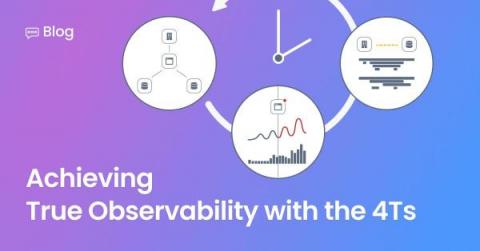
Infographic: Achieving True Observability With the 4Ts

Ready to “rewind the movie” to see exactly what was going on in your stack at any moment in time? Ready to quickly go straight to the original source of the problem to solve issues faster? Check out our new infographic, Achieving True Observability With the 4Ts, to see how StackState’s unique 4T® data model correlates topology, telemetry and traces at every moment in time, to deliver real-time contextual insights into your entire IT landscape.

Now in beta: Direct monitoring

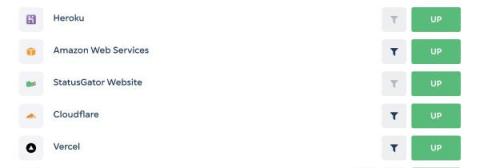
Contact us to get access to our direct monitoring beta feature today! For more than 7 years, StatusGator has monitored the world’s status pages and aggregated the status of more than 1,000 cloud services into custom dashboards. With a quick glance, you can see the status of every service you depend on. But what if a website you depend on does not have a status page? What about internal tools, sites you host yourself, and other services without public status information?

Automation Anxiety: What Role Do Humans Play in an AI-Driven Future Workplace?

What tasks can machines do for us? That’s what business leaders were pondering back when automation and AI were still new, cutting-edge technologies. Now the question has changed. What tasks can’t they do? We used to think of automation as a useful method to avoid doing the repetitive, menial tasks that require so little of our brain power and take up so much of our days.

Banks are enabling personalization with Elastic - your industry can, too

Think about the moments when something is presented to you that is just what you’re looking for. Those moments, when it feels like a company you trust knows you, are all too rare in commerce. And of course, presented incorrectly, they can even feel invasive. But done well, they solidify your relationship as a customer, and reinforce that you’re getting the service you deserve.

New in Grafana 8.4: How to use full-range log volume histograms with Grafana Loki

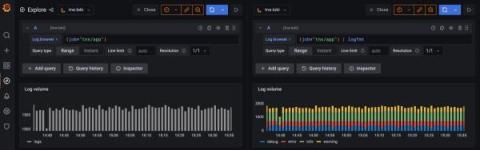
In the freshly released Grafana 8.4, we’ve enabled the full-range log volume histogram for the Grafana Loki data source by default. Previously, the histogram would only show the values over whatever time range the first 1,000 returned lines fell within. Now those using Explore to query Grafana Loki will see a histogram that reflects the distribution of log lines over their selected time range.