Operations | Monitoring | ITSM | DevOps | Cloud

The latest News and Information on Incident Management, On-Call, Incident Response and related technologies.

5 Steps to Building an Effective Clinical Communication Plan

Organizations require a well-crafted clinical communication plan to streamline workflows across care teams. The communication plan must include processes, hardware and software that improves how providers perform. An effective communication plan eliminates barriers across departments and ensures that all providers are informed of patient-related incidents. High-level healthcare administrators are responsible for designing, managing and launching the clinical communication plan.


Chapter 7: In Which Sarah Experiments with Observable Low-Code

This is the seventh chapter in a series of blog posts exploring the role that intelligent observability plays in the day-to-day life of smart teams. In this chapter, our DevOps Engineer, Sarah, experiments with low code and Moogsoft in her team’s DevOps toolchain to rush a new feature out the door to keep up with a competitor.

Streamline incident management with BigPanda's offering in the Datadog Marketplace

BigPanda is a domain-agnostic AIOps platform that helps organizations detect and resolve incidents in their complex IT environments. By unifying and correlating data from monitoring, change, and topology tools, BigPanda enables teams to quickly pinpoint the root cause of issues and prevent costly outages.

Have You Herd? Episode 1 | DevOps vs SRE

Join the Moogsoft Engineering team for their inaugural stream as we tackle the big questions - How do we define DevOps? And as it becomes more mainstream - will the roles of development & ops combine forever into super powered developers, or does the complexity of our systems require further specialization between the two roles?

Who is on standby? Simple question, simple answer.

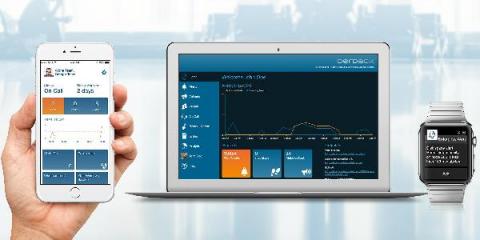
In our feature session for the current Enterprise Alert release, we were asked if it was possible to make the on-call page available to every employee regardless of whether they have a user account in Enterprise Alert or not. This option has existed in Enterprise Alert for a long time, but admittedly it is not very well documented. So I would like to take this opportunity to show you what the on-call overview can offer you and how to share the on-call page.

Copy and Paste Multi-Team Schedules

With the release of Enterprise Alert 9, not only have our capabilities for tighter integration with almost any source system imaginable been massively expanded, but our front end has also received some much requested updates. Among them are our multi-team schedules. These allow – especially for international companies – a simple and clear planning of readiness of several teams across different time zones.

Integration of Enterprise Alert 9 with AzureMonitor

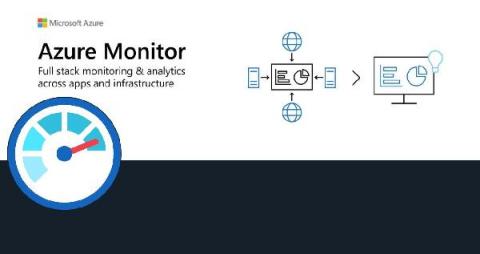
Our Azure Monitor connector provides seamless 2-way integration of Enterprise Alert 9 with Azure Monitor. Once added to your Enterprise Alert instance, the connector will read your Azure Monitor alerts fully automatically and trigger alert notifications, e.g. to your team members on duty. It also synchronizes the alert status from Enterprise Alert 9 to Azure Monitor so that if alerts are acknowledged or closed, this status is also updated on the according alert in Azure Monitor.