


















Waltham, MA, USA
2011
  |  By Ritika Bramhe
Quick Answer A Network Operations Center (NOC) — pronounced “knock” — is a centralized physical or virtual facility where IT professionals monitor, manage, and maintain an organization’s network infrastructure on a 24/7/365 basis. The NOC serves as the nerve center for detecting incidents, coordinating responses, and ensuring maximum network availability and performance.
  |  By Ritika Bramhe
When we talk about patient experience in hospitals, the conversation usually centers on clinical outcomes, bedside manner, or discharge satisfaction scores. But a growing body of research suggests that something far more basic, how quickly and clearly a care team communicates, may matter just as much. This isn’t just true inside the hospital walls.
  |  By Ritika Bramhe
Most teams don’t go looking for “call routing software.” They’re trying to solve something more immediate: calls coming in after hours, no clear owner, and something important getting missed.
  |  By Michelle Chua
Remember the small rectangular devices that could receive short messages? Some may think of it as an outdated device that people have long forgotten about, while others still use it to this day. Pagers, although becoming less and less relevant, are still used by many large hospitals that deem them an essential tool for their day-to-day critical communication. But in 2026, are there pager replacements in the market?
  |  By Michelle Chua
We’ve all seen scenes in Grey’s Anatomy where a Code Silver or a Code Purple is announced, and suddenly everyone is seeking cover or springing into action. But how are these critical alerts actually communicated inside hospitals? Behind the scenes, mass notification systems power the rapid, coordinated delivery of these codes, ensuring patients, staff and the larger community are made aware of the situation to keep them safe.
  |  By Ritika Bramhe
When a critical incident or emergency strikes, businesses rely on well-defined incident response procedures to accelerate remediation. Incident response teams are on standby, and each responder understands their role in restoring services and minimizing customer impact. However, organizations often overlook an equally critical requirement: real-time communication with all stakeholders during incidents. This is not just an operational gap, it is increasingly a compliance and risk management requirement.
  |  By Ritika Bramhe
Modern operations don’t break down only because alerts are misconfigured or missed. They break down when systems are difficult to manage, slow to adapt, or lack visibility into what’s actually happening in real time. Across industries, teams are managing an increasing volume of critical events. Critical System Alerts. After-hours urgent calls from patients, clients or even emergency lines. Voicemails. Answering service calls, Emergency notifications. Time-sensitive clinical communication.
  |  By Ritika Bramhe
Secure messaging apps for healthcare workers are platforms designed to enable HIPAA-compliant communication, real-time collaboration and coordination, and urgent alerting across clinical teams for timely response. In modern hospitals, communication is no longer just about sending messages. It’s about ensuring the right person receives the right information and acts on it quickly.
  |  By Michelle Chua
Disclosure: This comparison is written by our product marketing team that works closely with IT operations and on-call workflows. While we build on-call management and incident alerting software ourselves, this guide is designed to help teams understand how different tools fit different operational needs. We believe there is no single “best” tool. Only the right fit for a given team.
  |  By Ritika Bramhe
Teams running modern infrastructure can’t afford slow incident response. On-call management software ensures the right person is alerted instantly, incidents are escalated intelligently, and downtime is minimized. This guide breaks down the best on-call management software for 2026, helping teams choose the right platform based on their specific use case, response requirements, and operational complexity.
  |  By OnPage Corporation
Are hospitals still using pagers in 2026? The answer might surprise you. In this video, we break down why hospital pagers are still used today, the security risks of pagers, and whether they meet HIPAA compliance standards. While pagers have long been trusted for their reliability, many healthcare organizations are now re-evaluating their role in modern clinical communication. We also explore why pagers are considered insecure, including the lack of encryption, no read receipts, and limited communication capabilities, all of which can impact patient care and coordination.
  |  By OnPage Corporation
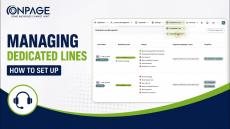
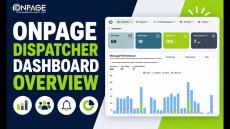
See the next-generation OnPage Enterprise Web Management Console in action, built to simplify on-call scheduling, incident alerting, critical communication workflows and post-event reporting. In this demo, we walk through how teams can: Manage on-call schedules and escalation pathsSend and track critical alerts in real timeGain visibility into alert activity, read rates, and response timelinesConfigure contact groups and communication workflowsUse the new Lines Management module to set up call routing, menus, and rules through a self-service interface.
  |  By OnPage Corporation
OnPage has introduced a next-generation Enterprise Web Management Console, designed to modernize how critical response teams manage on-call, incident alerting, and HIPAA-compliant communication workflows at scale. This platform-wide upgrade goes beyond a UI refresh. It delivers a more intuitive, visible, and controllable experience for teams operating in high-stakes environments across IT, healthcare, and other industries.
  |  By OnPage Corporation
Veterinary clinics typically operate during standard 9–5 business hours. But emergencies don’t follow a schedule. Having the option to reach an on-call veterinarian through a dedicated after-hours emergency line provides peace of mind not only for pet owners, but, believe it or not, for veterinarians as well. So how does ONCALL work for veterinary clinics? Find out more through our Doggy Explain video.#dog.
  |  By OnPage Corporation
In this quick tutorial, learn how to set up SMS alerting in OnPage to ensure your team never misses a critical notification. We’ll walk you through the step-by-step process: This setup ensures reliable message delivery using redundancy rules, so important alerts reach the right person at the right time. Let us know if you have any other questions!
  |  By OnPage Corporation
This video demonstrates how the OnPage + Freshservice integration helps IT and support teams respond faster to urgent incidents and critical tickets—without changing their existing Freshservice workflows. Freshservice is often the system of record for incidents and service requests, but dashboards and email alerts aren’t always reliable when something requires immediate, human acknowledgment, especially after hours. That’s where OnPage comes in.
  |  By OnPage Corporation
OnPage 2025 Year in Review | Clinical Communication, On-Call & Incident Response ( What’s New in OnPage (2025): CC&C, On-Call Scheduling & Critical Alerts ) In this video, Ritika from OnPage's Product Marketing, walks through the key OnPage product enhancements released in 2025 across clinical communication & collaboration (CC&C), on-call management, and critical incident alerting. The updates shown here are designed to help on-call teams communicate clearly, reduce alert fatigue, and respond faster during high-priority events.
  |  By OnPage Corporation
Discover how OnPage’s bidirectional integration with Salesforce transforms customer support and incident management. This video demo showcases how critical alerts from Salesforce cases instantly trigger OnPage notifications—ensuring the right on-call responder is notified in real-time. Plus, updates made in OnPage are automatically synced back into Salesforce, closing the loop and improving response SLAs.
  |  By OnPage Corporation
In this video, we showcase the simple yet powerful integration between OnPage and HaloPSA. Using HaloPSA’s integration runbooks, organizations can set up a bi-directional sync with OnPage to ensure critical tickets never go unnoticed. When a ticket in HaloPSA meets your defined criteria—like a Priority 1 status—it automatically triggers a “page” to the OnPage mobile app. Tickets can be created manually or automatically via email, giving your team flexibility in how alerts are generated.
  |  By OnPage Corporation
Discover how the OnPage + ConnectWise bi-directional integration streamlines incident response and communication for IT teams. With this powerful integration, when issues are created in ConnectWise that match specific triggers, OnPage instantly generates a high-priority alert. The alert includes the ticket subject, detailed description, and a direct link back to the original ConnectWise ticket.
  |  By OnPage
69% of healthcare CIOs said their hospitals see mobile strategies as a key initiative to improve clinical and operational outcomes. At the same time, these CIOs are also worried that enabling the use of mobile devices by clinicians, nurses and admins will significantly harm their institution's security and ability to comply with HIPAA.
  |  By OnPage
In this eBook, Michael Zboray, Gartner's former chief information officer and OnPage's current information and cybersecurity advisor, discusses the current state of cybersecurity operations in the MSP and IT industries.
  |  By OnPage
While monitoring makes it easy to keep track of your IT, getting ahold of the right person when IT fails is often difficult.
  |  By OnPage
Every year, IT teams waste an average of $1.27 million responding to alert noise from false alerts. False alerts not only waste engineers' time, they also make engineers less able to react to real alerts.
  |  By OnPage
Not all IT departments handle critical incidents in the same way. The differences explain a large part of why some teams are successful and others are not. Our latest whitepaper 6 Ways to Improve Incident Management details practical ways for your team to improve its incident management track record.
  |  By OnPage
How much can you afford to lose? It takes 18.5 hours on average to resolve a data center incident. How much will that cost you?
  |  By OnPage
IT teams know that strong escalation policies are like the net under an acrobat. They ensure that if an alert is not heard or cannot be handled by the recipient, the alert won't fall out of view and suffer a quick demise.
  |  By OnPage
In our latest e-book 5 Ways to Enhance Slack through Critical Alerting, we detail ways you and your team can better manage your critical alerts.
  |  By OnPage
In our latest e-book The ChatOps E-Book, we look at how IT teams can get the most out of their use of ChatOps by adding critical alerting capabilities.

OnPage is the industry leading HIPAA secure Incident Alert Management System. Built around the incident resolution life cycle, OnPage’s unique ALERT-UNTIL-READ notifications for up to 8 hours enables organizations to get the most out of their digital investments, ensuring that sensors , monitoring systems , and people have a reliable means to escalate anomaly notifications to the right person immediately.

OnPage’s escalation policies, redundancies, and scheduling algorithms ensure that a critical message is never missed. Infinitely more reliable and secure than emails, text messages and phone calls combined, OnPage reduces incident resolution time by automating the notification process thereby reducing human errors and advancing the digital operations of your business.

Whether to minimize IT infrastructure downtime, or to minimize response time of healthcare providers in life and death situations, organizations are relying on OnPage for all their secure, HIPAA compliant, critical notifications needs.