Operations | Monitoring | ITSM | DevOps | Cloud

OpenTelemetry vs. Datadog: Key Differences Explained

Choosing between OpenTelemetry and Datadog isn't just another tool decision. It's about how you'll monitor your systems, troubleshoot issues, and ultimately keep your services running smoothly. If you've been tasked with figuring out which route to take, you're in the right place. Let's get started!

Everything You Need to Know About OpenTelemetry Agents

If you’re reading this, chances are you’re already familiar with OpenTelemetry (OTel)—the open-source standard for collecting observability data. But what about OpenTelemetry agents? How do they work, and why do they matter? This guide unpacks everything you need to know about OTel agents—where they fit in your stack, how to set them up, and common pitfalls to watch out for. Let’s get into it.

Shorten your MTTR with Checkly Traces

We all know that Checkly is a ‘secret weapon’ for engineering teams who want to shorten their mean time to detection (MTTD). With Checkly, you can know within minutes if your service is unavailable for users, or acting unexpectedly. In this article we’ll talk about how Checkly traces can help you expand on the benefits of Checkly, adding insights that will help you diagnose root causes, and further reduce your mean time to resolution (MTTR) for outages and other incidents.

Understanding OpenTelemetry: A Practical Guide

Observability is essential for understanding how modern applications perform and behave in production. OpenTelemetry has emerged as the industry standard for collecting, processing, and exporting telemetry data—traces, metrics, and logs—without vendor lock-in. This guide will walk you through OpenTelemetry’s core components, how it works, and why it’s a game-changer for observability.

Getting Started with OpenTelemetry for Browser Monitoring

OpenTelemetry is the go-to open-source standard for observability, but when it comes to tracking frontend performance and user interactions, things get a little tricky. Unlike backend services, browsers introduce challenges like CORS restrictions, asynchronous execution, and limited access to certain telemetry data. This guide covers everything you need to know about using OpenTelemetry in the browser, from setup to best practices, advanced configurations, and real-world debugging techniques.

How to Monitor Aerospike With OpenTelemetry and MetricFire

Aerospike is a high-performance, real-time NoSQL database built for speed, scale, and low-latency transactions—think millions of reads/writes per second without breaking a sweat. When you're dealing with high-throughput applications, keeping an eye on Aerospike’s performance isn't just a good idea—it's mission-critical to avoid bottlenecks, connection issues, or unexpected slowdowns.

OpenTelemetry Metrics Explained: A Guide for Engineers

OpenTelemetry (often abbreviated as OTel) is the golden standard observability framework, allowing users to collect, process, and export telemetry data from their systems. OpenTelemetry’s framework is organized into distinct signals, each offering an aspect of observability. Among these signals, OpenTelemetry metrics are crucial in helping engineers understand their systems.

How to Implement OpenTelemetry in NestJS

Modern applications are becoming increasingly complex, and debugging distributed systems can feel like searching for a needle in a haystack. This is where OpenTelemetry (OTel) comes in. If you're using NestJS, integrating OpenTelemetry can provide deep insights into your application's behavior, helping you track performance, troubleshoot issues, and understand service interactions.

Grafana Loki 101: How to ingest logs with Alloy or the OpenTelemetry Collector

Logs play a critical role in observability, but they do come with their own challenges. Grafana Loki, our horizontally scalable, highly available, multi-tenant log aggregation system, addresses these challenges head on, giving you an open source tool that’s both cost effective and easy to operate.

How to Implement OpenTelemetry in Next.js

OpenTelemetry is an open-source observability framework designed to instrument, generate, collect, and export telemetry data, including traces, metrics, and logs. It is vendor-agnostic, allowing developers to send data to multiple backend services like Last9, Prometheus, Datadog, or Jaeger without vendor lock-in. For Next.js applications, OpenTelemetry is particularly useful due to the framework’s hybrid rendering approach.

OpenTelemetry Is Not "Three Pillars"

OpenTelemetry is a big, big project. It’s so big, in fact, that it can be hard to know what part you’re talking about when you’re talking about it! One particular critique I’ve seen going around recently, though, is about how OpenTelemetry is just ‘three pillars’ all over again. Reader, this could not be further from the truth, and I want to spend some time on why.

How to Monitor Snowflake with OpenTelemetry

Snowflake is a powerful, cloud-based data platform designed for high-performance analytics. Whether you're running massive analytical queries, managing structured and semi-structured data, or optimizing data pipelines, visibility into your Snowflake instance is essential. Performance bottlenecks, query execution delays, and unexpected cost spikes can quickly become issues without proper monitoring.

OpenTelemetry Visualization Setup: A Developer's Guide

If you've ever tried to set up OpenTelemetry visualization, you know it can be a bit overwhelming. But don't worry—in this guide, we'll break it all down step by step. Whether you're just getting started or looking to fine-tune your existing setup, this walkthrough will help you get the most out of your telemetry data.

OpenTelemetry UI: The Ultimate Guide for Developers

If you’ve ever struggled with understanding distributed traces, managing metrics, or debugging complex applications, OpenTelemetry is your best friend. But what about the OpenTelemetry UI? How do you visualize and interact with all that telemetry data? In this guide, we’ll explore the best ways to use OpenTelemetry’s UI options, from setting up a proper observability stack to choosing the right front-end visualization tools.

Integrating OpenTelemetry with Grafana for Better Observability

Modern application observability is essential for ensuring system performance, diagnosing issues, and optimizing user experiences. OpenTelemetry (Otel) and Grafana serve as two key components in achieving end-to-end visibility. While OpenTelemetry focuses on instrumenting applications to collect telemetry data, Grafana specializes in visualizing this data, making it actionable and insightful.

OpenTelemetry: The Future of Observability with Advanced Tracing and Metrics

Hey there! Oscar here. After spending countless hours wrestling with various monitoring tools and proprietary solutions, I wanted to share my thoughts on what I believe is revolutionizing the observability landscape: OpenTelemetry (OTel). OpenTelemetry revolutionizes observability in distributed systems.

How to observe AWS Lambda functions using the OpenTelemetry Collector and Grafana Cloud

Getting telemetry data out of modern applications is very straightforward—or at least it should be. You set up a collector that either receives data from your application or asks it to provide an up-to-date state of various counters. This happens every minute or so, and if it’s a second late or early, no one really bats an eye. But what if the application isn’t around for long? What if every second waiting for the data to be collected is billed?

A Quick Guide for OpenTelemetry Python Instrumentation

OpenTelemetry is an open-source tool that helps you keep an eye on your application’s performance. Whether you’re building microservices, using serverless setups, or working with a traditional monolithic app, it’s crucial to monitor and trace your app’s behavior for debugging and optimization. OpenTelemetry's Python instrumentation is an excellent way to track traces, metrics, and logs across your entire app.

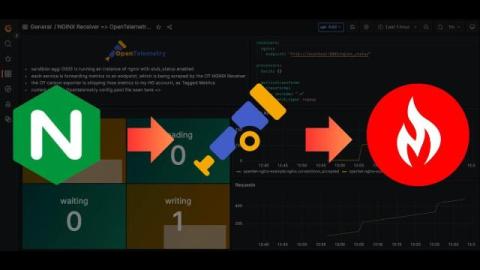
Easiest Way to Monitor NGINX Performance with OpenTelemetry

If you're looking for a straightforward way to collect NGINX metrics via OpenTelemetry and send them to your Graphite-based monitoring setup, this article is for you! With minimal configuration you’ll be collecting key metrics from your NGINX connections within minutes. In this article, we'll explain how to install the OpenTelemetry Collector, and easily configure it to receive and export NGINX metrics to a Hosted Carbon endpoint.

Discovering the Magic Behind OpenTelemetry Instrumentation - Jose Gomez-Selles | Fosdem 2025

Instrumentation is the secret ingredient that brings observability to life, revealing the intricate workings of applications in ways logs and metrics alone can’t match. In this talk, we’ll dive deep into the magic of OpenTelemetry instrumentation, exploring how to uncover hidden insights within your applications and services.

Scraping NGINX Metrics with OpenTelemetry & Exporting to Carbon

Looking for a straightforward way to collect NGINX metrics with OpenTelemetry and send them to your Graphite-based monitoring setup? Unlike Prometheus, which requires configuring scrape jobs and query language nuances, Carbon/Graphite offers a simpler setup with minimal overhead—just send metrics as plain text and query them easily with familiar tools like Grafana. Whether you're setting up dashboards, alerts, or just keeping an eye on traffic, this guide will get you actionable insights in no time!

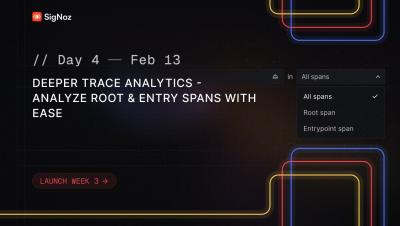
Deeper Trace Analytics - Quickly search through all spans, entry spans and root spans

Debugging distributed systems can often feel like searching for a needle in a haystack. When issues arise, devs need faster ways to pinpoint critical spans within their traces. With our latest Deeper Trace Analytics update, we now enable powerful filtering for root and entry spans — making it significantly easier to analyze and debug distributed traces.

Deeper Trace Analytics - Analyze Root & Entry Spans with Ease | SigNoz Launch Week 3.0 Day 4

Debugging distributed systems can often feel like searching for a needle in a haystack. When issues arise, devs need faster ways to pinpoint critical spans within their traces. With our latest Deeper Trace Analytics update, we now enable powerful filtering for root and entry spans — making it significantly easier to analyze and debug distributed traces.

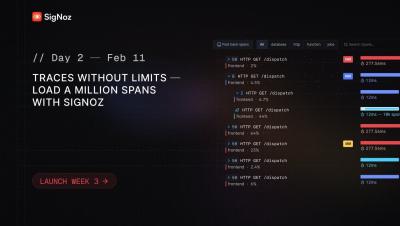
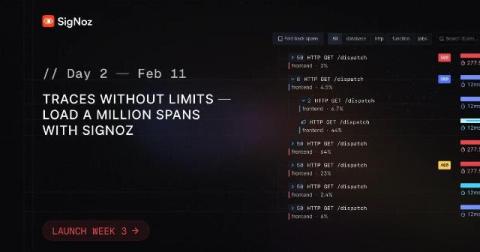
Traces Without Limits - Load a Million Spans with SigNoz

Observability at scale is challenging—especially when dealing with high-volume distributed traces. Traditional tracing tools struggle with large traces containing thousands of spans, often leading to sluggish UIs and an unmanageable debugging experience. Most tracing tools we checked have a limit on the maximum spans they can load for a single trace. But with SigNoz, we’ve redefined what’s possible.

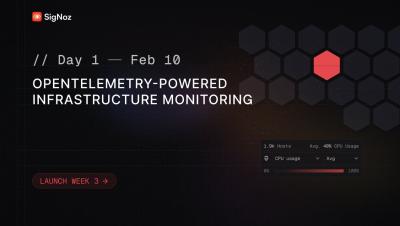
OpenTelemetry-Powered Infrastructure Monitoring - SigNoz Launch Week 3.0 Day 1

Today, we’re excited to announce a much-awaited feature in SigNoz: Infrastructure Monitoring. With our latest OpenTelemetry-powered Infra Monitoring, we bring you a native OpenTelemetry experience that seamlessly integrates infrastructure metrics with application performance data.

Distributed Tracing 101: Definition, Working and Implementation

Modern applications rely on microservices, making it tough to track issues across services. Distributed tracing helps by mapping a request’s journey and pinpointing latency, failures, and dependencies. Unlike traditional monitoring, tracing connects the dots between services, offering deeper visibility. But implementing it isn’t easy—it brings high data volumes, performance overhead, and complexity.

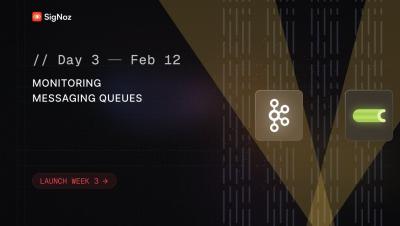
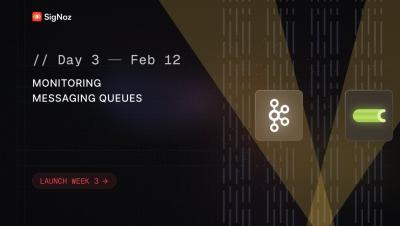
Out-of-the-box OpenTelemetry-powered Kafka & Celery monitoring | SigNoz Launch Week 3.0 Day 3

Today, we are excited to announce OpenTelemetry-powered messaging queue monitoring in SigNoz. Debugging issues in Kafka and Celery queues has traditionally been a black box, with limited correlation between message producers, consumers, and broker metrics. With our messaging queue monitoring, teams can correlate Kafka broker metrics with OpenTelemetry spans, enabling deep insights into consumer lag, throughput, drop rates, and performance bottlenecks.

The Ultimate Guide to OpenTelemetry Visualization

Modern software systems are complex, with multiple services interacting across different environments. Understanding how they behave—tracking performance, identifying bottlenecks, and diagnosing failures—requires more than just collecting data. OpenTelemetry provides a standardized way to gather logs, metrics, and traces, but the real value comes from making that data easy to interpret through visualization.

OpenTelemetry-Powered Infrastructure Monitoring

Today, we’re excited to announce a much-awaited feature in SigNoz: Infrastructure Monitoring, built natively on OpenTelemetry. Infrastructure monitoring is a critical aspect of modern observability. Without proper visibility into your infrastructure resources, troubleshooting issues, optimizing costs, and maintaining performance become challenging.

Stop Logging the Request Body!

With more and more people adopting OpenTelemetry and specifically using the tracing signal, I’ve seen an uptick in people wanting to add the entire request and response body as an attribute. This isn’t ideal, as it wasn’t when people were logging the body as text logs. In this blog post, I’ll explain why this is a bad idea, what are the pitfalls, and more importantly, what you should do instead.

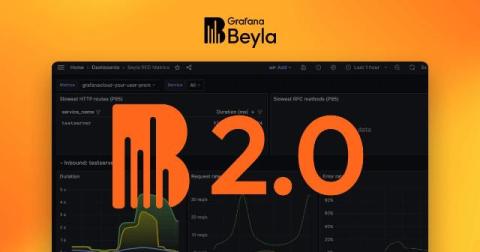
Grafana Beyla 2.0: distributed traces, scalable Kubernetes deployments, and more

In November 2023, we released Grafana Beyla 1.0, the first major milestone in our pursuit of zero-code (and zero-effort) eBPF instrumentation. We delivered a way — through a single command-line — to automatically instrument any application supporting HTTP/gRPC protocols, as well as provide basic network packet flow information.

Getting Started with OpenTelemetry Java SDK

Understanding how your applications perform is crucial. OpenTelemetry has emerged as a powerful observability framework, offering a standardized approach to collecting telemetry data such as metrics, logs, and traces. For Java developers, the OpenTelemetry Java SDK provides the tools necessary to instrument applications effectively. This guide is all about the OpenTelemetry Java SDK, exploring its components, configuration, and advanced features to help you harness its full potential.

Announcing Checkly Traces: Unified Synthetic Monitoring and Distributed Tracing

Until recently, Checkly was telling you what broke in your app. Now, it can also tell you why it broke. We're excited to announce the general availability of Checkly Traces, a new addition to our synthetic monitoring platform that bridges the gap between frontend monitoring and backend observability. By combining synthetic monitoring with distributed tracing, Checkly Traces empowers development teams to detect, diagnose, and resolve issues faster than ever before.

Find and Fix Performance Bottlenecks with Sentry's Trace Explorer

We’ve all worked on that app that hangs just a little too long in weird places, or had that query we could never get to perform just right. The network waterfall in Chrome DevTools can’t quite show us what’s going on behind the scenes, and tracing with OTel (and honestly, tracing in Sentry) was just… hard. Today that changes.

Streamlining Telemetry with Apica's Fleet Management Solution: A Deep Dive

In the rapidly evolving IT environment, observability at scale has become a critical challenge for organizations aiming to maintain operational excellence. The proliferation of telemetry collection agents across diverse infrastructures often increases complexity, resource strain, and configuration inconsistencies.

OpenTelemetry Processors: Workflows, Configuration Tips, and Best Practices

Most developers are familiar with Opentelemetry core components—Traces, Metrics, and Logs. But there’s one part of the OpenTelemetry ecosystem that doesn’t always get the spotlight: processors. These behind-the-scenes operators shape your data pipeline, helping you filter, enrich, and fine-tune telemetry data before it reaches your backend systems. Processors play a key role in making sure your data is cleaner, more useful, and just the way you need it.