Operations | Monitoring | ITSM | DevOps | Cloud

Sponsored Post

5 Ways to Use Log Analytics and Telemetry Data for Fraud Prevention

As fraud continues to grow in prevalence, SecOps teams are increasingly investing in fraud prevention capabilities to protect themselves and their customers. One approach that's proved reliable is the use of log analytics and telemetry data for fraud prevention. By collecting and analyzing data from various sources, including server logs, network traffic, and user behavior, enterprise SecOps teams can identify patterns and anomalies in real time that may indicate fraudulent activity.


Why More UK Firms are Turning to Colocation for their AI Workloads

The last few years have seen AI conversations dominated by the need for investment in hyperscale infrastructure as firms race to build ever larger training models. But as those conversations evolve, the emphasis is shifting to the next phase of AI adoption, focusing on the scaling of use cases and real-world value.

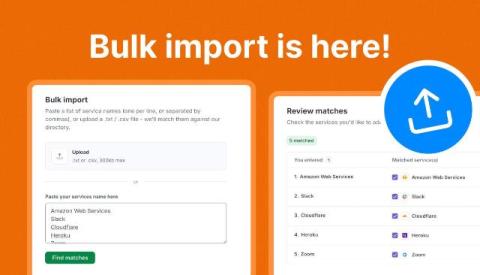
Add dozens of monitors in seconds with Bulk Import

A long requested feature, Bulk import, is now live on StatusGator. Paste a list of service names or upload a.txt or.csv, and we will match them against our directory of nearly 10,000 services so you can add every monitor you need at once instead of searching for them one at a time. You will find it in the top right corner of the Service Directory above the Search bar.

Monitor your Zoom Rooms with StatusGator

Keeping meeting rooms ready for the next call is just as important as monitoring your cloud services. That’s why we’re excited to introduce our new Zoom Rooms integration. With a single connection, StatusGator continuously monitors the connectivity of your Zoom Rooms deployment, making it easy to spot offline rooms and device issues before they disrupt meetings.

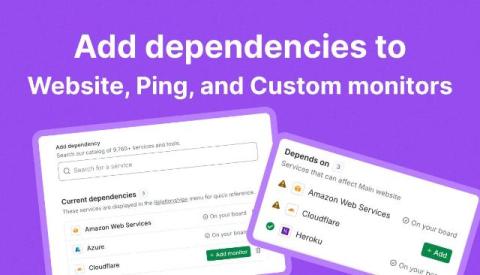
Add dependencies to Website, Ping, and Custom monitors

Your website or API rarely depends on just one thing. Cloud providers, CDNs, DNS, identity services, and other third-party platforms can all affect availability. That’s why we’ve added a new Dependencies tab for Website, Ping, and Custom monitors, making it easy to document the services your infrastructure relies on and quickly reference them during an incident.

Microsoft Sentinel Pricing in 2026: Full Cost Breakdown (and How to Cut It)

Microsoft Sentinel’s cost is driven almost entirely by one variable: how much data you send it. That is also why so many teams underestimate their bill. A few noisy log sources or one new integration can push daily ingestion up for weeks before anyone notices. And the first signal is usually the invoice. This guide breaks down every component of a 2026 Sentinel bill.

How to Enhance Your IT Asset Management Strategy With AI

--- Most IT teams have more asset data than they know what to do with: devices, software, contracts, lifecycles, dependencies. The problem was never visibility. It's knowing what to act on. In this video, Matt Beran walks through four AI features inside InvGate Asset Management that are live right now and change how IT teams work with their IT inventory. You'll see how to: Together, these features turn Asset Lifecycle Management and hardware refresh planning from manual lookups into something the system surfaces on its own.

Palo Alto Networks Plans to Acquire Embrace: Why Digital Experience Is Becoming a Strategic Priority

When Palo Alto Networks announced its intention to acquire Embrace, my first thought wasn’t about Embrace itself. My first thought was that digital experience, including Digital Employee Experience (DEX), has officially become strategic. For years, DEX has often been viewed as something that sat on the edge of infrastructure monitoring, endpoint management, and service desk operations. Important? Absolutely. Strategic? Not always. This acquisition changes that conversation.

Custom Fields That Actually Fit Your Workflow

When a fixed data model doesn't fit your environment, you either work around it or go without. NinjaOne custom fields let you define exactly what data gets tracked — and control who can see, edit, or act on it. In this session, you'll learn how to: Set global defaults that apply consistently across devices and automations Configure role-based access so the right people interact with the right fields Use new permissions to lock down core asset fields Whether you're standardizing data collection across clients or tightening up access controls, custom fields are where NinjaOne starts to fit your workflow instead of the other way around.