Operations | Monitoring | ITSM | DevOps | Cloud

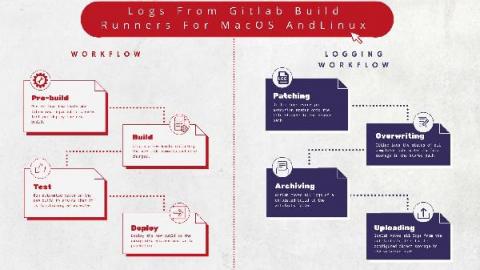
Logging Gitlab Runners for MacOS and Linux

Gitlab is the DevOps lifecycle tool of choice for most application developers. It was developed to offer continuous integration and deployment pipeline features on an open-source licensing model. GitLab Runner is an open-source application that is integrated within the GitLab CI/ CD pipeline to automate running jobs in the pipeline. It is written in GoLang, making it platform agnostic. It is installed onto any supported operating system, a locally hosted application environment, or within a container.
What's new in Grafana Cloud for September 2021: New panels, query caching, synthetic monitoring updates, and more

Here at Grafana, we’re constantly shipping new features to help our users get the most out of Grafana Cloud. Over the last few months, we’ve made it even easier to get started with out-of-the-box dashboards and new visualizations in Grafana Cloud. We also introduced capabilities like query caching, a “prettify JSON” option and commands for cortex-tools to make your data, dashboards, and queries more efficient.

AWS X-Ray vs Jaeger - key features, differences and alternatives

Both AWS X-Ray and Jaeger are distributed tracing tools used for performance monitoring in a microservices architecture. Jaeger was originally built by teams at Uber and then open-sourced in 2015. On the other hand, AWS X-Ray is a distributed tracing tool provided by AWS specifically focused on distributed tracing for applications using Amazon Cloud Services. Jaeger is a popular open-source tool that graduated as a project from Cloud Native Computing Foundation.

Why ZE PowerGroup chose Applications Manager to monitor its data analytics platform

ZE PowerGroup Inc. is a British Columbia-based software company. It offers ZEMA, an award-winning data management, analytics, and integration platform. Although ZEMA was created in-house, the developers at ZE were never successful at measuring the performance of the application during the initial years. They tried a few third-party tools, but measuring the actual application performance continued to be a dilemma until they evaluated ManageEngine’s Applications Manager.

Getting Started with PHP and InfluxDB

This article was written by Cameron Pavey, a full-stack dev living and working in Melbourne. Scroll below for this picture and bio. As a developer, it is likely that you will eventually run into a situation where a traditional relational database’s document stores don’t quite cut it. If you need to store points of data over time, you’ll likely need a time series database.

Greater Expectations: How the Smartphone Put Employees in Charge

The first time I was introduced to a real, proper PC was in the early 90’s: my uncle’s work PC, which I used instead to play games. In fact, my first experience with any kind of tech support service was when I phoned the Codemasters help line after getting stuck on a particularly knotty puzzle in the game ‘Dizzy’. No matter how loudly I shouted into the phone, the machine continued to route me back to the beginning of its automated script.

Destination Transformation: Planning Your Cloud Migration Journey

If the cloud is a destination you have planned for any of your enterprise workloads, then you need to be prepared to navigate the journey that is the cloud migration process. It’s not unlike planning for a physical trip to a fabulous destination (or maybe we’re just really really ready to start traveling again). Either way, we’ve got some travel tips to ensure that your cloud-bound workloads have a great trip.

What is Splunk Virtual Compute (SVC)?

A Splunk Virtual Compute (SVC) unit is a powerful component of our workload pricing model. Historically, we priced purely on the amount of data sent into Splunk, leading some customers to limit data ingestion to avoid expense related to high volumes of data with low requirements on reporting. With Splunk workload pricing, you now have ultimate flexibility and control over your data and cost.

Workload Pricing and SVCs: What You Can See and Control

The Cloud Monitoring Console (CMC) lets Splunk Cloud Platform administrators view information about the status of a Splunk Cloud Platform deployment. For workload pricing, the CMC lets you monitor usage and stay within your subscription entitlement. From the CMC you can see both ingest and SVC usage information and can gain insight into how your Splunk Cloud Platform deployment is performing.