Operations | Monitoring | ITSM | DevOps | Cloud

6 Best Practices for Tuning Network Monitoring Alerts

Network monitoring and alerting provide the foundation for efficient IT operations and cyber resilience. By keeping track of the status and performance of network infrastructure and applications, network monitoring tools can automatically generate alerts when defined thresholds are exceeded or specific events occur. These network monitoring alerts allow IT teams to detect outages, performance degradation, and potential security incidents so they can respond swiftly to minimize disruption.
6 Types of Security Incidents and How To Handle Them

Bad news: Cybercrime is surging, emerging AI tools offer hackers new paths of attack, and the ever-present reality of human error frequently exposes private information. The effects of security incidents can wipe out entire businesses. Estimates predict the annual toll of cybercrime and security breaches to reach $10.5 trillion by 2025. But you can still protect your business if you know how to handle and respond to these security incidents.

CloudFabrix vSphere Observability for The Cisco FSO Platform

The Cisco FSO platform is a revolutionary cloud managed and cloud delivered observ ability services platform accompanied by a vibrant marketplace. The FSO platform provides comprehensive visibility and holistic technology stack insight enabling seamless collaboration and deep business insights.

Create a dedicated Microsoft Teams channel for an existing alert

With the ilert Microsoft Teams integration, you can create a separate MS Teams channel for a specific alert, allowing quick collaboration. You can bring together your team members in a shared chat to discuss the issue, share findings, and coordinate your response. This feature is also helpful for reviewing incidents and creating postmortems.

Set up Microsoft Teams alerts when a website changes

Website monitoring has grown in importance over the past decade for individuals and businesses all around the globe – and for different purposes. It became even more important in 2020 during the COVID-19 pandemic. As travel, events, and offices around the globe shut down rapidly, people relied on different tools and features to be kept up to speed regarding the ongoing situation.

What Should Your System Outage Notifications Say?

System outages: they are an inevitable problem that every single IT team will encounter at some point. Whether they come about due to technical issues, act-of-god natural disasters, or simply random human error, system outages happen to the best of us. Though the cause of system outages is not always in your control, you can control your team’s processes for response and resolution.

How to navigate alerting insights in Grafana Cloud

Navigate your alerting systems in Grafana Cloud with the new Alerting Insights feature. This enhanced landing page provides a comprehensive view of your alerting data, from Grafana managed rules to Mimir managed rules, and highlights critical trends in your organization's alert management performance.

6 Outstanding Status Page Examples to Inspire You in 2023

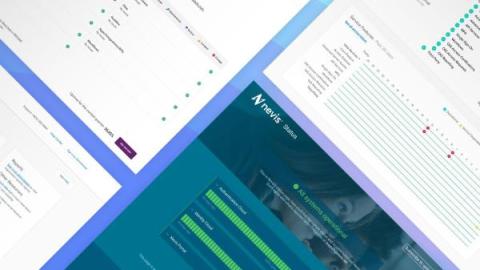
In the digital landscape of 2023, transparency and communication are pivotal pillars for building and maintaining trust with your user base. As your online operations expand, so does the imperative for clear, transparent, and proactive incident communication. A well-designed status page not only keeps your users informed during downtimes or technical issues but also reinforces your brand’s commitment to openness and quality service.

The definitive guide to event correlation in AIOps: Processes, tools, examples, and checklist

Are you tired of sifting through a sea of IT events and alerts? Or perhaps you’ve found yourself overwhelmed by the volume of data flooding your monitoring systems and challenged to identify the incident root cause. There’s a better way to manage the chaos: using AIOps to unite disparate tools, data, and teams for event correlation.

Getting started on alerts with Escalation Policies

Escalation policies are essential for making sure that incidents are quickly addressed and resolved. They provide a systematic approach to automate alerts, guaranteeing that no incident goes unnoticed. Let’s get you started, shall we? An escalation policy is a way to automate alerts and assure that incidents are never missed. The first point of contact for an incident is through an alert that is sent according to the escalation policy.