Mailchimp
Not subscribed to OpsMatters Newsletter


Detecting unauthorized usage and malicious applications in an instance involves analyzing OS and application logs. Doing this manually is a herculean effort because of the number of logs and the patterns one has to look for. Having a tool that can provide an aggregated view of your instance and the ability to analyze them easily can greatly reduce manual effort.
As the world of technology continues to evolve, the demand for cutting-edge solutions to monitor and optimize system performance has never been higher. Today, we’re excited to introduce a revolutionary new concept in observability: Quantum Entangled Observability (QEO). This ground-breaking method leverages the peculiar properties of quantum mechanics to provide unparalleled insights into your systems’ inner workings.
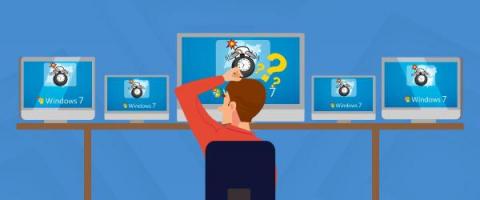
The end is finally here! After over a decade of being the most chosen Windows version, Windows 7 has reached its end of life. While the OS’s Extended Support ended on Jan. 14, 2020, the Extended Security Updates (ESUs) reached their end of life on Jan. 10, 2023. As we bid farewell to this successor of Windows Vista, and by far one of the most user-friendly OSs, let us take a deep dive into what Windows 7 end of life entails.
Around six years ago on a Wednesday morning, software professionals worldwide were startled by a tweet from GitLab stating that they had accidentally deleted their production data, causing their site to go offline. Unfortunately, at that point in time, the open-source code repository giant had no idea that it would take them another 36 hours to restore their systems only to learn that 5,000 projects and 700 new user accounts were affected while they were fixing the outage.
Azure File Sync is a cloud-based service provided by Microsoft Azure that allows you to centralize your file shares while retaining the compatibility, performance, and flexibility of a traditional file server. It enables seamless synchronization and tiering of files between on-premises Windows Servers and Azure Files, making it easier for organizations to manage and access their data.
What you need to know about RMM Technology is crucial to daily operations in today’s fast-paced business world. From managing finances to communicating with customers, businesses rely heavily on technology to get things done. But as businesses become more reliant on technology, managing their IT infrastructure becomes more complicated and time-consuming. That is where remote monitoring and management (RMM) comes in. But what is RMM?
In the past, when an issue occurred in operations, it was chaotic as the IT team needed time to understand and resolve the issue. However, with the use of a ticketing system, organizations can streamline their IT processes and resolve issues more efficiently. In this blog, we will discuss what a ticketing system is, its purpose, and how it benefits customer support-based organizations.