How To Install Graylog V5 On Ubuntu
Follow Ethan Keaton installing Graylog V5 on Ubuntu 22.10 while he also installs OpenSearch V2.5 with the new Deb Package.


The latest News and Information on Monitoring for Websites, Applications, APIs, Infrastructure, and other technologies.
When adding new Checks in Checkly a number of locations are available to check your endpoints from multiple locations around the world. For most use cases this is more than enough to ensure your resources are online. However, these locations are outside of your network and are unable to check on resources deployed more securely inside your private network.
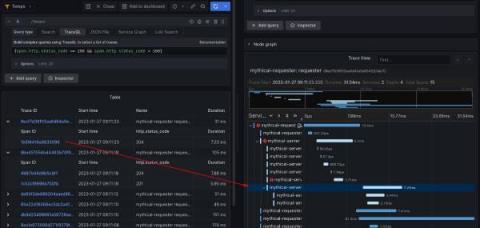
At Grafana Labs, we love tracing, which is why we’ve been hard at work on Grafana Tempo, an open source, highly scalable distributed tracing backend. Tempo just had its 2.0 release. In conjunction with that release, we are excited to show off TraceQL — a powerful new query language designed for distributed tracing. In this blog, we’ll provide an overview of why we created TraceQL, how it works, how you can put it to use today, and what we have planned for future iterations.
If you're using Oban for managing background jobs in your Elixir application and want to gain a deeper data-driven understanding of how they perform, you've come to the right place. AppSignal for Elixir now automatically instruments Oban, meaning you can now monitor the performance of your background jobs through an AppSignal Magic Dashboard, which gives you detailed information on queue times, processing times, and notifies you of any exceptions.
With more and more applications moving to the cloud, an increasing amount of telemetry data (logs, metrics, traces) is being collected, which can help improve application performance, operational efficiencies, and business KPIs. However, analyzing this data is extremely tedious and time consuming given the tremendous amounts of data being generated. Traditional methods of alerting and simple pattern matching (visual or simple searching etc) are not sufficient for IT Operations teams and SREs.
OpenTelemetry is an open-source observability framework that provides a vendor-neutral and language-agnostic way to collect and analyze telemetry data. This tutorial will show you how to integrate OpenTelemetry with Amazon AWS Fargate, a container orchestration service that allows you to run and scale containerized applications without managing the underlying infrastructure.
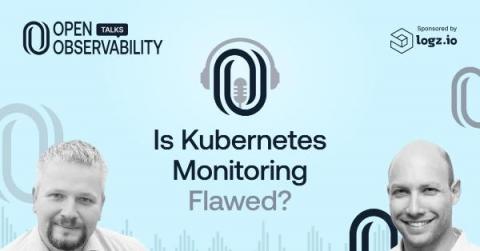
Kubernetes has come a long way, but the current state of Kubernetes open source monitoring is in need of improvement. This is in part due to the issues related to an unnecessary volume of data related to that monitoring. For example, a 3-node Kubernetes cluster with Prometheus will ship around 40,000 active series by default. Do we really need all that data?
The performance of your app matters. From ensuring a good user experience to retaining users, performance makes a difference in your app’s success. Using the right tools can make it easier to ensure your code is meeting your performance goals, before you have to switch to a bigger EC2 instance or users start complaining. One of the best tools in a developer’s toolbox for ensuring good performance is profiling.
Neglecting security is a rookie mistake. However, DevOps teams struggle to make it a priority in the quest to be continuously faster. Protecting your app from the ground up is challenging, so you need the right tools to improve your debugging process in development and production. To enhance security testing, developers can use SAST tools, which analyze program source code to identify security vulnerabilities, and DAST tools, which come up in later development phases in a running application.