What InfluxDB 3.0 Does That Other Databases Don't
InfluxData CEO, Evan Kaplan, talks about time series data workloads, how InfluxDB is purpose-built to support those workloads, and why that is so darn important.


The latest News and Information on Monitoring for Websites, Applications, APIs, Infrastructure, and other technologies.
This is the last part of our 12-day Advent of Monitoring series. In this series, Checkly's engineers will share practical monitoring tips from their own experience. At Checkly, the commitment to reliability is not just a tagline; it's embedded in our DNA. As software engineers, we understand the critical importance of dogfooding—using our own product to ensure its robustness and effectiveness. This approach holds immense value, especially since Checkly is designed for observability.
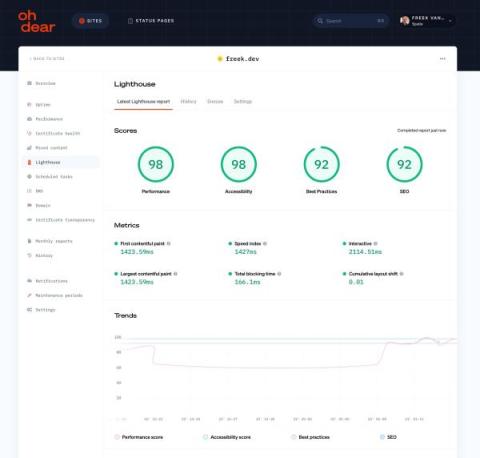
We are happy to announce that we have upgraded our Lighthouse check from v9 to the latest version, Lighthouse v11. Lighthouse is an open-source tool by Google that helps developers improve the quality of their web pages. Oh Dear can run this check frequently for your site, informing you when SEO-related problems arise. Our check may suggest optimizing images or minifying JavaScript to improve performance.
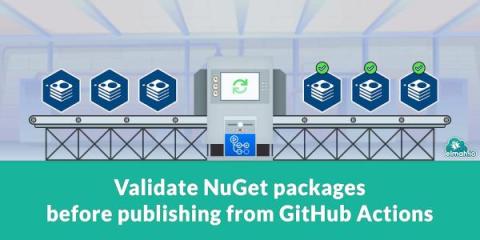
A big part of elmah.io is our clients for various web and logging frameworks. All of them are open-source, hosted on GitHub, and available as NuGet packages on nuget.org. I have blogged about building on GitHub Actions in the past. It struck me that I have never actually shared anything about the various steps we take for validating NuGet packages before pushing them. Let's fix that!
As a serverless computing service, AWS Lambda has revolutionized deployment with its pay-as-you-go model. Yet, users often grapple with unexpected costs. This guide underscores the criticality of cost optimization and prepares to unveil quintessential strategies to trim down your Lambda bills without compromising performance.
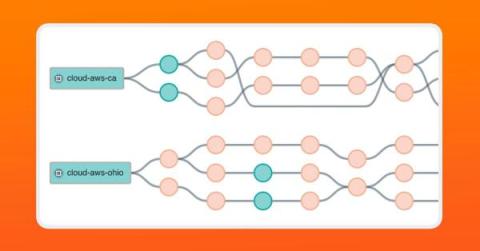
Modern networking relies on the public internet, which heavily uses flow-based load balancing to optimize network traffic. However, the most common network tracing tool known to engineers, traceroute, can’t accurately map load-balanced topologies. Paris traceroute was developed to solve the problem of inferring a load-balanced topology, especially over the public internet, and help engineers troubleshoot network activity over complex networks we don’t own or manage.
In today’s digital landscape, cybersecurity is a top priority for organizations. Hackers are continuously finding new ways to exploit vulnerabilities and compromise systems. PowerShell, a powerful scripting language and automation framework developed by Microsoft, has unfortunately become a favored tool among attackers due to its capability to run.NET code and execute dynamic code downloaded from another system (or the internet) and execute it in memory without ever touching disk.
TrackJS is the best frontend error monitoring tool. It’s all we do and we do it well. To keep it simple we have just two different JavaScript agents. One for the browser, and one for Node server environments. That’s it. No other languages or platforms are supported. Just JavaScript.
If you ask us to score 2023, we would give it a 10 out of 10. Not only because we released Grafana 10 and celebrated the 10-year anniversary of the Grafana project with the first-ever Golden Grot Awards and the launch of a four-part documentary series.