Operations | Monitoring | ITSM | DevOps | Cloud

How to Monitor Memory

In this video, learn how to monitor memory with PA Server Monitor. Set up a monitor and alert to monitor memory usage counters. The Performance Counter Monitor can watch any performance counter that the Windows Perfmon tool can display. This gives you great flexibility since many systems and drivers on the computer report statistics and their current state via the performance counters. CPU and memory usage counters are simulated for Linux/Unix machines via SNMP, and via VMWare interfaces for ESX servers. Monitoring and charting those values is now as easy as with a Windows server.

The More You Monitor - What is Observability?

Are you embracing the key tenets of Observability in your IT infrastructure management? In this episode of The More You Monitor we’ll unpack the foundational elements of Observability and how enacting this concept can ensure high availability and pre-empt business problems. For more tips and resources check out: Or, e-mail us @ marketing@logicmonitor.com

Deploy Kubernetes Clusters on Microsoft Azure with Rancher

If you’re in enterprise IT, you’ve probably already looked into Microsoft’s Azure public cloud. Microsoft Azure offers excellent enterprise-grade features and tightly integrates with Office 365 and Active Directory. It also provides a managed Kubernetes service, AKS, that you can provision from the Azure portal.

Episode 16: Using Redis for Distributed Sessions in ASP.NET Core

We need distributed session. Spoiler: We DON'T roll it ourselves. In-memory sessions stop working as soon as there is more than one server. Most production environments have more than one server so the session issue needs to be dealt with. There are two options for sessions in a web farm. First, a load balancer can be used to lock each user on a specific box. This lets us continue to use in-memory sessions. The second is switching from in-memory to distributed session storage.

All about emojis

In person, you can easily tell someone’s mood based on their body language and how they speak, but that’s much more difficult with text alone. Emojis are a great way to add tone to a piece of text and also help make text-based conversation feel more casual, relaxed, and fun. Thanks to emojis, we can chat with much more real emotion than you might get by being careful about your word choice or by including just the right number of exclamation marks and periods at the end of a sentence.

5 Reasons You Should Start Analyzing Your Logs

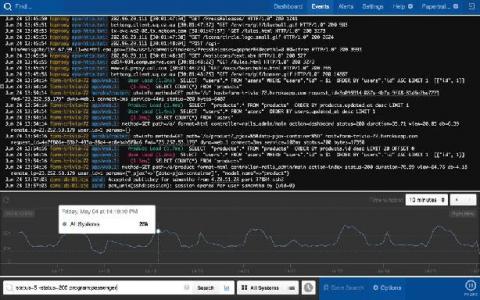
In IT environments, all software applications and systems produce logs with varying levels of details or context about different events. These log files are automatically generated, and you can see them as a time-stamped record of events. Traditionally, organizations maintained logs locally or in a self-hosted setup. This was done primarily to meet various compliance mandates.