Operations | Monitoring | ITSM | DevOps | Cloud

How to Implement Effective Sales Enablement Strategies

Sales enablement is a critical component in helping sales teams succeed. It involves equipping salespeople with the right tools, resources, and information to engage with prospects and close deals effectively. Implementing a successful sales enablement strategy requires careful planning, ongoing support, and alignment with broader business goals. In this guide, we will explore essential steps to design and implement effective sales enablement strategies that empower your sales team, enhance productivity, and drive revenue growth.

The Risks of Not Replacing Skype for Business Before its End of Life

If your organization uses Skype for Business for collaboration, it’s time to start thinking about your next communication platform. On Oct. 15, 2025, Microsoft will stop supporting Skype for Business. As a result, the platform’s performance issues, security vulnerabilities, and other bugs will no longer be fixed. There’s still time to move to a new platform before Skype for Business is no longer supported.

Migrating from Generic to Custom Attestations: A zero-trust approach to compliance

The kosli attest generic CLI command can attest anything, but unlike a “typed” attestation (such as kosli attest snyk), it does not calculate a true/false compliance value for you. Customers have reported that while a generic “escape hatch” is useful, it nevertheless has some drawbacks: Based on this feedback we’ve implemented a new attest command called kosli attest custom.

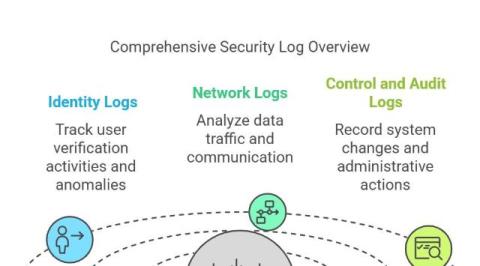
The Role of Log Monitoring in Securing Hybrid Cloud Infrastructures

Hybrid cloud services have become a cornerstone for many businesses. These technologies, which combine the strengths of private and public clouds, assist enterprises in achieving their dreams of scalability, flexibility, and cost-efficiency. However, this added optimization comes at a cost, particularly with increased operational complexity and security concerns. To minimize cyber threats and secure their data, businesses must invest in more security solutions, such as log monitoring.

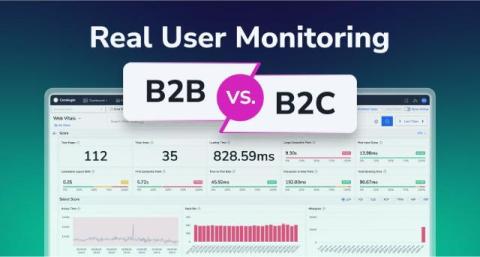
Real User Monitoring for B2B vs. B2C Businesses

Imagine you’re a product manager at a B2B SaaS company. Monday morning, a frustrated client floods your inbox—their workflows were disrupted by a slowdown you could’ve caught sooner with better user insights. Now, imagine running an e-commerce store on Cyber Monday. Traffic surges, but abandoned carts spike. Your RUM dashboard reveals slow mobile checkouts. A quick fix saves thousands in sales.

Monitor Amazon Kinesis Firehose in Hosted Graphite

We’ve supported syncing your metrics from Kinesis Streams, Amazon’s streaming data platform, for several years. Kinesis Streams helps you gather and process streaming data which can then be monitored in your Hosted Graphite account. Recently, we’ve added support for Firehose, a fully managed and scalable service that allows users to stream data to destinations like Amazon Simple Storage Service (Amazon S3), Amazon Redshift, or Amazon Elasticsearch Service (Amazon ES).

16 Ways Tiered Storage Makes Apache Kafka Simpler, Better, and Cheaper

Tiered Storage for Apache Kafka is a simple idea that goes a longway. At its bare bones, it basically means: store most of the Kafka broker’s data in another server, e.g AWS S3. On the surface, it sounds insignificant—like a minor architectural tweak with minimal impact.

NGINX Log Monitoring: What It Is, How to Get Started, and Fix Issues

Ensuring that your web applications run smoothly and securely is essential. NGINX, known for its high performance and scalability, plays a key role in delivering web content. But to keep everything running efficiently, you need to monitor and analyze its logs properly. This guide will walk you through how to configure, analyze, and make the most of NGINX logs to stay on top of your server’s health.

How to Monitor Error Logs in Real-Time: An In-Depth Guide

For system admins and developers, being able to track error logs in real time is crucial. It’s not just about fixing problems; it’s about keeping everything running smoothly, ensuring systems perform at their best, and catching issues before they snowball into bigger ones. This guide breaks down the tools and commands that make real-time log monitoring easier and more effective, offering more than just the basics.