Operations | Monitoring | ITSM | DevOps | Cloud

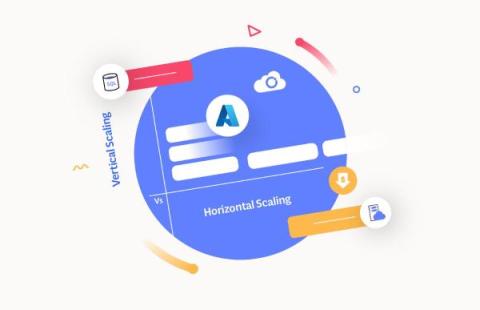
Azure Horizontal vs Vertical Scaling: Which is Right for You?

Scalability in cloud computing refers to the system’s ability to handle changing workloads efficiently. It allows seamless resource adjustments based on demand, optimizing performance, cost, and resource utilization. Key benefits include improved flexibility, cost efficiency, high availability, and enhanced user experience. Scalability is essential for adapting to dynamic business requirements and ensuring the optimal functioning of cloud-based applications and services.
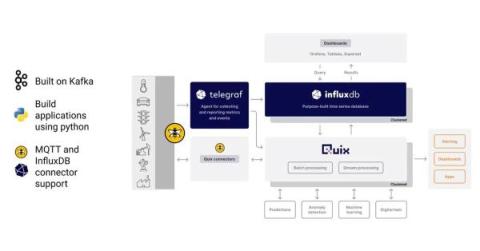
Webinar Recap: Building an AI Anomaly Detection Pipeline with InfluxDB

In this webinar hosted by InfluxDB and HiveMQ, we focus on how you can create value for your business using new tools in the AI and database ecosystem to quickly deploy AI models to perform tasks like anomaly detection. The webinar starts with a high-level overview of how MQTT and time series data can be valuable in an industrial IoT environment.

Monitor Ray applications and clusters with Datadog

Ray is an open source compute framework that simplifies the scaling of AI and Python workloads for on-premise and cloud clusters. Ray integrates with popular libraries, data stores, and tools within the machine learning (ML) ecosystem, including Scikit-learn, PyTorch, and TensorFlow. This gives developers the flexibility to scale complex AI applications without making changes to their existing workflows or AI stack.

How to get your first ten customers

It'll soon be the third anniversary of publicly launching OnlineOrNot on Twitter, and I often get asked what I did to get my first paying customers - so I felt like sharing. I assume when most folks ask this that they're looking for the one thing they can do to finally start getting paid customers. Let me be clear: it's never just one thing.

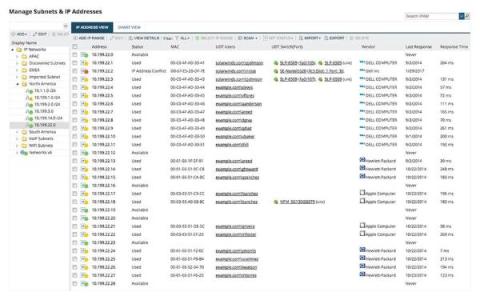
Subnetting - Ultimate Guide - Definition, How & Why?

In computer networking, understanding the concept of subnets and subnetting is crucial for managing and troubleshooting network issues. So, in this ultimate guide, we will explain everything you need to know about subnets, subnet masks, and subnet calculators. Additionally, we will introduce you to popular subnetting tools.

Why monitoring your application is important

Effective monitoring and observability tools are critical for modern enterprises. Daily operations, digital transformation, moving to a cloud-native architecture, and an ever-evolving tech stack all require ITOps, DevOps, and SRE teams to monitor increasingly complex systems. So what happens if your applications suddenly cease to function? Every moment of downtime translates to lost income, decreased customer satisfaction, and harm to your company’s reputation.

The Advent of Monitoring, Day 11: Testing and Monitoring: Should You Separate or Unite Them?

The two key pillars of building reliable applications are: testing and monitoring. With testing, you can verify that each pull request works before it’s merged and deployed to production. Just testing isn’t enough, though. You also need to make sure that the application continues to work on production. Database rollovers, third-party outages, and unexpected spikes in traffic can all cause issues that need to be detected.

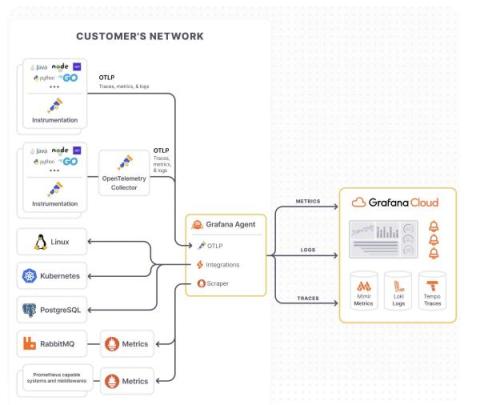
OpenTelemetry best practices: A user's guide to getting started with OpenTelemetry

If you’ve landed on this blog, you’re likely either considering starting your OpenTelemetry journey or you are well on your way. As OpenTelemetry adoption has grown, not only within the observability community but also internally at Grafana Labs and among our users, we frequently get requests around how to best implement an OpenTelemetry strategy.

Rollbar Alternatives: Compare Before You Commit

Rollbar is acclaimed as the top error monitoring tool - with 4.5 out of 5 stars on both Capterra and G2 - amongst a competitive field. That said, we recognize there are alternatives some people consider when also looking at us. Here is our perspective on what these other tools are for, and when to choose Rollbar instead.

The Advent of Monitoring, Day 10: Better Observability Into Your Local Clickhouse Instance With Grafana and Prometheus

Cloud-based database providers often provide great observability out of the box. But, what if you’re developing a tricky feature locally and need more details about what your local Clickhouse is doing? There are many options, but if you’re a numbers and graphs person like me, you’ll want to be able to view the inner workings of Clickhouse in something like Grafana.