Operations | Monitoring | ITSM | DevOps | Cloud

Vital Web Performance

I hate slow websites. They are annoying to use and frustrating to work on. But what does it mean to be “slow”? It used to be waiting for document load. Then waiting for page ready. But with so many asynchronous patterns in use today, how do we even define what “slow” is? The W3C has been working on this with the new Event Timing and Element Timing API, and has defined some new Web Vital metrics to describe the different ways that slow performance can impact a webpage.
What Are SSL Certificate Errors: Causes & Best Practices on How to Prevent and Fix Them

What do you think of a website that displays SSL/TLS certificate errors when you visit it? Most people abandon it in disappointment. A certain amount of trust and respect for the service is lost. After investing a lot of effort and time in getting users to visit your site, and the user finds the site down or showing a warning, it will result in having dissatisfied users. Moreover, if the downtime or warning is due to a security issue, it will also hurt your brand image.

Application Performance Monitoring - What is APM?

Software applications are increasingly critical for businesses today. They perform key customer-facing roles, power back-office activities, and help us gain greater insight into business activities. Using software gives us greater efficiency and leverage, but can come at a cost in terms of transparency. It can be hard to see how well customers are being served, where they are struggling, or understand why parts of the business aren't working as expected.

Top 3 Things to Consider When Selecting a Log Analysis Platform

Effective log analysis can help you significantly reduce the time spent investigating and troubleshooting incidents. With the many different log analysis platforms available, it can be overwhelming to choose and difficult to know what to look for. In this short guide, we’ll share the top three things you should consider when selecting a log analysis platform for your business.

VMware Management Pack Update Release (20.9.2060.0)

Our fourth update release for 2020 of OpsLogix VMware Management Pack for Operations Manager is now released. Improvements includes existing features such as Host Ram Disk monitoring and Discovery of Tagging information for Hosts and Virtual machines. Important: In our previous release we also simplified the configuration and licensing experience and moved everything under the administration pane.

Microsoft Teams and OpManager: The perfect team for your remote IT management game

It seems almost everything is going digital during this pandemic: businesses, education, and medical consultations. This increased digital consumption is squeezing the juice out of the IT infrastructure of many organizations. On top of that, remote work policies are posing serious security issues. At times like these, IT infrastructure monitoring is like a football game for IT admins, except: So how do you navigate all these challenges and score a touchdown?

Interlink Software's Hybrid IT Infrastructure Monitoring solution on Gartner Peer Insights

Interlink is delighted to announce that it has arrived on the Gartner Peer Insights platform. Interlink’s customers can now leave honest reviews of their experiences of how our Hybrid IT Infrastructure Monitoring solution is meeting the challenges of managing service availability in their enterprises.

Pandora FMS server performance monitoring

Servers are an essential part of the IT of many companies. A server down could cause significant damage: from service stopping and productivity decreasing to losing direct sales and image problems that cause loss of customers. But these problems are not limited to the times when a server stops working. It is also common for this one, or any of the devices or applications involved in its operation, to suffer deficiencies – sometimes difficult to notice – that cause low performance.

Searching for Unknowns

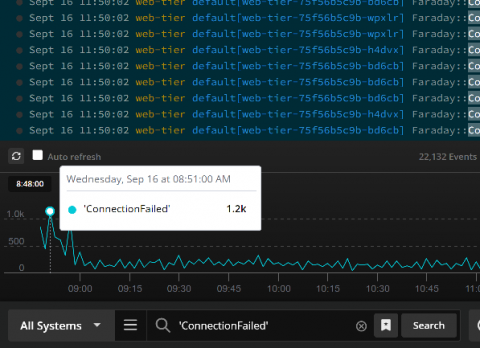
When you’re troubleshooting, issues seem to fall into two categories: issues based on an alert or error message where you have a good idea where to start and ones where you have no idea what’s going on. The first issues are usually straightforward. You use the information provided in the alert or error message to search the logs and pull up the relevant event messages.