


|
By Jonas Lenntun
We are excited to announce that the Opslogix VMware Management Pack for SCOM (V.26.3.4471.0) now officially supports VMware v9.

|
By Jonas Lenntun
Automate the removal of agents with Opslogix Lifecycle Management Pack Lifecycle Management is something that falls behind in many SCOM environments. It is common for organizations to reach out to us for help with manually removing agents when servers are no longer in use. To decrease the manual tasks and automate the removal of agents, we created the Opslogix Lifecycle Management Pack.

|
By Jonas Lenntun
Ensure the availability of critical services with the Opslogix Core Windows Service Management Pack In a typical SCOM environment, a lot of the Management Packs are designed to monitor services tied to a specific technology, such as SQL Server, IIS, or the Windows operating system itself. But what about services that don’t belong to any particular application but are essential across all servers?

|
By Jonas Lenntun
Enforce configuration standards with the Opslogix Compliance Management Pack Maintaining compliance is not just a matter of policy, it is a matter of operational stability and security. But with so many moving parts, configuration drift is almost inevitable. The Opslogix Compliance Management Pack helps identify these deviations by continuously verifying key system configurations and alerting when they fall out of alignment.

|
By Jonas Lenntun
Close the gaps in your SCOM monitoring with the Opslogix Autonomous Windows Service Management Pack SCOM offers strong monitoring capabilities, which is extended through its various Management Packs. However, a common challenge is that some Windows services goes unmonitored, simply because they don’t belong to a specific Microsoft technology like SQL Server or IIS.

|
By Jonas Lenntun
Automate server restarts in SCOM with the Opslogix Autonomous Maintenance Mode Management Pack Server restarts are routine, but in SCOM they often result in unwanted alerts if not handled properly. The Opslogix Autonomous Maintenance Mode Management Pack addresses this by automatically managing maintenance mode during restarts, minimizing false alerts and improving operational efficiency.

|
By Jonas Lenntun
Get a better structure in your SCOM environment with the Opslogix Classification Management Pack Alerts in SCOM can easily become overwhelming, making your environment feel noisy and unstructured. The real challenge is how you can get the right amount of alerts to the right people, at the right time. The Opslogix Classification Management Pack includes features like tiered classification levels, dynamic grouping, and extended tagging.

|
By Jonas Lenntun
Is SCOM dead? Not even close - It has just evolved System Center Operations Manager (SCOM) is far from dead. While a growing number of monitoring alternatives have emerged in recent years, SCOM in 2025 remains a critical tool, especially for organizations running hybrid environments. Thanks to its stateful, object-oriented monitoring model and a rapidly evolving ecosystem of modern Management Packs (MPs).

|
By Jonas Lenntun
SCOM 2025 upgrade: In-place upgrade or side-by-side installation SCOM 2025 was released last year, and now is the time to start planning your upgrade. But where do you begin? Upgrading can be a complicated process, and it is important to consider the different options to make the process as smooth as possible. When upgrading, you can choose between an in-place upgrade or a side-by-side installation, and each approach leads to different outcomes. The right path for you depends on several factors.

|
By Jonas Lenntun
As an observability architect, I have seen firsthand the power and importance of a robust monitoring solution. For infrastructure monitoring System Center Operations Manager (SCOM) stands tall. It is widely adopted and excels at monitoring the health and performance of infrastructure. However, as the need for advanced observability grows, such as tracking application logs and tracing code paths, SCOM's capabilities can fall short.
|
By OpsLogix
Watch our session from SCOMathon 2023 to learn more about SCOM Open Source Monitoring in practice.


|
By OpsLogix
The SCOM connector helps you to manage SCOM alerts by using a bi-directional connection between Microsoft Teams and SCOM. When a new SCOM alert is generated it will appear in a Microsoft Teams Channel, the members of the Microsoft Teams Channel can collaborate on resolving an alert by using all the collaborative tools available in Microsoft Teams. Because the alerts forwarded to Microsoft Teams are context sensitive, it is easy to have conversations and meetings in an alert thread. The forwarded alert in Microsoft Teams also contains a wealth of information like you would see in your Operations Manager Console. The great part is that you do not need to open SCOM to view performance data or update the status of an alert, this can be seamlessly done in the SCOM Connector. Want to give it a test run? Use the free version and experience what it is like to truly collaborate on solving issues in your IT environment.
|
By OpsLogix
This video shows you how to get started with the Opslogix VMware Management Pack for SCOM. It shows you end-to-end how to get started from requesting a trial, downloading the Management Pack and license key, to importing and configuring the Management Pack itself.

|
By OpsLogix
In this video we will show real world cases for the new features and how you as an organization can benefit from them, after this there is a preview of the Microsoft Teams Connector for Operations Manager.
|
By OpsLogix
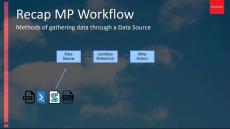
This video explains the concept of cookdown in SCOM management packs an why it is important in large environments.

|
By OpsLogix
OpsLogix is a Microsoft System Center Alliance partner that develops and delivers native Management Packs and tools for Microsoft System Center™. The OpsLogix VMware® MP provides essential basic monitoring of a VMware environment and presents this in the System Center Operations Manager console.
|
By OpsLogix
Databases are essential to any organization, in everything from general company logistics, applications, client records and transactions. Oracle provides versatile, robust and concurrent databases for a variety of end users.
|
By OpsLogix
OpsLogix provides a Reports Management Pack solution that generates forecasting reports for all objects within Microsoft's System Center Operations Manager data warehouse.
|
By OpsLogix
OpsLogix is a Microsoft System Center Alliance partner that develops and delivers native Management Packs and tools for Microsoft System Center™.
|
By OpsLogix
The OpsLogix SWIFT Management Pack provides a solution to monitoring the SWIFT Alliance Gateway and Alliance Access within Microsoft® System Center Operations Manager™. This white paper discusses how the OpsLogix SWIFT Management Pack can centralize and optimize the SWIFT server monitoring for the System Center Operations Manager environment.
- April 2026 (1)
- July 2025 (5)
- June 2025 (1)
- May 2025 (1)
- February 2025 (1)
- December 2024 (1)
- November 2024 (2)
- October 2024 (1)
- September 2024 (1)
- February 2024 (1)
- January 2024 (2)
- December 2023 (2)
- November 2023 (2)
- October 2023 (1)
- September 2023 (2)
- August 2023 (1)
- June 2023 (1)
- May 2023 (2)
- April 2023 (1)
- March 2023 (1)
- February 2023 (1)
- October 2022 (1)
- August 2022 (2)
- May 2022 (2)
- February 2022 (7)
- January 2022 (3)
- December 2021 (5)
- November 2021 (4)
- October 2021 (3)
- June 2021 (1)
- May 2021 (1)
- January 2021 (1)
- November 2020 (1)
- October 2020 (2)
- September 2020 (2)
- June 2020 (2)
- May 2020 (2)
- April 2020 (1)
- March 2020 (3)
- February 2020 (1)
- January 2020 (1)
- December 2019 (1)
- November 2019 (1)
- September 2019 (1)
- August 2019 (8)
- June 2019 (1)
- April 2019 (1)
- January 2019 (1)
- November 2018 (2)
- August 2018 (3)
- June 2018 (1)
- April 2018 (2)
- March 2018 (1)
- February 2018 (1)
- December 2017 (1)
- November 2017 (3)
- September 2017 (2)
- April 2017 (1)
- January 2017 (1)
- October 2016 (1)
- August 2016 (1)
- January 2016 (5)
OpsLogix is an international software manufacturer that develops add-ons and plugins for the Microsoft System Center suite. As a Microsoft System Center Alliance partner, we develop innovative products for (virtual) infrastructure management.
Our mission is to help our customers successfully manage their infrastructures while maintaining a high level of service and innovation. Our customers can reduce costs, minimize risks and fully realize the promise of manageability with OpsLogix.
Our Products:
- The Oracle® Management Pack enables monitoring of all Oracle components (including RAC, ASM, Data Guard and FRA) and tablespace availability within Microsoft’s System Center Operations Manager.
- The VMware® Management Pack enables the monitoring of the VMware ESXi environment through vCenter™ within Microsoft’s System Center Operations Manager.
- The Capacity Planning Reports Management Pack is a solution that generates forecasting reports for all objects within Microsoft’s System Center Operations Manager data warehouse.
- The SWIFT® Management Pack is a solution that enables the monitoring of the SWIFT Gateway™ and SWIFT Alliance Access™ servers within Microsoft’s System Center Operations Manager.
- The Ping Management Pack checks the status of your environment by means of ICMP Ping.
- EZalert is the answer to chatty Management Packs and alert storms. Using sophisticated machine learning algorithms, EZalert is able to learn and mimic the behavior of administrators for closing SCOM alerts.
- Oracle® OMS Solution: OpsLogix is proud to be the first vendor to extend and integrate Oracle monitoring and log analytics into Microsoft Operations Management Suite.
Our commitment to our customers and partners is woven into the very fabric of our corporate DNA. From product and technological innovation to industrial solutions we strive to provide the best business solutions.