The latest News and Information on Cloud monitoring, security and related technologies.
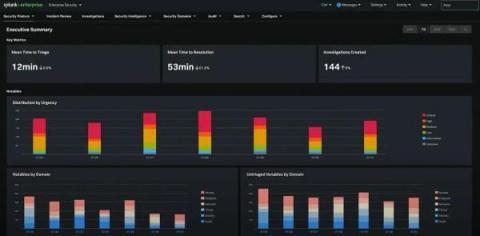
Just like that, another year has gone by full of remote work, virtual conferences, and lengthy Zoom calls. And, although we were not able to see our fellow Splunkers in person at.conf21 that didn’t stop us from previewing the latest enhancements to Splunk Enterprise Security. And now, it gives us great pleasure to announce that Enterprise Security 7.0 is available!
I recently had a cloud migration client who was at the beginning stage of their discovery phase and looking to jump straight to “which database platforms should I be using in the cloud?” - a tall ask you might say, but following the three steps below they were able to discover and analyze all of their database servers in just two weeks.
Cloud technology has enjoyed exponential growth over the past several years. Increases in broadband and wireless speeds have spurred a rise in everything from cloud storage to Software-as-a-Service (SaaS). Before the cloud grew into its current form, it was primarily a tool for backing up data in a safe, remote location. Throughout the evolution of cloud, backup and restore remains one of this technology’s most widely-used and important functions.
In this article, we will cover the basics of a Lambda function and its functionality in our every day digital lives. AWS Lambda, as we already know, is a compute service that allows you to run code without managing servers. AWS Lambda runs the code when it is needed, and it is automatically scaled. The code you execute on AWS Lambda is called Lambda function, and it can be considered, for better understanding, as a formula in a spreadsheet.
Hybrid cloud environments can add complexity, reduce visibility, and require different logging and monitoring approaches for security teams. For a growing number of organizations, IT environments encompass a blend of public cloud services, private clouds, and on-premises infrastructure—with the latter becoming an ever-smaller portion of the mix. The past two years have seen a major uptick in the use of cloud services, and the trend shows no signs of slowing.
Microsoft Azure SQL Database is a platform-as-a-service (PaaS) database offering for modern cloud applications. It’s a fully managed service that runs on the latest version of the SQL Server database engine, enabling you to create highly available and performant database instances without needing to maintain hardware upgrades, patches, or backups.
In Part 1 of this series, we discussed key metrics for monitoring Microsoft Azure SQL databases. We also looked at how your database resource and audit logs complement metrics to provide more insight into database performance, activity, and security. In this post, we’ll show you how to collect metrics and logs from your database instances and monitor them with Azure’s monitoring and reporting tools.
In Part 2 of this series, we showed you how to monitor Azure SQL Database metrics and logs using the Azure platform. In this post, we will look at how you can use Datadog to monitor your Azure SQL databases alongside other technologies in your infrastructure. Datadog provides turn-key integrations for Azure along with more than 500 other technologies, enabling you to track long-term performance trends across all systems in your infrastructure, not just your SQL databases.