Mailchimp
Not subscribed to OpsMatters Newsletter


A server, undeniably, is one of the most crucial components in a network. Every critical activity in a hybrid network architecture is somehow related to server operations. Servers don’t just serve as the spine of modern computing operations—they are also pivotal for network communications. From sending emails to accessing databases and hosting applications, a server’s reliability and performance have a direct impact on the organization’s growth.
When it comes to employee success, the power of onboarding workflows cannot be understated. If you've landed here, there's a good chance you're grappling with the challenge of assimilating new hires seamlessly into your organization. Sound familiar? Fortunately, this article delves deep into answering those concerns, and more. I've worked with industry leaders to refine and perfect the art of onboarding.
Being able to execute SQL performance tuning is a vital skill for software teams that rely on relational databases. Vital isn’t the only adjective that we can apply to it, though. Rare also comes to mind, unfortunately. Many software professionals think that they can just leave all the RDBMS settings as they came by default. They’re wrong. Often, the default settings your RDBMS comes configured with are far from being the optimal ones.
So, you’re knee-deep in the world of Microsoft SharePoint, huh? If you’re an IT professional, you’re well aware that SharePoint is no longer just a “nice-to-have” but more of a “must-have.” You’ve got two flavors to choose from: SharePoint On-Premise and SharePoint Online. Which one is the right fit for your organization? Buckle up, because we’re about to dive deep into the nitty-gritty differences, pros, cons, and everything in between.
As organisations strive to deliver seamless user experiences, maximise operational efficiency, and maintain a competitive edge, the need for comprehensive Application Performance Monitoring (APM) tools becomes increasingly evident. APM tools offer invaluable insights into the performance and behaviour of applications in real-time. They go further than the conventional monitoring approach by providing a holistic view of the entire stack, encompassing servers, databases and user interactions.
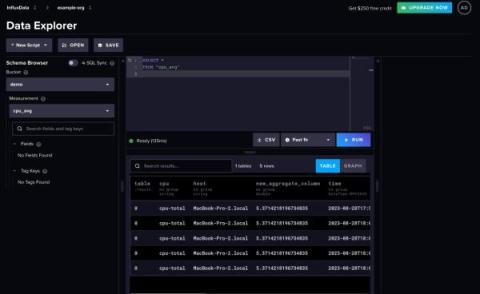
Any existing InfluxDB user will notice that InfluxDB underwent a transformation with the release of InfluxDB 3.0. InfluxDB v3 provides 45x better write throughput and has 5-25x faster queries compared to previous versions of InfluxDB (see this post for more performance benchmarks). We also deprioritized several features that existed in 2.x to focus on interoperability with existing tools. One of the deprioritized features that existed in InfluxDB v2 is the task engine.