Operations | Monitoring | ITSM | DevOps | Cloud

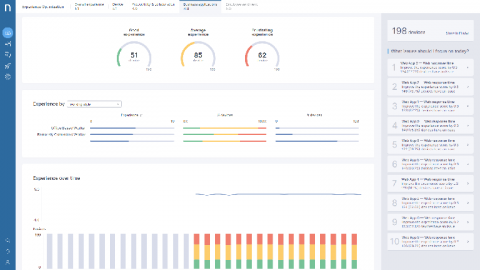
Introducing the redesigned Check Statistics widget

Those of you, who’ve already tried out the Web Interface for Icinga DB might have noticed the redesigned layout of the check execution statistics section in a monitoring object’s detail view. For all the others: Learn about it in this post. On first hand we wanted to make the informations more compact and put them in relation with each other, where possible. We aimed to keep all the information of the old one, though.

LM Container: Introducing Support for AWS Bottlerocket

Hybrid IT environments enable Enterprises to optimize factors such as performance, cost, agility, and security, but they also introduce complexity. Containers are a great way to reduce some of this complexity by standardizing how applications are developed and deployed.

A complete solution for installing Mattermost: Introducing Mattermost Omnibus

Some time ago, a group of Mattermost contributors sat down to think about how to improve the installation and maintenance flow of the platform. Managing a Mattermost install is quite straightforward already thanks to its binary distribution, but you still need to install and manage the different components that surround the application itself: the database, the web proxy, and the SSL certificate.

Releasing Icinga for Windows v1.2.0

Today we are proud to announce the official release for Icinga for Windows v1.2.0! This includes v1.2.0 of the Icinga PowerShell Framework and v1.2.0 for the Icinga PowerShell Plugins. We collected plenty of feedback during the past months from our world-wide user base and focused on stability and usability in this release, but also added several new features!

Continuous Improvement in Native

If Sentry were a TV show, I think it would be Lassie. It’s your application’s best friend and everyone can understand it no matter what language they speak. Sentry gets help from the right people to make sure Timmy, I mean your application, is safe and sound. Over the past few months, we improved our Native SDK significantly. Most notably, we increased platform compatibility through a major rewrite from C++ to C and by switching to the CMake build system.

New Uptrends integration with Opsgenie

You and your team have a lot of things begging for your attention. You’ve got multiple systems in place, and if anything goes wrong, the last thing you need is a storm of notifications coming at you from everywhere. To help you centralize your messaging and incident management, Uptrends continues to add integrations with tools that your team may already use. So, if you use Opsgenie, this new integration is for you.

GitKraken Git GUI v7.3: GitHub Issue Tracking Integration

Mighty Keif the Kraken has reached across the interweb to join tentacles with his good friend Mona the Octocat once again. 🦑🤝🐙 But this time, it’s all about the issues. The GitKraken Git GUI now supports issue tracking integrations for GitHub and GitHub Enterprise! If you already use GitKraken to manage your GitHub repositories, optimize your workflow even further with new benefits offered in GitKraken Git GUI v7.3.

Monitor your network traffic anywhere with NetFlow Analyzer's GUI on your iPhone

With the evolution of technology in recent times, the face of communication is ever-changing. In today’s environment, failing to adapt to these changes would mean failing to understand what the customer needs. Since every organization is migrating to smartphones and tablets, and employees are starting to depend more on these mobile devices, we at the NetFlow Analyzer team decided to up our game in terms of our mobile offering.

Two New Color Themes in the Event Viewer Display Options

Thousands of teams use SolarWinds® Papertrail™ to manage different types of logs. And with such a large and diverse group of users, there’s a wide variety of needs and preferences. Fortunately, we added a Display Preferences menu to the footer in the new Papertrail event viewer, allowing us to create and deliver new display options and color themes. If you’ve opened the Display Preferences menu this week, you may have noticed two new color themes: Solarized and Solarized Light.