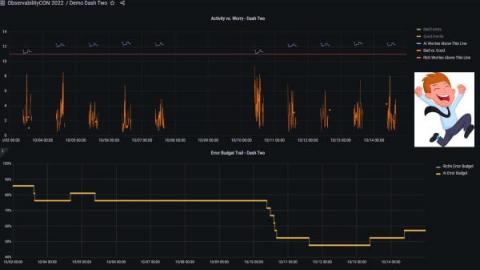
Whether you’re a DevOps, SRE, or just a data driven individual, you’re probably addicted to dashboards and metrics. We look at our metrics to see how our system is doing, whether on the infrastructure, the application or the business level. We trust our metrics to show us the status of our system and where it misbehaves. But do our metrics show us what really happened? You’d be surprised how often it’s not the case.
Web performance greatly influences the user experience through engagement with your brand and impression of your products. For example, page speed is directly proportional to how long people stay on a site. As a result, there’s much more demand for network optimization on modern devices, including AR, IoT, cloud drives, and mobile apps. When your network stretches across hundreds of locations, the server ends up receiving the output from tons of clients at the same time.
When we talk about the business value of a tool or a system that at first glance may seem like a “nice to have” or a “helpful but not absolutely necessary” technology, it is a good idea to start any discussion on the merits of the tool by putting some things into perspective.
A cron job is used to schedule and carry out specific tasks. It automates the process and periodically executes it in the background. You can keep track of whether a given cron job is running or not with the help of a cron job monitoring tool. You must first configure a cron job in the monitoring tool before you can monitor it. After then, the tool checks the status regularly and notifies you when a problem occurs. This article lists the top 10 tools for online cron job monitoring.
When visitors come to your website to browse products, make purchases, or read your articles, you need to consider how they will feel. Furthermore, a website that loads slowly and experiences frequent breakdowns must be avoided because it can turn visitors away. Your sales, revenue, and profitability may suffer as a result. Additionally, it could harm your reputation, particularly if the visitor is fresh. If they have a bad first impression, they will quickly pursue other options.
For the team at JPMorgan Chase, the daily stakes of having a stable system are high. “We are in the business of making sure that trades are executed, and systems are stable and up and running for a positive client experience,” said Askari Imam, VP, Asset Wealth Management (Product and Integration Delivery).
By automating some rote parts of incident response, you reduce decision fatigue and help responders get to solving the problem faster with less stress. In this post, we talk about three areas of the incident response process that are prime for automation.
InsightFinder is a SaaS platform that uses AI-backed predictive analytics to predict and prevent production incidents. Using InsightFinder with Datadog, you can quickly identify hidden correlations in your application metrics, logs, and events and address application issues before they devolve into production outages and create customer impact.
Customer relationship management (CRM) is sometimes like a bucket. New customers represent water going into the bucket, and departing customers reflect water flowing out. The water level—or the number of customers—rises and falls depending on the amount of water flowing into the bucket and the number and size of the holes. At ServiceNow, we recognized we had a leaky CRM bucket, thanks to rapid customer growth.