


|
By Patrick Edmonds
Imagine its Black Friday and your e-commerce platform suddenly stops processing payments. The culprit? A critical API connection to your payment processor has failed, and you had no idea until angry customers started flooding your support channels. By the time your team identifies and fixes the issue, you’ve already lost thousands in potential sales and damaged your brand reputation.

|
By Lucas Lalonde
Running an online store based on Shopify can be a stressful experience. Meeting sales quotas or metrics, ensuring the store’s accessibility, and accessing data on user statistics are all concerns that any Shopify store owner will encounter. Though Shopify provides an excellent solution for sellers, additional monitoring services to ensure that the store is always available can be very helpful.
|
By Uptime.com
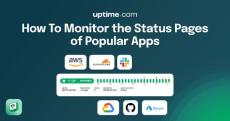
Remember the last time you noticed your app was acting weird, only to discover — after 30 minutes of debugging — that a critical service was down? We’ve all been there, frantically clicking through various status pages trying to figure out what’s broken, wishing you knew how to monitor status pages of your third party dependencies.

|
By Uptime.com
Picture this: Your marketing team just launched a major campaign, driving thousands of visitors to your website. The CEO is eagerly watching sales metrics, and your IT team has spent weeks optimizing the infrastructure. Then it happens — your website slows to a crawl. Cart abandonment spikes. Social media lights up with frustrated customers. And just like that, your big moment transforms into a costly nightmare. Sound familiar? You’re not alone.

|
By Uptime.com
Application programming interfaces (APIs) are the James Bonds of software, silently keeping everything running smoothly while sipping martinis (shaken, not stirred). They’re the vital communication channels that enable different software systems to interact seamlessly, making sure your online shopping carts don’t mysteriously empty and your social media feeds keep you endlessly entertained with cat videos.

|
By Uptime.com
At Uptime.com, we’re committed to delivering a seamless and efficient experience for our users. We’ve been listening to your feedback and are excited to share some significant updates to our platform. These improvements are designed to enhance usability, streamline workflows, and provide you with the tools you need to monitor and maintain your site’s reliability effectively. Let’s dive into the details!

|
By Uptime.com
2024: The year of customer-driven innovation. At Uptime.com, 2024 marked a pivotal year of growth and transformation, driven by our unwavering commitment to customer feedback. With over 70 documented releases, we dedicated ourselves to delivering impactful features that enhance every aspect of our platform. From strengthening our infrastructure to refining the look and feel of our Status Pages, we’ve worked tirelessly to ensure our platform evolves alongside the needs of our users.

|
By Uptime.com
Even if your website is perfectly designed on paper, users don’t always follow the script. They often behave in ways you might never predict. Real user monitoring (RUM), also known as end-user experience monitoring or digital experience monitoring, closes that gap by providing a moment-to-moment view of user interactions. It allows you to spot where visitors encounter friction, confusion, or slowdowns that could impact conversions. These insights benefit your entire team.

|
By Patrick Edmonds
At Uptime.com, we’re always looking for ways to empower our users with tools that enhance their ability to monitor website performance and ensure site reliability. That’s why we’re excited to announce a significant update to our Real-Time Analysis page. With this release, we’ve not only transitioned this critical feature to our cutting-edge NextGen infrastructure but also introduced several improvements to boost usability and performance. Here’s what’s new.

|
By Patrick Edmonds
We’re excited to announce the launch of our new Status Page theme: Inspire. This update brings a modernized design, enhanced customization options, and a sleek dark mode to elevate the way you communicate with your customers. See a live demo of the Inspire theme in action here.

In this video, we explore the basics of Transaction Checks on Uptime.com, an advanced multi-step monitoring tool for website elements. Learn how to create customized scripts to mimic user actions such as visiting a site, filling out forms, and clicking buttons. We walk through a step-by-step guide on setting up a Transaction Check to monitor a login process, including navigating to a URL, validating HTTP status codes, and using browser developer tools to configure field entries. Discover different monitoring intervals and tips for organizing your checks with tags and location settings.

Learn how Uptime.com alerts you the moment a check goes Up or Down, complete with technical details and root cause analysis for API and Transaction checks. Dive into Real-Time Analysis to track outage timelines and get detailed insight into every alert. Plus, see how Traceroute from global or private probe servers helps identify connection issues quickly and accurately. Stay informed. Respond faster. Resolve smarter.
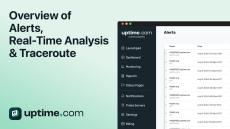
Learn how Uptime.com alerts you the moment a check goes Up or Down, complete with technical details and root cause analysis for API and Transaction checks. Dive into Real-Time Analysis to track outage timelines and get detailed insight into every alert. Plus, see how Traceroute from global or private probe servers helps identify connection issues quickly and accurately. Stay informed. Respond faster. Resolve smarter.
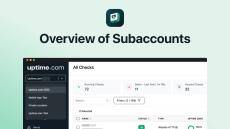
Learn how subaccounts work in Uptime.com. Subaccounts let you keep checks, reports, and dashboards fully separate, all under one main account.

Learn how to monitor your Shopify store using the HTTPs and Transaction checks.
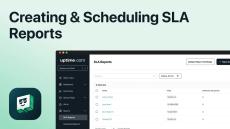
Learn how to create and manage SLA Reports on Uptime.com, including configuring the Global and Reporting Groups tabs, setting up Uptime and Response Time sections, customizing report logos, and scheduling automated delivery to internal users and external stakeholders.
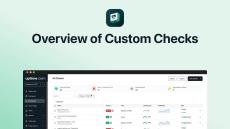
In this video, we’ll walk you through on how to set up and configure your Custom Checks in Uptime.com. Learn how to effectively monitor your automations and processes using Uptime.com’s Custom Checks. This tutorial covers Heartbeat and Incoming Webhook checks, ensuring your tasks run smoothly and delivering instant alerts when issues arise. Discover how to set up and configure these checks to maintain optimal performance.
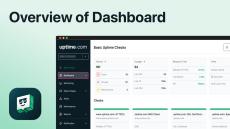
Learn how to create and customize dashboards on Uptime.com, including setting up the General and Display Settings tabs, configuring check cards, filtering by state, setting sort orders, displaying metrics, managing alerts, and creating multiple dashboards.
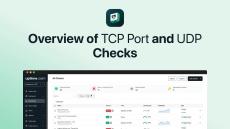
Welcome to Uptime.com! In this video, we'll guide you through setting up TCP Port and UDP checks. Learn how to monitor server responsiveness using TCP Port checks and how to configure UDP checks for applications requiring less packet accuracy. We'll cover the necessary steps, required information, and test your configuration to ensure it's correct.
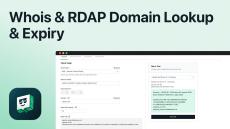
In this video, we’ll walk you through how to set up and configure your Whois and RDAP Domain Lookup & Expiry Checks in Uptime.com. Learn how to monitor and receive alerts before your domain expires, and protect your registration information from unauthorized modifications. We cover step-by-step instructions for setting up checks through the Uptime.com UI and via API.
- September 2026 (1)
- July 2026 (3)
- June 2026 (4)
- May 2026 (5)
- April 2026 (2)
- March 2026 (3)
- February 2026 (3)
- January 2026 (6)
- December 2025 (5)
- November 2025 (6)
- October 2025 (3)
- September 2025 (4)
- August 2025 (3)
- July 2025 (3)
- June 2025 (1)
- May 2025 (1)
- February 2025 (2)
- January 2025 (8)
- December 2024 (6)
- November 2024 (14)
- October 2024 (6)
- September 2024 (6)
- August 2024 (4)
- July 2024 (9)
- June 2024 (6)
- May 2024 (10)
- April 2024 (9)
- March 2024 (5)
- February 2024 (14)
- January 2024 (4)
- December 2023 (7)
- November 2023 (3)
- October 2023 (4)
- September 2023 (2)
- July 2023 (1)
- June 2023 (2)
- May 2023 (2)
- April 2023 (1)
- March 2023 (4)
- February 2023 (1)
- January 2023 (9)
- December 2022 (7)
- November 2022 (6)
- October 2022 (2)
- September 2022 (3)
- August 2022 (5)
- July 2022 (6)
- June 2022 (2)
- May 2022 (6)
- April 2022 (7)
- March 2022 (7)
- February 2022 (8)
- January 2022 (3)
- December 2021 (4)
- November 2021 (1)
- October 2021 (4)
- September 2021 (4)
- August 2021 (3)
- July 2021 (4)
- June 2021 (3)
- May 2021 (3)
- April 2021 (5)
- March 2021 (2)
- February 2021 (4)
- January 2021 (3)
- December 2020 (3)
- November 2020 (5)
- October 2020 (3)
- September 2020 (2)
- August 2020 (5)
- July 2020 (4)
- June 2020 (2)
- May 2020 (3)
- April 2020 (5)
- March 2020 (2)
- February 2020 (4)
- January 2020 (1)
- December 2019 (2)
- November 2019 (4)
- October 2019 (4)
- September 2019 (3)
- August 2019 (3)
- July 2019 (2)
- June 2019 (6)
- May 2019 (3)
- April 2019 (3)
- March 2019 (5)
- February 2019 (4)
- January 2019 (5)
- December 2018 (5)
- November 2018 (5)
- October 2018 (4)
- September 2018 (3)
- August 2018 (7)
- July 2018 (4)
- June 2018 (4)
Uptime is an industry leader in website performance monitoring. Uptime checks your website at one-minute intervals across 6 continents. There is unlimited capability to monitor HTTP(S), Ping, SSH, TCP, UDP, DNS, SMTP, POP, and IMAP. If downtime is detected by our probe servers, you will be notified via email, SMS, or third-party push notifications. Uptime.com was created for website owners ranging from Fortune 500 companies to startups in all industries. Our platform's user-friendly functionality was built to serve both large and small teams.
Powerful features, highly reliable monitoring:
- Easy to Use: Uptime.com simplifies tracking website uptime and performance with highly reliable monitoring, intuitive reporting and easy to use functionality. If you are looking for reliability and minimal false positives.
- Detailed Reports: Uptime and response time reports. Get daily, weekly, or monthly email reports.
- Global Uptime: Website monitoring for your website from over 30 locations around the world.
- Powerful Integrations: Cachet, DataDog, GeckoBoard, HipChat, Klipfolio, Librato, OpsGenie, Pager Duty, Pushbullet, Pushover, Signifai, Slack, Status.io, Statuspage, Twitter, Jira Service Desk, Wavefront and VictorOps.
- Unlimited Tests: Unlimited capability to monitor HTTP(s), Transaction, Real User Monitoring, API, Ping, SSH, TCP, DNS, Email and more.
- On-Demand Alerts: Receive alerts via email, SMS, Twitter, web-hooks, or push notifications.
Enterprise grade capabilities delivered at a reasonable price.