Operations | Monitoring | ITSM | DevOps | Cloud

The latest News and Information on DevOps, CI/CD, Automation and related technologies.

Breaking Down the DevOps Pulse 2020: Going Cloud-Native

Our annual DevOps Pulse identifies and tracks points of interest and emerging trends throughout the tech industry. The 2020 DevOps Pulse was our biggest ever with over 1,000 respondents. This year, we put an emphasis on cloud-native technology adoption and adaptation to architecture, applications, and observability technologies. However, we would be remiss not to trail and track how DevOps pros and their teammates are dealing with the other major events of the year.
Grubhub and JPMC Shift Reliability Testing Left at Chaos Conf 2020

Get started with Gremlin's Chaos Engineering tools to safely, securely, and simply inject failure into your systems to find weaknesses before they cause customer-facing issues. Gremlin’s Chaos Conf is always an exciting event, bringing together leaders at the forefront of Chaos Engineering practices. This year was no exception, moving beyond defining Chaos Engineering to more advanced adoption and best practices discussions.

Announcing HAProxy 2.3

HAProxy 2.3 adds exciting features such as forwarding, prioritizing,and translating of messages sent over the Syslog Protocol on both UDP and TCP, Stats Contexts, SSL/TLS enhancements, an improved cache, and changes in the connection layer that lay the foundation for support for HTTP/3 / QUIC. This release was truly a community effort and could not have been made possible without all of the hard work from everyone involved in active discussions on the mailing list and the HAProxy project GitHub.

Using The Artifactory Terraform Provider

John Peterson of JFrog presents a step-by-step demo of using the Artifactory Provider for Terraform to automate configuration of Artifactory repositories. Terraform is the infrastructure as code tool from HashiCorp that enables building, changing, and managing infrastructure in a safe, repeatable way. Using a configuration language called HashiCorp Configuration Language (HCL), operators and infrastructure teams can manage environments through human-readable, automated deployments.

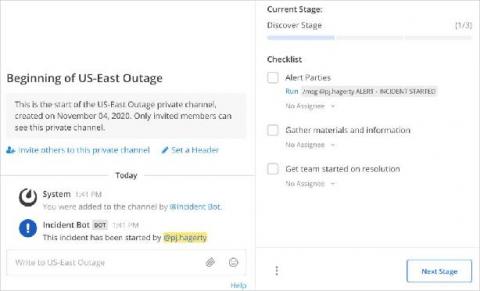
Incident Management in Mattermost: Creating an Incident Playbook

The idea behind Incident Management is to be ready. Not ready for anything, as that can be an unrealistic expectation, but ready to respond when the unexpected inevitably happens. DevOps teams often create incident playbooks in order to ensure they are as ready as possible to handle situations as they arise. Luckily, there is some amazing documentation on how to do just that from our friends at PagerDuty.

Keep Watch on Docker Hub Pulls with JFrog Log Analytics

Have you heard? Docker Hub now limits usage by free anonymous and credentialed accounts. After the number of pulls from an IP address exceeds a fixed threshold within a six hour period (100 for anonymous, 200 for credentialed), Docker Hub throttles bandwidth. You’ll still get your Docker images, but at a much slower speed. You can read our earlier blog post to learn more about the Docker Hub policy changes.

Docker: Secure, but comfortable images.

While developing Docker images for Icinga 2, Icinga Web 2 and Icinga DB we stumbled over OpenShift which doesn’t allow images to run as root by default. One has to enable that explicitly. Also admins of K8s environments being more permissive by default may decide not to allow running as the superuser. So we’ve added a USER directive to our Dockerfiles to make our customers‘ compliance departments happy.

How Our Roots in Observability Set Us up To Calculate Cost per Tenant on AWS

It’s safe to say that cost per tenant (also known as cost per customer) on AWS has been a challenging metric to obtain. Until now, your best bet has usually been to either make a best guess or build some sort of homegrown system. As of November 4, 2020, when you google “cost per tenant,” you get a few things at the top of the page. The first is a couple of blogs by AWS, where they describe an extraordinarily complex system, which you can build yourself.

What is, how to install WSL2 and why is it great news for the IT industry?

Before diving into what WSL2 is, how to install it, and how to use it – which we will – I would like to add some background information you might relate to if you were born in the 80s like me. From a very young age I have felt attracted to computers, and in my childhood they were not as common as they are today, when almost everyone has one within reach. I think my first encounter with a computer was when I was 11 or 12 years old, with an old computer that my father had in his office.