Kubernetes Pod Security Policies (PSPs) are a critical component of the Kubernetes security puzzle. Pod Security Policies are clusterwide resources that control security sensitive attributes of pod specification and are a mechanism to harden the security posture of your Kubernetes workloads. Kubernetes platform teams or cluster operators can leverage them to control pod creation and limit the capabilities available to specific users, groups or applications.
Thousands of devices means thousands of software components, metadata items, and builds. Coordinating all that data for an Internet of Things system requires a binaries manager built for reliability and scale. That’s the challenge that faced MicroEJ, a software vendor of cost-driven solutions for embedded and IoT devices.
SNS and SQS have been the goto options for AWS developers when it comes to service integration. However, since its (much needed!) rebranding, EventBridge (formerly CloudWatch Events) has become a popular alternative. If you’re still on the fence, then allow me to give you 5 reasons why you should consider using EventBridge instead of SNS.
In this update 744, we have added the module library to the console interface. We have also kept improving visual consoles, incorporating a new template with countries, as well as extending the alert correlation editor. Furthermore, our troubleshooting covers more than eighty issues, following our zero bugs 2020 policy.
As the outbreak of Coronavirus spreads rapidly, with new cases being confirmed in different parts of the globe, one can’t undermine the importance of rapid dissemination of information related to patient care.
One thing I love about working at OpsRamp is how we always come together to figure out new ways to manage complexity or achieve difficult development goals. Take, for example, managing application states. It’s historically one of the biggest challenges in front-end development. We’re a lean team, so we needed to figure out a better way. In this article, I’ll address how we accomplish this with React at OpsRamp, and how you can apply some of these practices in your own workday.
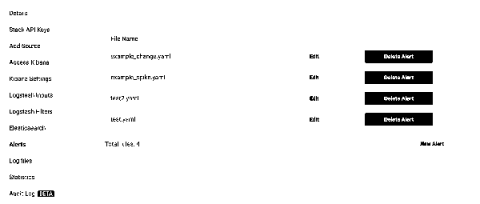
When you login your stacks are displayed on the dashboard. To enable alerts for a stack, choose the 'Settings' button. Next, choose 'Alerts' and then click 'Provision ElastAlert' for this stack