Operations | Monitoring | ITSM | DevOps | Cloud

PagerDuty Pulse May19

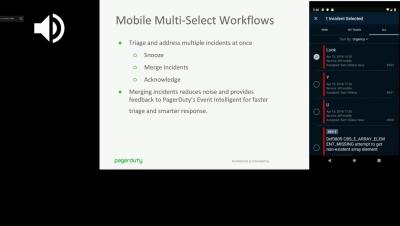
Catch up on all the exciting things we’ve released over the past several months. In this edition of PagerDuty Pulse, you’ll get a view into our Spring release, which helps teams across the enterprise effectively take action during the most critical moments with the power of data, intelligence, and automation at scale. We’re excited to release and share new enhancements across all of our products (Event Intelligence, Modern Incident Response, Analytics, Visibility), as well as to the core platform.

Best Practices for Monitoring Your Azure Environment

Adoption of cloud services and Azure services in particular has exploded in the last few years – over 60% of enterprises now use Azure. As Azure users deploy ever more sophisticated application architectures, it becomes even more important to have a logging and monitoring system that can handle the complexity. The ELK stack is the most popular tool for this, but comes with its own challenges.

Setting up Zia, your service desk's conversational virtual IT support agent [Webinar]

The cloud version of ServiceDesk Plus now comes with your own virtual support agent, #Zia, who can be the first point of contact for your service desk. Zia helps perform simple service desk activities and fetch information, so end users don't have to rely on a technician. And with access to a conversational #virtual_support_agent, technicians in the field can now perform #servicedesk activities with simple hands-free voice commands. Learn more about Zia and her capabilities in this webinar.

Firefox add-on outage: Yet another reminder for companies to enforce PKI life cycle automation

More often than we’d like to admit, we tend to underestimate the impact of every moving part within an organization—especially those that seem small or insignificant. And usually, it’s not until we’re facing the fallout of neglecting that seemingly insignificant factor when we realize what a mistake we’ve made.

Worth a Look: Public Grafana Dashboards

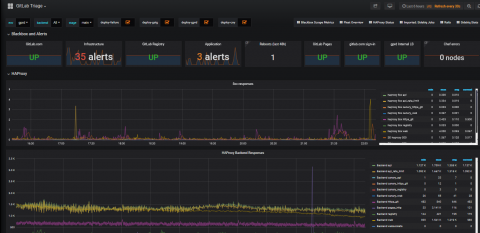
There are countless Grafana dashboards that will only ever be seen internally. But there are also a number of large organizations that have made their dashboards public for a variety of uses. These dashboards can be interesting to browse, giving you an insider’s peek into how real Grafana users set up their visualizations, with actual live data to boot. Perhaps some of them will inspire you to get to work on your own Grafana?