Operations | Monitoring | ITSM | DevOps | Cloud

Instant Test Integration with Slack

In this week‘s Tip of the Day, we’re going to explore more of Catchpoint’s third-party integrations. Last week, we discussed how Catchpoint can be integrated with existing collaboration tools focusing on Slack. The demo walked through the process of setting up an integration with the communication platform, specifically how to feed Catchpoint alert data into a Slack channel.

Introducing Azure Management Talk

Happy New Year everyone! We are thrilled to be starting 2021 with some exciting news. Come February 2nd, we’ll be kicking off Azure Management Talk, a bite-sized webinar series with a focus on all things Azure management. Azure is fast-evolving, and often, it can get quite complicated. With so many things to learn and not enough time, the huge swathes of learning resources available online can quickly get overwhelming.

Monitoring Microservices the Right Way

This article was originally published on InfoQ at December 3rd 2020. If you’ve migrated from a monolith to a microservices architecture you probably experienced it: Modern systems today are far more complex to monitor. Microservices combined with containerized deployment results in highly dynamic systems with many moving parts across multiple layers.

How to escape special characters with Loki's LogQL

In my ongoing Loki how-to series, I have already shared all the best tips for creating fast filter queries that can filter terabytes of data in seconds. In this installment, I’ll reveal how to correctly escape special characters within a string in Loki’s LogQL. When writing LogQL queries, you may have realized that in multiple places you have to write strings delimited by double quotes.

10 Tools That Make IT Specialist's Life Easier

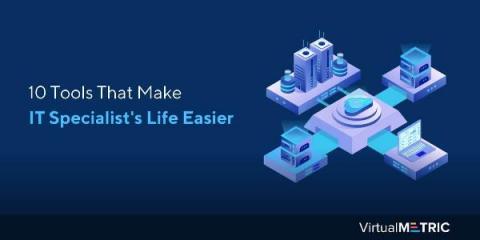
As an IT specialist, you should have an aptitude for all the essential tools vital for the efficient running of IT infrastructure. These software programs designed for their specific purposes basically serve the same purpose as an engineer’s toolkit. They make it easy to get the job done, and on top of that, get it done well. Depending on your job, you may or may not need to use all the tools. But as an IT professional, you should know which tool can help you with which task.

User-defined functions in Multi-Step API Monitoring

When it comes to monitoring your API, you need a tool that has the flexibility to handle the complexities of a modern website or app. Uptrends’ Multi-step API gives you the power to interact with API endpoints, evaluate the results, reuse response data, create automatic variables, track custom metrics, and now transform response data with user-defined functions.

Sponsored Post

Boost IT Savings with CloudReady and Incident Workflow

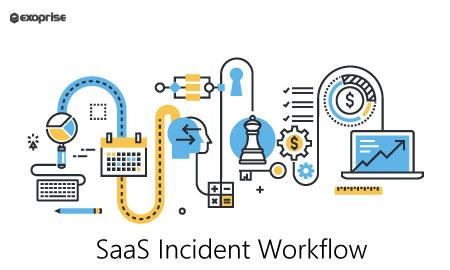
Companies love data. Aggregating data from multiple sources makes decision-making easier and brings a new depth of the conversation to business meetings. But all of this is at the management level. IT managers and administrators also search for data from multiple sources to ensure that the ecosystem works. Companies demand the continued maintenance and availability of mission-critical applications. Without a framework or incident workflow, revenue can suffer, and customers churn if the company does not proactively address problems that arise in its infrastructure.

How to diagnose application slowness

When a business application slows down, bad things happen. Your customer support gets slammed with service requests. Your boss calls an emergency meeting to talk to the product and developer teams. Everybody’s asking the same question: what happened? Diagnosing a slow application and finding the cause of the problem is something developers need to do quickly. Performance-related problems are in the top five SaaS user churn, which is a major preventable loss of revenue.

Why AWS Console isn't the best for serverless debugging?

We all know that debugging serverless is time-consuming and hard and that AWS Console doesn’t make it much easier. CloudWatch isn’t quite known for its ease of use. Why? Well to start with, it has suboptimal search features, logs scattered across multiple buckets and groups, little visualization capability, and no structure of Lambda function invocations.