












Maidenhead, UK
2011
  |  By Blog
APIs power almost everything we use today, from cloud platforms and monitoring tools to ticketing systems and internal applications. But no matter how useful an API is, the response usually arrives as raw JSON. That's perfectly fine for machines, but much less convenient for people. Whether you're debugging an endpoint, exploring a new service, or building dashboards for your team, you'll probably want a better way to visualize that data. Fortunately, there are several ways to visualize API responses.
  |  By Blog
AI is set to transform our technology landscape. For many of us working in software, it already has — developers are now writing more code, building more features, and deploying more applications, faster. For the teams supporting IT and software services that means more applications to support, across a greater breadth of technologies, and with more complexity (that is probably less well understood by the developers who created it). Your operational tooling needs to keep pace.
  |  By Blog
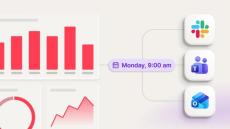
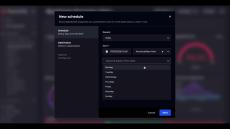
Getting your dashboards in the right hands is vital for many teams. This typically means that someone has to remember to check them, and that rarely happens consistently. Stakeholders miss weekly updates, managers ask for reports that already exist, and your carefully-built dashboards sit unread while people wait for someone to send them a screenshot. Scheduled sharing is the frictionless feature that solves this issue.
  |  By Blog
At first glance, Power BI and SquaredUp both look like dashboarding tools. In practice, they solve different problems. SquaredUp serves engineering teams and IT teams, including SREs, DevOps engineers, engineering managers, and technology leaders. It connects to monitoring, cloud, DevOps, and ITSM platforms. This gives teams a real-time insights into service health, performance, and key metrics in one place. Power BI is Microsoft's business intelligence platform, designed for analysts and business teams.
  |  By Blog
If you run Huntress across a fleet of client environments, you already know the console gives you a solid view of agent health, threat detections and incident reports. What it doesn't give you is a way to put that data next to everything else you're tracking, your PSA tickets, your other security tools, the rest of your stack, so you can see the whole client picture in one place.
  |  By Blog
Microsoft Defender does a great job protecting you and your organization from online threats. It is constantly working to detect and collect security data so you don’t have to worry about falling behind on incidents and vulnerabilities. The Defender portal can also provide great insights into that data, but connecting it to the rest of your stack is difficult.
  |  By Blog
In our previous article we looked at the basics of: In this article, we are going to take a deeper dive into some of the complexities of configuration as well as some of the nuances of analysing Claude telemetry. Before we dive into the code, let us just remind ourselves that our telemetry pipeline looks like this: That is, we are emitting Claude Code telemetry to an OpenTelemetry Collector. The telemetry is then exported to an Application Insights endpoint and stored in Log Analytics tables.
  |  By Blog
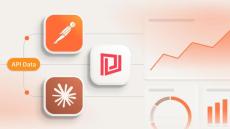
API responses are often easier to understand when they are displayed visually instead of as raw JSON. While Postman is widely used for testing APIs, many developers overlook one of its most useful features which is the Postman Visualizer. While it is not as fully featured as a dedicated dashboarding platform like SquaredUp, it is a great way to quickly visualize API responses during development and debugging.
  |  By Blog
Engineering teams are shipping more AI-generated code than ever, but at what cost? Learn how to build a telemetry pipeline to monitor Claude Code usage and costs directly in SquaredUp. It is estimated that 85-90% of engineering teams are now using AI coding assistants such as Claude, Codex and Cursor. This is not just for small-scale pilot projects— around 40% of all code now being shipped is AI-generated, and in start-ups the figure is around 95%. This can result in incredible productivity gains.
  |  By Blog
MSPs operate in high-pressure, customer-first environments where understanding exactly what is happening across client environments is the difference between proactive service and constant firefighting. Yet, many still struggle to get a unified view across their customers, tools, and teams.
  |  By SquaredUp
A brief introduction to Scheduled Sharing in SquaredUp.
  |  By SquaredUp
SquaredUp and Halo teamed up for a live webinar exploring why visibility matters, the reporting challenges many organisations face, and how HaloPSA data can be transformed into engaging dashboards using SquaredUp. We also heard from a customer on how they're using dashboards to manage costs and improve service delivery. Whether your goal is sharper reporting, greater visibility for customers, or a clearer demonstration of the value your services deliver, this session offers practical insights and real-world examples to help you get there.
  |  By SquaredUp
Many organisations have built their monitoring on SCOM and SquaredUp Dashboard Server, and built it well. But the modern IT estate has moved on. Cloud services, SaaS platforms and new toolsets are now part of the picture, and the monitoring strategy needs to keep pace. The challenge isn't starting over, it's extending what you already have without throwing away the investment you've made.
  |  By SquaredUp
HaloPSA is the operational backbone for many MSPs. But when your reporting is limited to what the built-in tools can surface, you end up exporting data, building manual reports, or switching between your PSA, RMM, and other tools just to answer basic questions. In this webinar, our DevRel Engineer, Dan Watts, shows you how to build live SquaredUp dashboards directly on top of HaloPSA, pulling in data from your RMM and other tools alongside it. The result is a single, real-time view of the metrics that matter most to your team and your clients.
  |  By SquaredUp
A brief introduction to SquaredUp's Microsoft 365 plugin.
  |  By SquaredUp
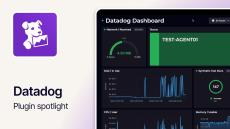
A brief introduction to SquaredUp's Datadog plugin.
  |  By SquaredUp
A brief introduction to SquaredUp's Web API plugin.
  |  By SquaredUp
A brief introduction to SquaredUp's GitHub plugin.
  |  By SquaredUp
Our Zendesk dashboards make Zendesk data accessible to everyone. It is now easy to use and share your data.
  |  By SquaredUp
• Easy to use Prometheus dashboards.
  |  By Squared Up
As IT admins and application owners tear their hair out over another costly outage that has the boss breathing down their necks, a familiar cry rings out throughout the enterprise IT organisation; "monitoring sucks!!". But why does monitoring suck and what can you do about it?
  |  By Squared Up
Everything you need as you set off on your path to glory.

Founded in 2011 with the vision of using data visualization to solve the challenge of Enterprise IT complexity, Squared Up is used by the world's leading enterprises to deliver application-centric monitoring, reduce downtime and improve service delivery. From super-fast dashboards to automatic application mapping, Squared Up transforms Microsoft System Center Operations Manager (SCOM) into a complete Enterprise Application Monitoring experience.

At its core, Squared Up delivers a fully modernized SCOM user experience, but you'll also discover how you can use SCOM to deliver a complete Enterprise Application Monitoring solution, and even use our integrations to provide a single pane of glass across your entire IT infrastructure.

Enterprise IT complexity meets modern data visualization:

  • Total SCOM dashboards: Squared Up is a complete HTML5 user experience for SCOM, with industry-leading dashboard capabilities - from Visio integration to performance graphing - and comprehensive, dynamic drilldowns generated by our unique Total Dashboard Architecture.
  • Enterprise Application Monitoring: By using data visualization to better understand the data you already have, we leverage your existing investments in SCOM to deliver a complete Enterprise Application Monitoring solution.
  • One view for hybrid cloud monitoring: Squared Up creates an independent presentation layer that aggregates your existing data in SCOM with data from other tools such as Azure Log Analytics. As you start to adopt new platforms your users don't need to learn any new tools, they just get the data they need when they need, all in a single pane of glass.

Transforming IT operations for enterprises worldwide.