Last month, our team published a blog post titled How we reduced the AWS costs of our streaming data pipeline by 67%, which went viral on HackerNews (Top 5). Clearly, developers are hungry to learn about new AWS cost-saving strategies. We’ve had a lot of questions about AWS cost optimization stemming from the original post. However, this question from Carl at Klarna inspired us to write another post. So without further delay, here’s how we approached the problem and made the switch.
Editor's note: This change to the GPG signing key affects both Puppet Enterprise users and open source Puppet users. If you're using Puppet Enterprise, you'll be getting the new key in an upcoming release, or if you manually update your version of puppet-agent, you'll get it then. Thanks to Morgan Rhodes (@KnittyNerd) for all the technical details for this blog post.
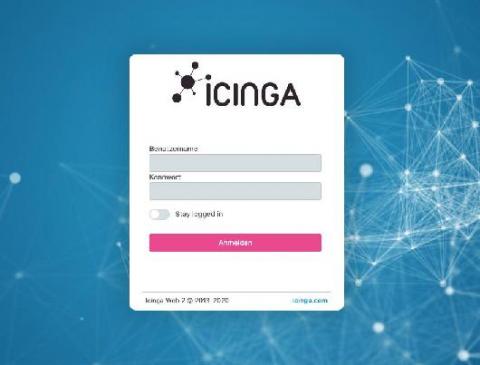
We always welcome feedback from you to make Icinga even better. Many Icinga users have expressed the opinion that they would like to have a rememberme checkbox on the login page of Icinga Web so that they don’t have to log in every time they visit Icinga Web We have worked on this new feature especially during the Home-Office and plan to release it in the next release of Icinga Web.
As cloud environments grow and evolve more rapidly than ever, and with new cloud services emerging every day, achieving and maintaining a high level of organization across hundreds of resources and global teams can seem like a daunting task. However, it’s not impossible, and can be done through tagging. This post will cover the fundamentals of tags, as well as a comprehensive roadmap to developing a tagging strategy.
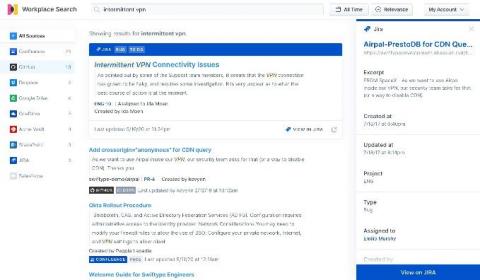
Jira has long been a popular issue tracking tool for development teams, but its scope has broadened quite a bit over the years, and it has bloomed into a more well-rounded project management tool as well. It’s used widely by agile teams to plan, track, and release software, along with numerous other cloud (and traditional self-managed) productivity tools.
The popular perception of software as a service (SaaS) and cloud computing is beautifully simple: sign-up, login and start doing your work. Of course, this isn’t quite accurate; it all depends on the application, business needs and goals. Enterprise SaaS entails business requirements gathering, customizations, integrations, and training.