Operations | Monitoring | ITSM | DevOps | Cloud

Best practices for database performance optimization

Proactive database performance monitoring is essential to maintain resource utilization and system performance. As data volumes grow, it is critical to monitor databases properly to deliver a seamless enduser experience, and lower IT infrastructure costs. Pinpointing database issues as they occur can assist in faster troubleshooting, and keeping the health of the application intact. Without monitoring, database outages may go unnoticed, and lead to loss of business reputation and profit.
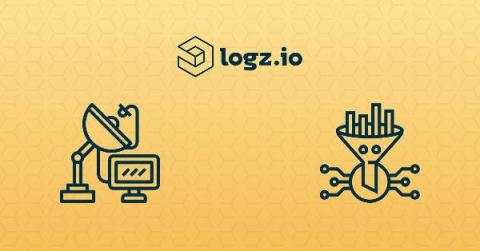

Reduce Monitoring Costs: How to Identify and Filter Unneeded Telemetry Data

To understand what’s going on in their environment, DevOps teams usually ship some combination of logs, metrics and traces—depending on which signals they’re hoping to monitor. Each data type will expose different information about what is happening in a system. However, not all of that information will be helpful on a day-to-day basis, which can rack up unnecessary data storage costs. That should require users start to filter telemetry data across their observability stacks.

THE CTO PERSPECTIVE | Application Modernization: Root Cause Changes

Welcome to The CTO Perspective – discussions on the most current issues in IT Operations. In this talk: Changes in software and infrastructure are the main cause of outages in the modern IT Stack. How do you embrace change without compromising service quality and availability?

Access commit data for each release with Sentry and Heroku

Heroku is a fully managed, container-based, cloud platform for deploying and running modern apps. Heroku takes an app-centric approach to software delivery and integrates with today’s most popular developer tools and workflows. One of today’s (and yesterday’s and tomorrow’s) most popular developer tools is Sentry.

See the Forest from Your Logs | IBM Logging Solution Log Analysis with LogDNA

IBM Log Analysis with LogDNA is an IBM Cloud service that provides hosted log management using LogDNA. It lets you collect, analyze, and manage logs in a central location without having to provision or maintain your own logging solution. You can forward logs from your IBM Cloud Kubernetes clusters, servers, and applications in as little as three steps. In addition, you can leverage the IBM Cloud to manage the service, set access controls via IAM, and even archive older logs to IBM Cloud Object Storage. When you provision an IBM Log Analysis with LogDNA instance, you get access to a LogDNA endpoint and web UI hosted on the IBM Cloud. Your logs are stored on the IBM Cloud itself, allowing you to colocate your logging service and applications for greater throughput and control. You get the full benefits of LogDNA—including fast log ingestion and searching, over 30 integrations and ingestion sources, and support for dozens of log formats—with the security and convenience of the IBM Cloud.

LogDNA | Log Management for the Kubernetes Age

LogDNA is a modern log management solution that empowers DevOps teams with the insights that they need to develop and debug their applications with ease. Users can get up and running in minutes, see logs from any source instantly in Live Tail, and effortlessly search them with natural language. Custom Parsing, Views, and Alerts put users in control of their data every step of the way.