Operations | Monitoring | ITSM | DevOps | Cloud

The latest News and Information on Microsoft 365 and related technologies.

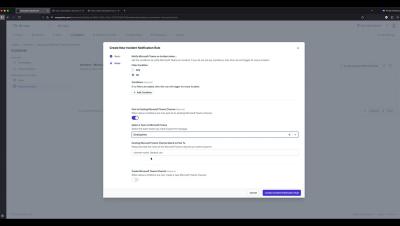
How to connect Microsoft Teams with OneUptime.

OneUptime is a comprehensive solution for monitoring and managing your online services. Whether you need to check the availability of your website, dashboard, API, or any other online resource, OneUptime can alert your team when downtime happens and keep your customers informed with a status page. OneUptime also helps you handle incidents, set up on-call rotations, run tests, secure your services, analyze logs, track performance, and debug errors.

How 1Security Helps Businesses Strengthen Microsoft 365 Security and Compliance

In today's hybrid work environment, organizations rely heavily on Microsoft 365 to store sensitive data, enable collaboration, and support daily operations. However, as digital ecosystems grow more complex, maintaining visibility, compliance, and security becomes increasingly difficult. That's where 1Security steps in - a company that delivers AI-powered tools built specifically to help businesses manage and protect their Microsoft 365 environments.

How to Monitor Microsoft Teams Issues & Fix Microsoft Teams "We're sorry - we've run into an issue"

Welcome to the world of Microsoft Teams! When it comes to video conferencing and messaging, Microsoft Teams is one of the most popular players in the game. When we get error messages like Microsoft Teams “We're sorry—we've run into an issue,” or “something went wrong,” it’s important to have a tool to help monitor and troubleshoot Microsoft Teams performance issues and connection issues.

Your big VIP Teams call just went south. Do you have the tools to troubleshoot - fast?

Imagine you’re the IT lead responsible for your organization’s Microsoft Teams experience. A big call with the board comes up, loaded with company VIPs — and it’s chock full of issues. Lag, choppy audio, bad connections. After the call, there’s a knock at your door. Not a happy knock. You answer and standing there is your CEO, stamping her foot demanding to know what went wrong.

Say hello to one-click call quality and SBC data correlation for Teams Phone

For IT teams managing Teams Phone performance, the SBC is kind of a ‘last frontier’. Issues that occur there are hard to track down. Critical information slips out of view or can’t easily be associated with what users are experiencing. Our latest update to Vantage DX closes the Microsoft Teams Phone SBC monitoring visibility gap with automated correlation of SBC records and Teams Phone quality data — the first solution in the industry to do so.

Solve Microsoft Teams Performance Troubles Before They Hit Your Inbox

Who Solves It Faster? Microsoft Native Tools vs. Vantage DX Tickets piling up. Execs on your case. Teams acting up. Microsoft’s tools only show part of the story—leaving you stuck reacting. Watch our pros do a no-fluff, side-by-side showdown: Microsoft Native Tools vs. Martello Vantage DX. Watch them tackle real Teams issues and see who finds and fixes the problem faster. What Attendees will learn.

SIGNL4 + Microsoft Teams Integration - Streamline Critical Alerts and Incident Response

Enhance your incident management workflow with the SIGNL4 Microsoft Teams integration. In this video, we walk you through how SIGNL4 connects seamlessly with Microsoft Teams to deliver real-time, mobile push notifications, chat-based incident collaboration, and faster response times for your team. Whether you’re in IT operations, DevOps, security, or facility management, this integration ensures that the right people are alerted instantly and can take immediate action – directly within Teams. What you’ll learn in this video.

Early Warning Signals: Now in Microsoft Teams

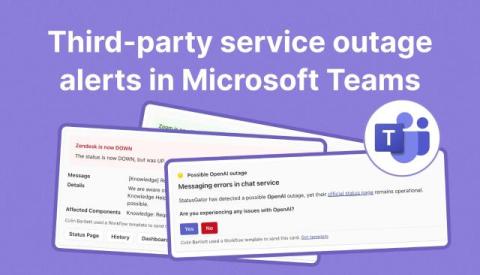
As promised, we’re continuing to expand our Early Warning Signals coverage. In addition to our recent integrations for Slack, SMS, and Webhooks, we’re excited to announce that Early Warning Signals now works in Microsoft Teams. This is another step toward making early outage alerts accessible wherever your conversations happen.

Microsoft Office 365 Update and Linux Security Enhancements

Microsoft extends rollback support for Office 365 updates to two months and discloses a vulnerability without zero-day exploits. SQL updates now require specific version and driver fixes. Ivanti releases three security updates addressing 11 CVEs, while a partnership with Tuck Care improves Linux patching. Misconceptions about Linux security are addressed, emphasizing the need for regular updates to mitigate risks from notable CVEs across distributions.