Operations | Monitoring | ITSM | DevOps | Cloud

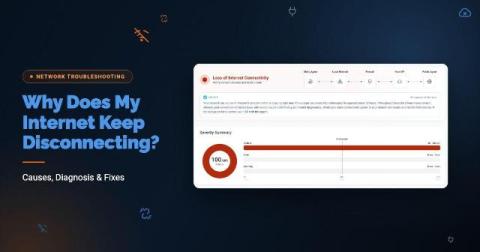
Why Does My Internet Keep Disconnecting? Causes, Diagnosis & Fixes

Your Internet usually keeps disconnecting because of one of five things: a weak or congested Wi-Fi signal, a failing modem, router or cable, an overloaded firewall, a device-level setting or driver, or a problem on your ISP’s line or network. To fix it, first find where the drop happens: on one device, across your LAN, or past your firewall. “The Internet keeps droppin” is one of the most common tickets IT teams get, and one of the hardest to close.
Internet Is Lagging? How to Find the Cause and Fix It

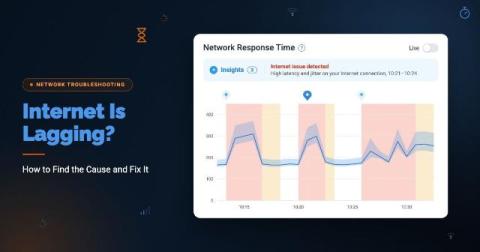
The speed test shows 500 Mbps. Yet Microsoft Teams calls keep turning into people talking over each other, the CRM pauses on every click, and remote employees are opening tickets because the Internet is lagging. Nothing looks broken, which is exactly what makes lag so hard to troubleshoot. Why is my Internet lagging? If your Internet is lagging, your connection is slow to respond, not necessarily slow to download.

ISP Throttling: How to Tell If Your ISP Is Throttling You and What to Do About It

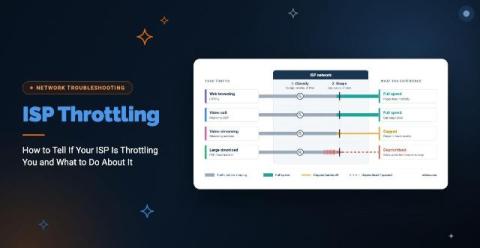
Your connection is fine in the morning and crawls every afternoon. Or video calls stutter while everything else loads normally. Either pattern could be ISP throttling. It could also be network congestion, or a problem inside your own network. ISP throttling is when your internet service provider intentionally slows your connection based on how much data you use, the type of traffic you send, the time of day, or the plan you’re on. Knowing throttling exists is the easy part. Proving it is harder.

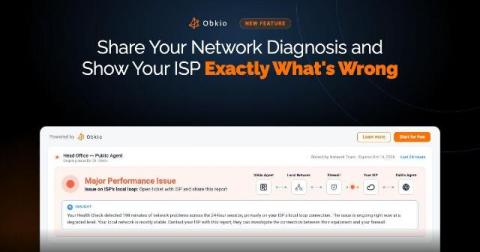
New in Obkio: Share Your Network Diagnosis and Show Your ISP Exactly What's Wrong

You know the conversation. Calls are choppy, users are complaining, and Obkio shows packet loss on the path to your ISP. You open a ticket, and they reply, "Everything looks fine on our end." Now you're stuck taking screenshots, exporting graphs, and trying to explain data to someone who can't see it. Meanwhile, the problem keeps happening. Today we're launching Shareable Links. With one click, you can create a read-only link to any Network Monitoring Session and send it to anyone.

How to Fix Packet Loss: Step-by-Step Troubleshooting Guide

Packet loss rarely shows up as packet loss. Users report choppy Teams calls, frozen screen shares, slow SaaS apps, or a connection that feels unstable. By the time the ticket reaches IT, the issue has often cleared. Even small amounts of loss degrade real-time traffic. And because TCP retransmits every lost packet, sustained loss also cuts throughput for everything else on the link. Packet loss happens when data packets fail to reach their destination.

ServiceNow Integration for Obkio's Network Monitoring Tool: Now Live

Obkio's ServiceNow integration is now live. When Obkio detects a network issue, it opens an incident in ServiceNow. When the issue recovers, it resolves that same incident. Your team works the problem in the platform they already use for incident management, with the monitoring context already attached.

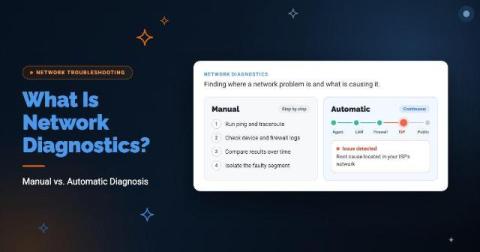
What Is Network Diagnostics? Manual vs. Automatic Diagnosis

Network diagnostics is the process of finding out why a network performance issue is happening: what's causing it, where and when it occurred, and who needs to fix it. It's the step between an alert telling you something is wrong and a fix being applied. For most IT teams, it's also the slowest part of resolving a network issue.

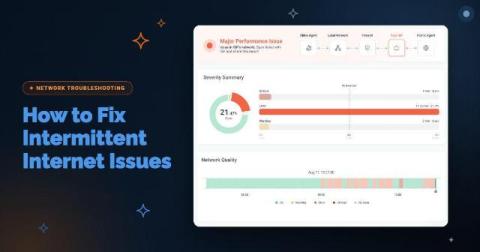
How to Fix Intermittent Internet Issues: Is It Your Network or Your ISP?

Your Internet circuit is up. The firewall shows the WAN link as connected, your ISP's status page is green, and a speed test comes back at full provisioned bandwidth. Meanwhile, Teams calls at one branch break up for ten minutes every afternoon, and every user at that site sees Salesforce slow to a crawl at the same moment. Then everything recovers before anyone can capture it.

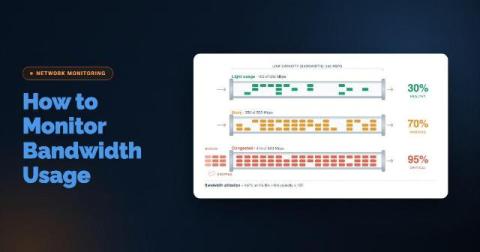
How to Monitor Bandwidth Usage: Techniques, Tools & Troubleshooting

Your Internet link averages 40% utilization, yet users still complain that calls drop and SaaS apps crawl every morning at 9:00. Averages are where bandwidth problems hide. A five-minute polling interval can smooth a 30-second saturation spike into a flat, healthy-looking line. A total-usage graph also won't tell you whether the traffic is a backup job, a compromised endpoint, or an ISP delivering less than you're paying for.

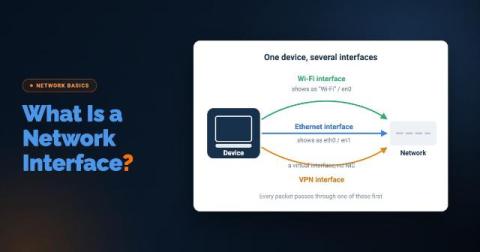
What Is a Network Interface (and Why Your Monitoring Tool Should Care)

A user opens a ticket: "The Internet is slow." IT checks the network. Bandwidth looks fine, no outages, no alerts firing. They check with the ISP, but nothing on their end either. Everything upstream checks out, and yet the user is still stuck watching a spinning wheel. What rarely gets checked is the one component sitting closest to the problem: the machine's own network interface.