Operations | Monitoring | ITSM | DevOps | Cloud

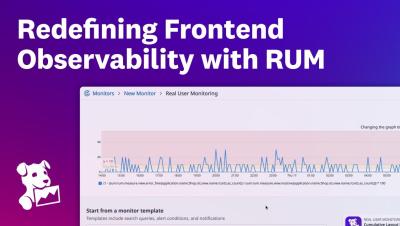
RUM measurements: Start with the data, discover the story

When something breaks in your application, a slow page, a spike in errors, or a drop in engagement, the typical response is to chase the symptoms. But what if we flipped that process? What if we started not from user complaints, but from actual performance measurements, collected from real sessions in real time? That’s exactly the idea behind Coralogix RUM Measurements.

RUM Versions: one click deployment tracking

Deployments should drive your product forward, not slow you down. Yet too often, teams spend hours digging through logs, dashboards, and error reports just to answer a simple question: did the release go smoothly? Coralogix’s new Versions feature answers this in a single click, letting teams spend more time building and less time investigating.

How to Set Up Real User Monitoring

Synthetic monitoring provides consistent, repeatable results, 2.1s load times, passing Lighthouse scores, and minimal variability. But those numbers reflect lab conditions. On slower networks, like 3G in Southeast Asia, real users may see much higher load times, 5.8s or more. This isn’t a fault of the tools. It’s a difference in testing context. Synthetic tests run on fast machines, stable connections, and clean environments.

Debug smarter with Session Replay in Site24x7 real user monitoring (RUM)

Frontend errors can be tricky to trace without context. Site24x7's Session Replay gives developers, SREs, and DevOps teams complete visibility into the user journey by capturing every click, scroll, and interaction as it happened. With visual replays and correlated performance data, you can quickly identify what went wrong, why it happened, and how to fix it—without relying on user screenshots or log reports.

Real User Monitoring (RUM) vs. Synthetic Monitoring: Understanding Best Practices

For modern engineering and DevOps teams, user experience isn’t a post-deployment concern, it’s a critical operational metric. Monitoring how real users interact with your application is no longer optional, especially in high-traffic, dynamic, or global environments. This is where real user monitoring (RUM) proves indispensable. But RUM isn’t the only approach.

What is Real User Monitoring (RUM)?

As applications grow more complex and user expectations rise, delivering seamless and high-performing experiences to users is non-negotiable. Real User Monitoring (RUM) has emerged as an essential technique that provides developers, DevOps teams, and site reliability engineers with deep visibility into the actual performance of web applications that capture the experiences of real people in real-time.

Why You Need Real User Monitoring to Really Understand Your Web Performance

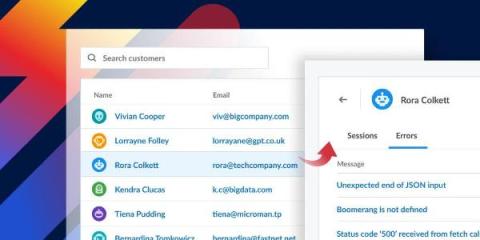
Great Lighthouse scores, but your site is still slow. Sound familiar? You’ve run PageSpeed Insights, Request Metrics, and every other synthetic test you can find. Your scores look great. But your analytics shows users bouncing, conversions dropping, and complaints about “slow pages.” What’s going on? The answer is simple: synthetic testing only tells you how your site performs in a test, not how it performs for real users in the real world.

Introducing RUM without Limits: Capture everything, keep what matters

Real User Monitoring (RUM) helps teams understand exactly how their users experience their web and mobile applications—from load times to crashes and frustration signals. But traditional RUM models come with tough trade-offs: capture all sessions and overspend, or sample data and miss what matters. Fixed sampling rates may help manage volume, but they leave dangerous blind spots.

How we use RUM to make design decisions that enhance user experience

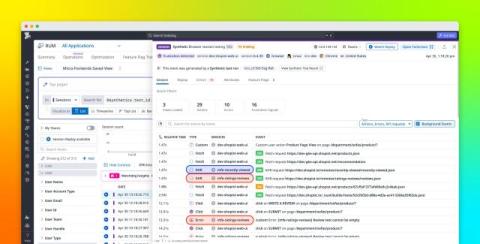
Before we started using Datadog Real User Monitoring (RUM), we relied on frontend logging to gather data about the user experience. Logs gave us some helpful information about exceptions and errors but didn't provide any insight into issues directly related to the user’s perspective.

Optimize cross-platform mobile apps with Datadog RUM and Kotlin Multiplatform support

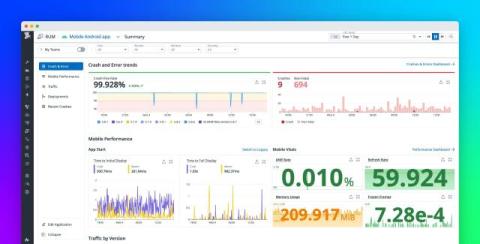
Mobile developers are increasingly adopting Kotlin Multiplatform to share business logic across iOS and Android. While Kotlin Multiplatform reduces duplication of code-writing efforts, it also introduces blind spots. Developers often lack real-time visibility into how shared code performs across platforms, making it harder to troubleshoot issues and monitor user experience.