Network Performance Dashboard

In this dashboard tutorial video, we will walk you through building a Network Performance dashboard. This dashboard provides users with the visibility they need into the status of their network performance from their offices down to an individual users device. Obtaining this single pane of glass visibility is made easy with the combination of both CloudReady and Service Watch metrics into dashboards. When utilizing these dashboards, users can quickly identify which networks are performing poorly, allowing them to quickly resolve issues and ensure end users have an optimal experience.

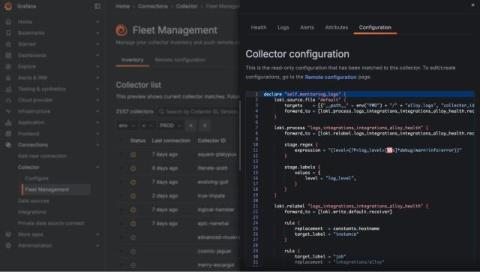
Grafana Alloy 1.3 release: Debug pipelines in real time

Grafana Alloy 1.3 is here! First introduced earlier this year, Alloy is our open source distribution of the OpenTelemetry Collector. It has native pipelines for OpenTelemetry and Prometheus telemetry formats, and it uses the same components, code, and concepts that were previously introduced in Grafana Agent Flow. This new release introduces live debugging, enhancing debugging capabilities across key components, which are the building blocks of Alloy.

Microsoft Teams Health Dashboard

In this dashboard tutorial video, we will walk you through building a Teams Health Dashboard by combining the collected metrics for CloudReady Synthetics and Service Watch Desktop. The Teams Health Dashboard provides users with a holistic view of Microsoft Teams availability and performance. When an issue occurs, users can quickly review the Teams Health Dashboard and identify whether the issue is limited to an office or affecting Microsoft Teams as a whole.

Email Health Dashboard

In this dashboard tutorial video, we’ll be walking you through building a Microsoft Exchange and Outlook dashboard utilizing CloudReady Synthetics and Service Watch Desktop. This dashboard is a great first stop when diagnosing user email issues. When an issue comes up, engineers can quickly review the CloudReady data available in the dashboard to identify if an office or Exchange Online is experiencing issues or an outage.

How to View Your Pyroscope Data in OSS and Grafana Cloud Profiles | Ask the Experts | Grafana Labs

"I have provisioned Pyroscope OSS. Everything seems fine. Is there a way to install Pyrocsope UI to get more enhanced views? Or is the UI part of Pyroscope Cloud?" To kick off our new "Ask the Experts" series, Ryan Perry, Co-founder of Pyroscope and Director of Engineering at Grafana Labs answers the question by showing you how to view your Pyroscope data in both OSS and Pyroscope Cloud. He also hints at some new UI features in the Pyroscope roadmap for OSS that we think you'll love.

How to View Your Pyroscope Data in OSS and Pyroscope Cloud | Ask the Experts | Grafana

"I have provisioned Pyroscope OSS. Everything seems fine. Is there a way to install Pyrocsope UI to get more enhanced views? Or is the UI part of Pyroscope Cloud?" To kick off our new "Ask the Experts" series, Ryan Perry, Co-founder of Pyroscope and Director of Engineering at Grafana Labs answers the question by showing you how to view your Pyroscope data in both OSS and Pyroscope Cloud. He also hints at some new UI features in the Pyroscope roadmap for OSS that we think you'll love.

Actionable Alarms Dashboard

In this dashboard tutorial video, we will walk you through building an Actionable Alarms dashboard. This dashboard provides users with the visibility they need into the status of their SaaS solutions as well as how their end-user devices are performing. Dashboards allow combining both CloudReady and Service Watch data into a single pane of glass for visibility. Utilizing the Alarm widgets, users can quickly identify what issues need to be investigated while quickly being able to access the affected resources for review.

An overview of Grafana SSO: Benefits, recent updates, and best practices to get started

Grafana began as an open and composable platform for data visualization. Today, Grafana has evolved into an all-in-one observability platform, providing everything from infrastructure and application performance monitoring to load testing and incident response. As organizations extend their use of Grafana, efficient and secure authentication and authorization is essential.