Mailchimp
Not subscribed to OpsMatters Newsletter


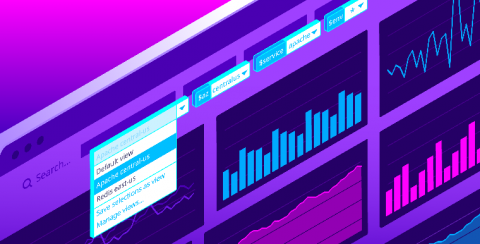
Datadog dashboards provide immediate visibility and insight into your environments. Setting template variables enables you to filter your dashboard graphs on the fly to visualize specific sets of tagged objects. Now, with saved views, you can save sets of frequently used template variables in order to easily find the data you most care about with just a few clicks.
In the previous blog in this series, we discussed authentication and authorization mechanisms, and how configuring them properly can help secure your databases. In this blog, we’ll talk about how data breaches can be prevented by implementing the principle of least privilege (POLP). According to Verizon’s 2019 Data Breach Investigations Report, insiders account for 76 percent of all compromised database records.
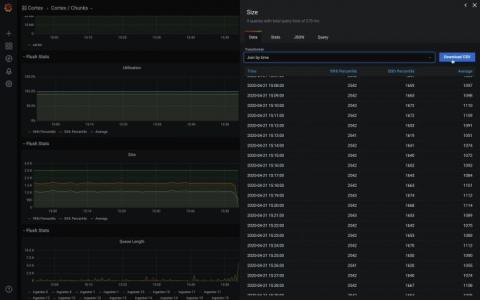
Grafana v7.0 is coming soon! Here’s another sneak peek of one of its features: the inspect drawer. The inspect drawer is a feature that every panel will support, including internal as well as external community plugins. In this new drawer, you will be able to view the raw data in a table format, apply some predefined transformations, and download as CSV. “Download as CSV” previously only existed as a custom feature for the Graph & Table panel.
Check out the latest StatusHub updates and features, including multilingual status page, updated icons, OpsGenie integration and more for the last two months.
Out of the box monitoring solutions are getting more and more difficult to implement. In addition, they may not have the features you need, and they’re always becoming more expensive. It’s no wonder you’re trying to create a cost-effective solution via infrastructure monitoring cost management on your own by using a combination of your on-site development talent and a few open-source libraries.