Operations | Monitoring | ITSM | DevOps | Cloud

How to avoid one of the biggest critical incident headaches (no aspirin required)

You probably know this situation all too (painfully) well . . . A critical incident has hit. You get the alert and the race is on! First headache up on deck – coordinating all the stakeholders. You call, you email, you text – some people are available, some are not. Some might be sleeping, or just getting up in a completely different time zone.


Switching to the Cloud: Any Change Is Going to Be Challenging, Even If It's for the Better

At Skeddly we’re focused on bringing you the best in AWS help tutorials, AWS scheduler services, and AWS backup services. However, from time to time we like to reach out to other leaders in the AWS space to help you, our blog readers, stay on top of the latest developments and news within the AWS ecosystem. Today Skeddly had the opportunity to speak with a few of the bright minds behind Keyhole Software, a cutting edge technology company with an impressive amount of AWS experience.

Who's Better at Downtime Communication: IT or Marketing?

In her CIO online post, “6 Blunders to Avoid When Dealing with End Users,” Mary Brandel discusses some of the mistakes IT professionals make when interacting with end users. In short, the article calls attention to some common limitations within IT staff when communicating with customers. This isn’t a matter of intelligence or willingness.

TrackJS

JavaScript Error Logging from TrackJS monitors your web applications for JavaScript errors, alerting you with amazing context about how the user, application, and network got into trouble. Find and fix your bugs fast with TrackJS.

Increase Visibility with Configuration Monitoring

Network devices underpin every modern infrastructure environment with the switches and routers of your environment representing the roads information needs to travel on to reach its intended destination. And if switches and routers are the roads, picture configuration files as the traffic lights, they direct, protect and support the flow of information.

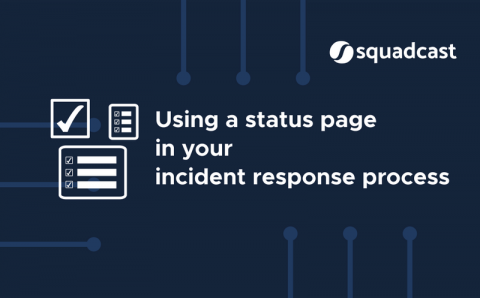
Using a Status Page in your Incident response process

A status page is a communication tool that allows you to display the current working status of your various services - whether fully functional, partially degraded, severely affected, etc. The nomenclature of the service status can be defined by you. On the status page, you can also access & update the uptime and incident history data for all your internal facing or customer impacting components.

CLI vs GitKraken GUI Speed Test

The typical workday for a developer using Git involves a variety of different tasks. Between generating new SSH keys, cloning Git repositories, viewing commit diffs, creating pull requests, and on and on. But do you ever sit back and think about how much time you’re spending on each of these seemingly smaller tasks? Trust us, it adds up. The concept for the GitKraken Git GUI was born from this very frustration.