Operations | Monitoring | ITSM | DevOps | Cloud

What is Error Tracking? A Beginner's Guide to Monitoring Errors in Production

Every app breaks eventually. A button stops working. A checkout flow throws an exception. An API returns a 500 error at 2 AM on a Saturday. The question isn't whether your app will have bugs; it's whether you'll find out before your users do. That's exactly what error tracking is for.

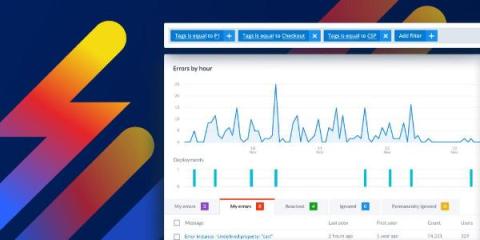
Error Monitoring for Elixir: Now in Scout APM

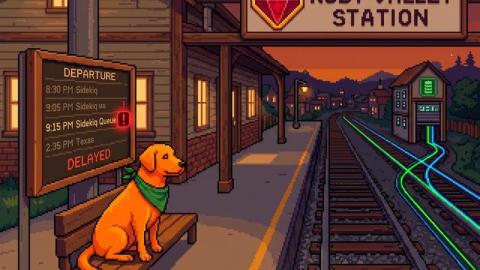
Elixir’s “let it crash” philosophy is one of the best ideas in modern software design. Supervisors restart failed processes, the system self-heals, and life goes on. It’s like having a really good immune system. The problem is that a really good immune system can also hide chronic conditions. A GenServer crashing and restarting is working as designed.

Signal-Driven Error Monitoring: Detecting and Debugging Reactive Failures in Angular

Angular's Signal-based reactivity model represents one of the biggest paradigm shifts the framework has seen since Ivy. By replacing the asynchronous push-pull model of RxJS with synchronous, localized updates, Signals make state management both simpler and faster. But this new simplicity hides a subtle danger: when something breaks inside your reactive graph, it often does so silently. A computed value might stop updating. An effect might fire indefinitely.

Already Love Scout APM? We Have Integrated Error Monitoring!

The error monitoring scene has changed a ton over the past few years. We've gone from basic exception tracking to fully integrated platforms that correlate errors with performance metrics and logs. We’ve even got AI-powered debugging! But in the midst of the AI explosion, some things remain unchanged and most teams are still drowning in data with little actionability.

The Ultimate Guide to Error Monitoring: Why Error Monitoring Matters More Than Ever in 2026

Errors get a bad rap, but they’re just trying to help. Remember, errors aren’t the enemy, they’re the messenger. Conventional wisdom tells you to think of errors as failures, as things that thwart progress and frustrate developers. The reality is that errors are actually there to help you. They prevent you from shipping broken code to production. They stop your application from continuing to operate incorrectly and costing you money.

Prioritize errors and create tickets using Rollbar's MCP Server

Production errors can feel overwhelming. Your Rollbar dashboard is filling up with alerts, your team is scrambling to understand what needs immediate attention, and critical revenue-impacting issues might be buried among less urgent problems. Sound familiar? In this post, I'll walk you through a workflow that transforms production error chaos into organized, prioritized action items. We'll cover everything from analyzing Rollbar errors to creating properly linked Linear tickets.

Hand Code or no Code, Scout Keeps Error Monitoring Out of the Log Mess

You’ve built something, it’s live, and users are starting to show up. Maybe you programmed it from scratch, used a tool, or vibe-coded it into existence. No matter how it came to be, the fact that you’ve got users is great! But here’s a question every new developer must eventually ask: how do I know when my site is actually failing? ‍ The thing is, these failures aren’t always obvious.

Debugging Errors in Background Jobs

Debugging background jobs is one of those tasks that always sounds easier than it is—until you’re knee-deep in stack traces that offer no real clues. Background jobs love to run in isolated environments, cutting themselves off from all the helpful context you’d normally have. @nikolovlazar shows us how to debug these errors anyway—piecing together the missing context across systems so you can actually fix the problem instead of just guessing.