Operations | Monitoring | ITSM | DevOps | Cloud

6 Best Network Protocol Analyzer Tools in 2023

Today’s networks support a lot of traffic data, especially with the adoption of embedded systems. Furthermore, the complexity of the data passing through networks has significantly increased. Yet system administrators have to manage and secure these networks effectively. A network protocol analyzer is an essential component of network security and management that every administrator needs.

8 Best Network Traffic Analysis Tools in 2023

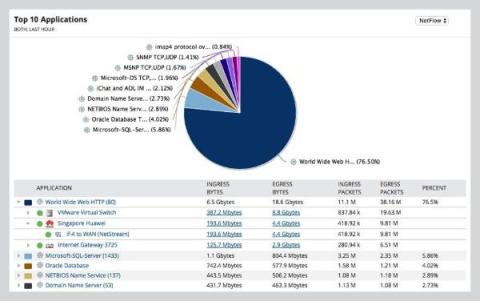
Network traffic analysis is an important aspect of computer network management. Organizations can gain valuable insights into the behavior of their network infrastructure, identify potential security threats, and optimize network performance by monitoring and analyzing network traffic. Several network traffic analysis tools have been developed to aid in this process, each with its own set of features and capabilities. What Is Network Traffic Analysis?

Is your Java Observability tool Lambda Expressions aware?

Most SREs and IT Ops manage Java applications without source code access or communication with AppDev teams. When applications have performance issues those SREs or IT Ops teams deploying and maintaining the infrastructure often have to prove that it is the application at fault and supply information to the app supplier which provides evidence of the issue.

How To Use AUTOSAR Runnables With Tracealyzer

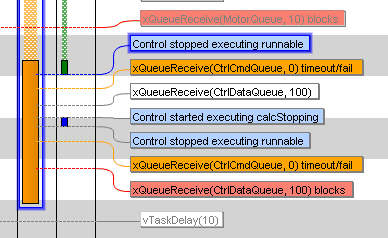
Tracing of “runnables” is a fairly new feature in Percepio Tracealyzer, added in v4.7.0. One of our automotive customers needed this feature to make ISO 26262 certification of their Electronic Control Unit (ECU) software easier. In order to properly allocate ECU functions to tasks and to cores, and to ensure that they meet the budgeted resources, it is useful to know execution times, response times and wait times for each task and runnable.

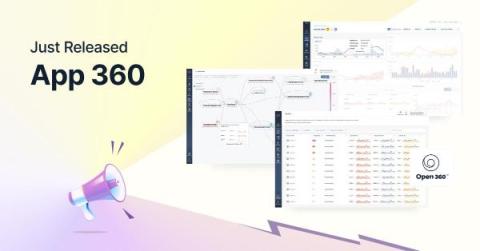
Introducing App 360: Your Observability-Centric, Cost-Effective APM Alternative

Years before founding Logz.io, I was a software engineer, working with various tools to ensure my products and services performed correctly. There were few tools I dreaded using more than application performance management (APM), and I know that I’m not alone. I hated traditional APM. It’s heavy. It’s hard to implement. It’s expensive. It takes a very long time to derive business value.

Application Observability in Minutes: How to Implement App 360

As applications in the cloud become more distributed and complex, the Mean Time To Resolution (MTTR) for production issues is getting longer. Modern systems are built with hundreds of distinct, ephemeral, and interconnected cloud components, which can make it exceptionally hard for engineers to understand the current state of their applications, what problems are impacting customers, and why those problems are occurring.

A deep dive into CPU requests and limits in Kubernetes

In a previous blog post, we explained how containers’ CPU and memory requests can affect how they are scheduled. We also introduced some of the effects CPU and memory limits can have on applications, assuming that CPU limits were enforced by the Completely Fair Scheduler (CFS) quota. In this post, we are going to dive a bit deeper into CPU and share some general recommendations for specifying CPU requests and limits.

Monitor HAProxy Metrics and Logs with OpenTelemetry [Step By Step Guide]

For extremely high throughput web applications, it is important to load balance the traffic across multiple servers. However, load balancing the traffic alone is not enough at times. The reverse proxy server that handles the workload needs to be performant, too. In our previous article, we discussed the NGINX reverse proxy server and understood how to monitor it. In this article, we set up monitoring for an even more performant reverse proxy server - HAProxy.

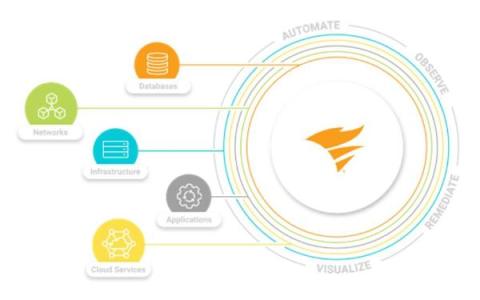
Take Back Control of Your Workflows, Data, and Costs with Splunk Observability

Engineering and ITOps teams have an important mission: keeping their software and digital systems performing and reliable. But as we’re about to embrace a new year full of changes, industry shifts, and AI developments, this mission is challenged by increasingly complex environments, technology alternatives, and an overwhelming number of tools available. The result? Overages, tool sprawl, and toil, which all lead to longer times to detect and resolve issues.