Operations | Monitoring | ITSM | DevOps | Cloud

Introducing Monitoring Query Language, now GA in Cloud Monitoring

Developers and operators on IT and development teams want powerful metric querying, analysis, charting, and alerting capabilities to troubleshoot outages, perform root cause analysis, create custom SLI / SLOs, reports and analytics, set up complex alert logic, and more. So today we’re excited to announce the General Availability of Monitoring Query Language (MQL) in Cloud Monitoring! MQL represents a decade of learnings and improvements on Google’s internal metric query language.

5 Takeaways from Gartner's 2020 IOCS Conference

I recently had the pleasure of attending the Gartner IT Infrastructure, Operations & Cloud Strategies (IOCS) Conference. Like most events in 2020, this event was virtual and brought together infrastructure and operations (I&O) leaders from across the world together to redefine, reassess, and prepare for what normal might be in the near future. Here are some of the major takeaways from my experience at this four-day event.

Synthetic Monitoring: When Bad things Happen to Good Checks

Running synthetic monitoring thinking it will match up with a user’s reality throw for throw is a fool’s game. While you can test in prod, your testing parameters are limited by an insider’s knowledge of the transaction’s pathways – making true objectivity challenging to achieve in testing. Yet still, every transaction tells a story.

Send SMS alerts with webhooks and Twilio

When an alert triggers in your application or environment, you want your team to know as soon as possible so you can troubleshoot quickly and minimize any user-facing issues. Datadog can automatically alert you via email and collaboration services like Slack and PagerDuty. The simple, real-time communication provided by SMS can also be an effective way to alert your team.

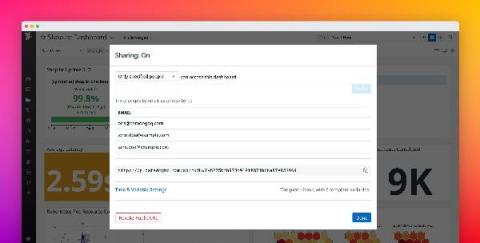
Share Datadog dashboards securely with anyone outside of your organization

Datadog dashboards provide a unified view of your application, infrastructure, and business data, giving stakeholders the context they need to make decisions. Sharing dashboards publicly is useful when you want to make them easily accessible to a large audience. But oftentimes, your dashboards include sensitive information, which is why you need finer-grained controls over the data you share—and who you share it with.

Splunk Connect for Syslog: Turnkey and Scalable Syslog GDI - Part 4

Previous installments of this series have given you the overview and configuration details you need to ingest any source that is supported by Splunk Connect for Syslog and configure customizations and overrides that match your enterprise. This leaves one key capability of SC4S that we have not yet covered, and that is extending the platform itself. In this installment, we'll walk through the configuration of an entirely new data source – one that SC4S does address out of the box.

Splunk Connect for Syslog: Turnkey and Scalable Syslog GDI - Part 3

In Part 1 and Part 2 of this series, we explored the design philosophy behind Splunk Connect for Syslog (SC4S), the goals of the design, and the new HEC-based transport architecture, as well as the rudiments of high-level configuration. We'll now turn our attention to the specifics of SC4S configuration, including a review of the local (mounted) file system layout and the areas in which you'll be working.

Dashboards Beta v0.9: All Things Inputs

If you’re new to the Splunk Dashboards app (beta) on Splunkbase and you’re trying to get started with building beautiful dashboards, this blog series is a great place to start. The Splunk Dashboards app (beta) brings a new dashboard framework, intended to combine the best of Simple XML and Glass Tables, and provides a friendlier experience for creating and editing dashboards.

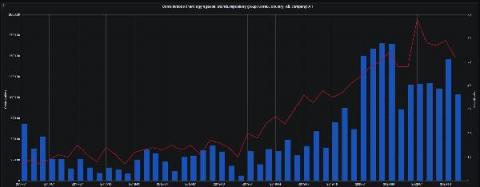
Monitoring COVID-19 in South America with InfluxDB

Monitoring COVID-19 metrics has become essential as the Coronavirus pandemic continues to impact countries across the globe. Mitigating virus impact and spread requires ongoing tracking of metrics such as cases and fatalities. This is what the InfluxDB COVID-19 Monitoring Template does.