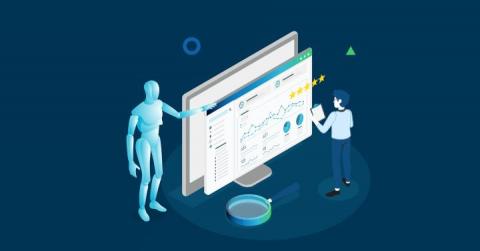
Artificial intelligence (AI) was highlighted as a key IT service management (ITSM) trend in 2021. IT organizations are beginning to employ various AI and machine learning techniques to enhance and improve IT service management processes. Because of the abundance of data generated by ITSM systems, applying machine learning to ITSM processes makes a lot of sense as it can provide IT professionals with a deeper understanding of their infrastructure and procedures.
Software upgrades are typically about offering new upgrades and improvements that enhance the end user experience, offer greater efficiency, and provide a more feature-rich product. These are also some of the reasons why Uptrends has released a new version of the Full Page Check monitor, which offers lots of benefits over the previous version. The demand for more metrics has grown over time not only for how the elements load but also how the page is presented to the end users.
I can’t remember the last time I drove down highway 101 between San Francisco and the South Bay and didn’t see a billboard claiming to be the single tool to solve all of my data problems.
A common DevOps use case involves alerting when hosts stop reporting metrics, aka a deadman alert. This can be done using the monitor.deadman() Flux function. One can easily create a deadman (or threshold) check in the InfluxDB UI Alerts section or craft a custom task to alert as well. Check out InfluxDB’s Checks and Notifications system post for more details. It’s also possible to use the monitor.deadman() function directly in a dashboard cell.
Telegraf comes included with over 200+ input plugins that collect metrics and events from a comprehensive list of sources. While these plugins cover a large number of use cases, Telegraf provides another mechanism to give users the power to meet nearly any use case: the Exec and Execd input plugins. These plugins allow users to collect metrics and events from custom commands and sources determined by the user.
If you are trying to compare all of the best solutions for application performance monitoring and management you may have found that it can be highly complicated to compare all of the available observability tools whilst also trying to keep within a reasonable budget.
With Kubernetes emerging as a strong choice for container orchestration for many organizations, monitoring in Kubernetes environments is essential to application performance. Kubernetes allows developers to develop applications using distributed microservices introducing new challenges not present with traditional monolithic environments. Understanding your microservices environment requires understanding how requests traverse between different layers of the stack and across multiple services.
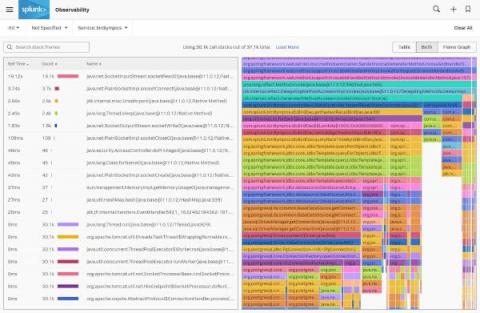
As an update to.conf’s announcement of our continuous code profiling preview, we’re excited to share that today Splunk APM’s AlwaysOn Profiling is generally available for Java applications, included in APM with no additional cost. Here’s a quick walkthrough of the feature, and how you can get started now.
I have a good sense of how to use traces to understand my system’s behavior within request/response cycles. What about multi-request processes? What about async tasks spawned within a request? Is there a higher-level or more holistic approach?