Operations | Monitoring | ITSM | DevOps | Cloud

10 Ways to Implement Effective IoT Log Management

The Internet of Things (IoT) has quickly become a huge part of how people live, communicate and do business. All kinds of everyday things make up this network – fridges, kettles, light switches – you name it. If it’s connected to WiFi, it’s part of the Internet of Things. IoT raises significant challenges that could stand in your way of fully realizing its potential benefits.

Snooze notifications until the next workday

When a site is down, Oh Dear sends a notification every hour. Since last year, our notifications can be snoozed for a fixed amount of time (5 minutes, 1 hour, 4 hours, one day). In the evenings and weekends, you might not want to receive repeated notifications. That's why we've added a nice human touch: all notifications can now be snoozed until the start of the next workday. You can choose this new options in the snooze settings of a check.

What are MTTR, MTBF, MTTF, and MTTA? A guide to Incident Management metrics

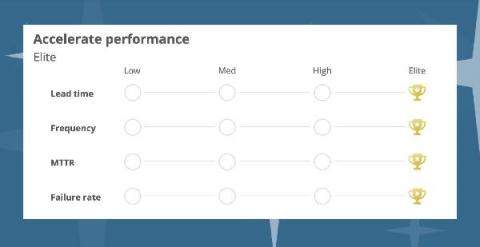
In the present fast-moving digital world, it has become critical for businesses to measure and track their service delivery performance especially the incident management metrics that monitor the uptime of systems, downtime due to outages, and how fast and efficiently issues are resolved because even a slight glitch in the system can cause disruption in the business processes costing millions of dollars.

Getting started with Kubernetes audit logs and Falco

As Kubernetes adoption continues to grow, Kubernetes audit logs are a critical information source to incorporate in your Kubernetes security strategy. It allows security and DevOps teams to have full visibility into all events happening inside the cluster. The Kubernetes audit logging feature was introduced in Kubernetes 1.11.

Log4j Tutorial: How to Configure the Logger for Efficient Java Application Logging

Getting visibility into your application is crucial when running your code in production. What do we mean by visibility? Primarily things like application performance via metrics, application health, and availability, its logs should you need to troubleshoot it, or its traces if you need to figure out what makes it slow and how to make it faster. Metrics give you information about the performance of each of the elements of your infrastructure.

How to Steer Clear of Application Performance Bottlenecks

We are living in a time where a difference of a mere couple of seconds can make you lose your business to another company with a faster, more easily accessible web application. In such a highly competitive space, it is important to squeeze out the maximum amount of performance from your application’s software stack and hardware infrastructure.

How I monitor my OpenWrt router with Grafana Cloud and Prometheus

I’ve been an open source fan and user for many, many years, going back to before we defined the term “open source” and we called it “free software.” Whenever and wherever possible I prefer to have control over the software I run on my devices. Case in point: My internet router runs OpenWrt, which is a free/open source Linux operating system designed to replace the software provided by the router’s manufacturer.

Grafana - How to read Graphite Metrics

Before getting started on how to read Graphite metrics, let us first dive into understanding what Grafana is all about. In a nutshell, Grafana is an open source analytics and monitoring solution, developed and supported by Grafana Labs. It allows you to query, display graphs and set alerts on your time-series metrics no matter where the data is stored.

What is YAML?

YAML is a serialization language that was created in 2001, although it would take another few years before it became super popular. The acronym originally referred to Yet Another Markup Language but this was changed a few years later to YAML Ain’t Markup Language, to emphasize that developers should use it for storing data, instead of creating documents (like HTML or Markdown, for example).