The latest News and Information on Monitoring for Websites, Applications, APIs, Infrastructure, and other technologies.
Welcome to the companion post to So You Received an Alert. Now What? Last time, we broke down the process between receiving the Uptime.com check alert and figuring out what broke. Today, we’re going to show you how to communicate your efforts so that everyone – your end users, coworkers, and bosses – know what’s going on. Your first step is to update your Status Page, your central hub for incident management and communication.
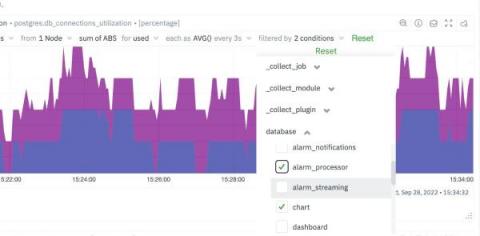
It is sometimes easy to get lost in the mountain of metrics and infinite number of dimensions when working with an infrastructure monitoring tool. Being able to filter metrics by label and visualize only what is relevant to the current scope of monitoring & troubleshooting, becomes absolutely crucial to the success of SREs, Sysadmins and DevOps professionals.
Anyone that has ever applied for a visa and wanted to schedule an interview appointment remembers and knows the struggle of refreshing the page continuously, waiting for a new session to become available. The battle became even more real during the pandemic when embassies started giving out fewer appointments that quickly filled up, leaving the rest empty-handed and impatient.
A few years ago, I was meeting with venture capitalists and private equity firms about the future of k6, the open source performance testing tool that we created in 2016 and open sourced in 2017. After talking about the k6 product mission — to give modern engineering teams better tools to build reliable applications — one investor challenged us to create an even bigger vision for the company: What if we acquired a company to broaden the k6 story?
As we continue to see Microsoft Teams usage skyrocket, now more than ever, users are depending on Microsoft Teams service excellence to maintain productivity. But it can be challenging to deliver a reliable user experience in today’s modern workplace. There are many factors in the IT environment impacting Microsoft Teams performance, and IT teams typically don’t have full visibility into them, or the service quality delivered to end users.