Egress access control for Kubernetes
During this training, we’ll talk about what egress access control options are available for Calico and where Calico Enterprise can add powerful capabilities.


The latest News and Information on Containers, Kubernetes, Docker and related technologies.
OpenTelemetry is an instrumentation standard for application monitoring - both for monitoring metrics & distributed tracing. In this blog, we take you through a hands on guide on how to run this on Kubernetes.
Today we are pleased to announce our partnership with Nutanix, creators of the industry’s most popular hyper-converged infrastructure (HCI) technology. HCI combines datacenter hardware using locally-attached storage resources with intelligent software to create flexible building blocks that replace legacy infrastructure consisting of separate servers, storage networks, and storage arrays.
As a developer, getting metrics from your application onto a Prometheus graph can seem daunting. We’ll look at analyzing your service to find the most useful places to add metrics, how to add that instrumentation, getting it exposed and scraped, and then basic queries to use those metrics on graphs. Check out another article of mine for general reference on instrumenting, this one on Prometheus metrics, or this comparison on instrumentation alternatives.
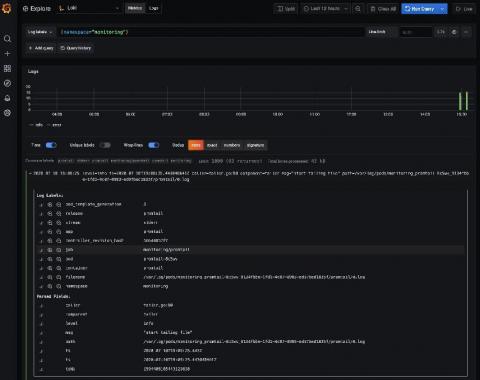
Amazon Elastic Kubernetes Service (Amazon EKS) is the fully managed Kubernetes service on AWS. If you’re using it and wondering how to query all your logs in one place, Loki is the answer. With this tutorial, you’ll learn how to set up Promtail on EKS to get full visibility into your cluster logs while using Grafana. We’ll start by forwarding pods logs then nodes services and finally Kubernetes events.
Don’t miss out on these 12 image scanning best practices, whether you are starting to run containers and Kubernetes in production, or want to embed more security into your current DevOps workflow. One of the main challenges your teams face is how to manage security risk without slowing down application delivery. A way to address this early is by adopting a Secure DevOps workflow.
CEO and Co-Founder Sheng Liang has a saying about how we approach open source at Rancher Labs: “Let a thousand flowers bloom.” When we set out to build something, we don’t know if it will turn into a successful product, spark another product idea or be a good idea that doesn’t get traction. The joy is in the journey.