The latest News and Information on Cloud monitoring, security and related technologies.
Virtual machines (VMs) have been around for quite some time now and have become a cornerstone of modern-day IT infrastructure. They provide a convenient way to run multiple operating systems on a single physical machine, allowing users to consolidate their hardware and save costs. However, as VM technology has evolved, newer versions of VMs have been introduced, such as generation 1 and generation 2 VMs.
AWS Marketplace + FireHydrant: your path to easier compliance, consolidated spend, and faster procurement.
With the dawn of microservices and serverless, event-driven architectures have become the way to go when building a new system in the cloud. This approach has allowed for greater scalability, as the system can easily adapt and respond to changes in traffic or demand without having to overhaul the entire architecture. Additionally the Event-driven approach means your application is mainly concerned with routing event data to the right services.
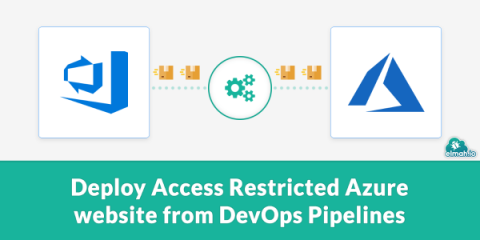
We have a couple of internal websites hosted on Azure. Websites that require authentication and should only be accessed from our IP. This can easily be configured using Access Restrictions in Azure. But when doing so, you exclude the dynamic IP range for Microsoft-hosted Azure DevOps build agents. In this post, I'll show you how we set up deployment to the Access Restricted websites with a bit of PowerShell magic.
Blob Storage is a highly scalable and secure cloud storage solution offered by Microsoft Azure. It allows users to store unstructured data like text, images, videos, and audio files. Accessing Blob Storage is crucial for developers, IT professionals, and business owners who want to manage their data and applications in the cloud. In this article, we will discuss how to access Blob Storage using different methods and tools.
Hyper-V is a virtualization platform developed by Microsoft that allows users to create and manage virtual machines (VMs) on Windows operating systems. One of the features of Hyper-V is checkpoints, which allow users to capture the state of a VM at a particular point in time. Hyper-V checkpoints are essential for many tasks, such as testing software in a safe and isolated environment, creating backups of virtual machines, and rolling back a virtual machine to a previous state if something goes wrong.
As a Microsoft Azure user, it’s essential to keep track of your storage usage to prevent exceeding your storage limits or wasting resources. In this article, we’ll guide you on how to get the total size of storage used in Azure per subscription.