Mailchimp
Not subscribed to OpsMatters Newsletter


The different states of system processes are essential to understanding how a computer system works. Each state represents a specific point in a process's life cycle and can impact system performance and stability.
As a system administrator, understanding how your Linux system's CPU is being utilized is crucial for identifying bottlenecks and optimizing performance. In this blog post, we'll dive deep into the world of Linux CPU consumption, load, and pressure, and discuss how to use these metrics effectively to identify issues and improve your system's performance.
Context switching is the process of switching the CPU from one process, task or thread to another. In a multitasking operating system, such as Linux, the CPU has to switch between multiple processes or threads in order to keep the system running smoothly. This is necessary because each CPU core without hyperthreading can only execute one process or thread at a time.
Swap memory, also known as virtual memory, is a space on a hard disk that is used to supplement the physical memory (RAM) of a computer. The swap space is used when the system runs out of physical memory, and it moves less frequently accessed data from RAM to the hard disk, freeing up space in RAM for more frequently accessed data. But should swap memory be enabled on production systems and cloud-provided virtual machines (VMs)? Let's explore the pros and cons.
Cost optimization has been one of the hottest topics in observability (and beyond!) lately. Everyone is striving to be efficient, spend money wisely, and get the most out of every dollar invested. At Logz.io, we recently embarked on a very interesting and fruitful data volume optimization journey, reducing our own internal log volume by a whopping 50%. In this article, I’ll tell you how exactly we achieved this result.
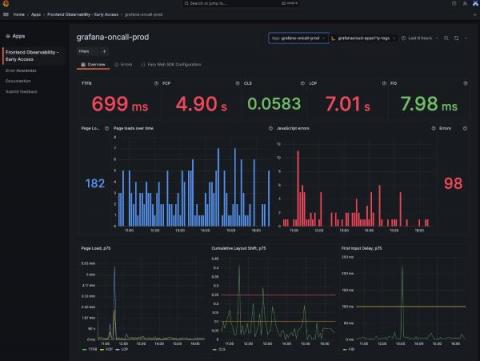
At ObserabilityCON 2022, we announced a limited private preview program for Grafana Cloud Frontend Observability, our hosted service for real user monitoring. Today we are excited to introduce a public preview program that makes Frontend Observability accessible to all Grafana Cloud users, including those in our generous free-forever tier. Simply look for Frontend under Apps in the left-hand navigation of the Grafana Cloud UI and click through to set up the feature. (Not a Grafana Cloud user?
Grafana Tempo 2.1 is out and comes with a host of TraceQL improvements. Tempo 2.1 comes with some nice incremental improvements to TraceQL and likely some breaking changes. There’s a section down below about those, too.
We are caught in a whirlwind of rapid data change. As more engineers, services and sophisticated practices are helping generate an astronomical amount of digital information, there’s a growing challenge of the data explosion. Coralogix offers a completely unique solution to the data problem. Using Coralogix Remote Query, the platform can drive cost savings without sacrificing insights or functionality.
This post is part of an ongoing series about troubleshooting common issues with microservice-based applications. Read the previous one on intermittent failure. Queues are an essential component of many applications, enabling asynchronous processing of tasks and messages. However, queues can become a bottleneck if they don’t drain fast enough, causing delays, increasing costs, and reducing the overall reliability of the system.