Getting Started with Conan and Cloudsmith
A quick walkthrough of getting set up with Conan (C / C++) and Cloudsmith, including uploading and downloading packages using the native Conan tooling.


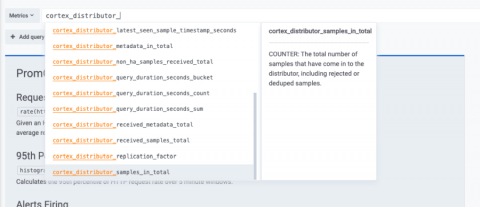
At Grafana Labs, we’re all big fans of the Prometheus and Grafana combination. To an extent, we just won’t shut up about it. We strongly believe in simplicity and think you shouldn’t need any extra effort to understand the metrics of your service(s) holistically. Yet we’ve all been in that situation where it is challenging to fully grasp what the metrics of our service(s) are and what they do. While naming conventions exist, at times they are not followed or enforced.
In part one of this series, I introduced you to Kubeflow, a machine learning platform for teams that need to build machine learning pipelines. In this section, we will learn how to take an existing machine learning project and turn it into a Kubeflow machine learning pipeline, which in turn can be deployed onto Kubernetes. As you are going through this exercise, think about how you can convert your existing machine learning projects into a Kubeflow one.
Today, monolithic applications evolve to be too large to deal with as all the functionalities are placed in a single unit. Many enterprises are tasked with breaking them down into microservices architecture. At LogicMonitor we have a few legacy monolithic services. As business rapidly grew we had to scale up these services, as scaleout was not an option.
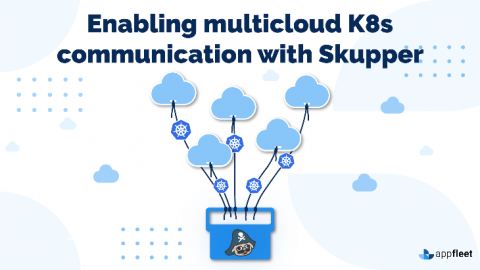
There are many challenges that engineering teams face when attempting to incorporate a multi-cloud approach into their infrastructure goals. Kubernetes does a good job of addressing some of these issues, but managing the communication of clusters that span multiple cloud providers in multiple regions can become a daunting task for teams. Often this requires complex VPNs and special firewall rules to multi-cloud cluster communication.
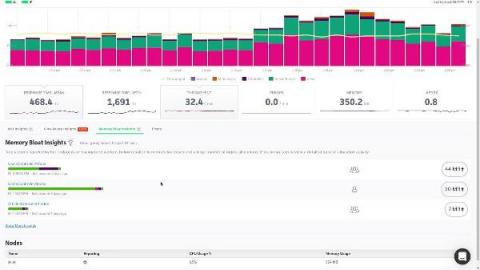
In this video, we are going to take a look at what memory bloat is, and how you can use Scout to eliminate it from your applications. Memory related performance issues have the potential to bring your entire application down, and yet, most APMs completely ignore this fact and fail to provide any useful way of monitoring memory usage at all.
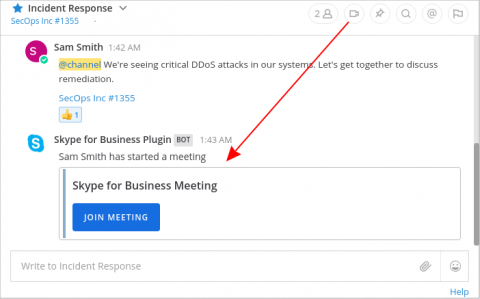
Many Mattermost DevOps teams work in “Microsoft Shops”—organizations that use Office 365 apps with the Microsoft 365 business plan—and want to tightly integrate with Microsoft tools to more easily collaborate with the rest of the company. Mattermost E20 was architected from the ground up to be highly flexible. As such, integrating with other platforms including Microsoft is easy. Here’s how.